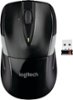
“The batteries are new. All lights on. Except the mouse has now stopped working because the cursor doesn't move. The Geek at Best Buy in Henderson said they couldn't check because it needed a certain kind of USB. How to get it working again?”
Answer This Question
1-2 of 2 Answers
As it's a Bluetooth mouse (or so it seems from reading the description), I'm going to guess it's a Bluetooth issue and not a USB one. Not sure what the tech meant by a certain kind of USB, maybe a 3.0 port instead of a 2.0 but generally that makes no difference. Bluetooth mice are not the best, IMO, because when you move just 5 feet away or less, it disconnects. They also time out a lot, which may be what's happening with yours. Try re-pairing with your Bluetooth on your computer maybe? If not, then you may just have a defective mouse and could exchange/return it. The 2 I've recommended might be a better choice as they seem to use straight nano receivers which sometimes can have better quality and battery life. Hope this helps!
I would recommend:
Sorry, there was a problem. Please try again later.Make sure there are no conflicting devices that may be receiving your Bluetooth signal. Chances are, this issue is originating from a conflict of devices or an issue in your settings and is not a malfunction with the mouse itself. Either way, I recommend contacting the manufacturer of the mouse for technical support since there are so many variables that can be causing this issue,
Sorry, there was a problem. Please try again later.