“I have and Android onetouch, yet I can't access the thumb drive when I plug it in... why?”
Answer This Question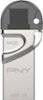
1-5 of 5 Answers
Click on "my files" and it should device storage and SD storage if you have memory card. It should appear there.
Sorry, there was a problem. Please try again later.Not all Android phones support OTG. I don't know if yours supports it or not, but you should be able to check online or call your carrier and ask.
Sorry, there was a problem. Please try again later.Maybe you need a usb 2.0 for that one. Or try a drive that says specifically for android. PNY duo
I would recommend:
Sorry, there was a problem. Please try again later.The files should be in your "My Files" folder. Under images. Mine is located under "More Apps" on a Galaxy5. I'm not familiar with your phone but if this doesn't help go to your local Best Buy or phone provider for assistance.
Sorry, there was a problem. Please try again later.The One Touch model may not have OTG support. I would advise to contact the phone manufacturer to confirm if the phone supports it or not.
Sorry, there was a problem. Please try again later.