1-5 of 5 Answers
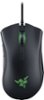
Changes the DPI of the mouse, how quickly it moves across the screen. Pressing up or down will change the speed on the fly.
Sorry, there was a problem. Please try again later.Can be customized on the razer website. The owner's manual has a full explanation for all of the buttons.
Sorry, there was a problem. Please try again later.Those buttons cycle through different DPI settings, so you can make the mouse cursor move faster or slower.
Sorry, there was a problem. Please try again later.They adjust the sensitivity of the sensor. i.e. The translation between physical movement of the mouse and how far the pointer travels on the screen.
Sorry, there was a problem. Please try again later.They adjust the DPI.
Sorry, there was a problem. Please try again later.