1-10 of 10 Answers
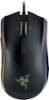
They are configured by default for forward and back on the web browser but you can change them to whatever you want in Razer Synapse.
Sorry, there was a problem. Please try again later.They are macro buttons that you can customize to do various functions in games and applications. By default they work as a forward and back button for web browsers and it is a really useful function.
Sorry, there was a problem. Please try again later.The buttons on the side can be used to do any function you want. In games I use the buttons to switch weapons, but you can change their function to do whatever you want them to
Sorry, there was a problem. Please try again later.The buttons on the left side of the mouse are by default set to 'forward' and 'back'. This is great for web browsing and file directory browsing. However, once you download the Razer software you can program these buttoms to do almost anything. Also, inside the controls menu in most (if not all) games you can program these to do whatever you like - examples: reload, change ammo type, jump, etc.
Sorry, there was a problem. Please try again later.the buttons on the side can be used for anything. They are fully programmable buttons that are programmed in the Razer software.
Sorry, there was a problem. Please try again later.The buttons can be programmed into any key press you want. I use mine as number keys for quick swapping stuff in games.
Sorry, there was a problem. Please try again later.You can set it to any keys you want it to be. the default setting is back and forward.
Sorry, there was a problem. Please try again later.Out of the box they work as back and forward buttons for surfing the internet, but if you have the free software razer synapse you can program them. With the app you can make macros, hot keys or short cuts. Pretty much anything.
Sorry, there was a problem. Please try again later.This is programmable buttons you can choose any options
Sorry, there was a problem. Please try again later.Depends on what you want them to be for,,,You can customize the button configuration.
Sorry, there was a problem. Please try again later.
