“I have infinity for my cable provider. My top box is the hdmi box. I purchased the 4k rocketfish hdmi cables to hook to my ks8000 t.vand now the picture flickers and some time show a black screen with just sound. I was wondering if this happened to any1”
Answer This Question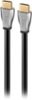
1-4 of 4 Answers
You might have a defective cable or more specifically the end of the cable. If you have it in the wall make sure it’s not near the in wall power wires or wrapped around the in wall wiring. That could cause noise in the cable or interference.
Sorry, there was a problem. Please try again later.Yes Apple TV has done the same using this cable but not often
Sorry, there was a problem. Please try again later.I've had zero issues with the cable. I have DISH going through AVR to TV through the ARC. Whenever I use an app and go back to watch TV, the AVR resets and shows the main screen for the receiver. I have to push the SAT button in order to view the picture again. (the whole time sound is in the background). From my reading, it has everything to do with HDCP 2.2 protection and wants to verify the chain is complete. Remember: In order to watch 4K (UHD) ALL items in the path need to be HDCP 2.2 compatible or issues will arise.
Sorry, there was a problem. Please try again later.My theory on troubleshooting is the first thing to do is check the connections - regardless if you've done it, check again. HDMI cables are notorious for coming loose or unlpugged altogether. If you have a different set of hdmi cables try those. Call your cable provider to have them check the lines. Your router or switch may need to be replaced or updated. Your paying money for tech support and customer service so I'd call them. This way your ruling out problems. Good luck.
Sorry, there was a problem. Please try again later.