1-4 of 4 Answers
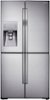
My model has touch pad on the door to set and/or adjust temperatures.
Sorry, there was a problem. Please try again later.Hello, Thank you for reaching out and raising your question about your Samsung refrigerator. I understand you want to know how to adjust the freezer's temperature in your refrigerator. We are here to help. To help you with this, I am providing this link https://www.samsung.com/us/support/answer/ANS00080450/ to know what temperature and should you set in your Samsung refrigerator and how to adjust it. Just click on "Adjust the temperatures" for the steps. You can also check the user's manual on this link https://downloadcenter.samsung.com/content/UM/201908/20190819221657190/DA68-03194D_EN_ES_FR-07_181206.pdf and go to pages 19, 20, and 21 to know how to operate your Samsung refrigerator. Should you need more assistance, please feel free to get back to us via the following options: 1. Facebook Messenger: http://m.me/samsungsupport 2. Twitter: https://twitter.com/messages/compose?recipient_id=18768513 3. Samsung Community: https://us.community.samsung.com/t5/Samsung-Community/ct-p/us Your reference number is 1144288222. -Noraina
Sorry, there was a problem. Please try again later.Press the freezer button on the control panel repeatedly until the desired temperature is reached. You can adjust between -8 to 5 F.
Sorry, there was a problem. Please try again later.Thanks for the question. To adjust the freezer temperature on the RF23J9011SR, press the Freezer button on the control panel repeatedly until your desired temperature is displayed. After a short time, the display will change to the actual temperature, which will eventually warm or cool to the desired temperature. This and other information can also be found in the User Manual which can be downloaded as a pdf file from Samsung's website. - Ms. Samsung
Sorry, there was a problem. Please try again later.