A:AnswerHi Bill - Please give us the opportunity to better assist with this by reaching Samsung Support at: 1-800-SAMSUNG, 8AM - 12AM EST, 7 days a week, or Chat with us on Samsung.com: https://www.samsung.com/us/support/contact/
~ Samsung Specialist
A:AnswerYou can utilize a standard remote such as this option at Best Buy: https://www.bestbuy.com/site/insignia-replacement-remote-for-samsung-tvs-black/6448217.p?skuId=6448217
~ Samsung Specialist
A:AnswerBruce - So that we can better understand and assist with this, please reach out to Samsung Support at: 1-800-SAMSUNG, 8AM - 12AM EST, 7 days a week, or Chat with us on Samsung.com: https://www.samsung.com/us/support/contact/
~ Samsung Specialist
A:AnswerRJ - The Q60D has 20-Watt 2 Channel speakers and features OTS Lite (Object Tracking Sound Lite) to provide you with 3D surround sound that follows the movement on screen by using our incredible virtual top channel audio—putting you right in the middle of the action.
~ Samsung Specialist
A:Answertim - You can find these measurements on this model’s product page – just click Show Full Specs and scroll down to Dimensions: https://www.bestbuy.com/site/samsung-32-class-q60d-series-qled-4k-smart-tizen-tv-2024/6576335.p?skuId=6576335
~ Samsung Specialist
A:AnswerJoe - Please give us the opportunity to better assist with this by reaching Samsung Support at: 1-800-SAMSUNG, 8AM - 12AM EST, 7 days a week, or Chat with us on Samsung.com: https://www.samsung.com/us/support/contact/
~ Samsung Specialist
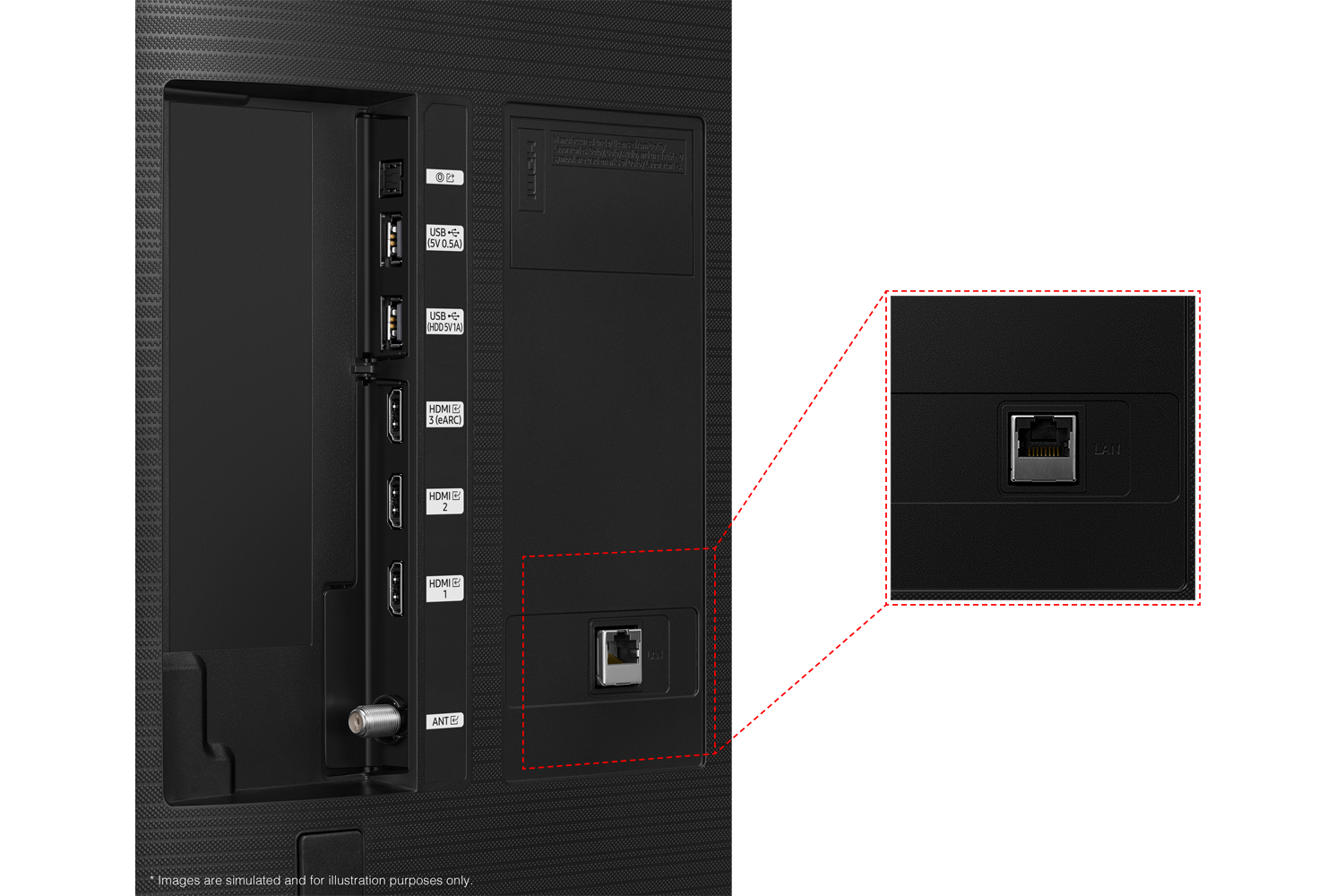
A:AnswerHi GTW,
Yes, you can disable Samsung Smart Hub if you only want to utilize local channels via an antenna or use a cable or satellite box.
~Samsung Advisor
A:AnswerPlease give us the opportunity to better assist with this by reaching Samsung Support at: 1-800-SAMSUNG, 8AM - 12AM EST, 7 days a week, or Chat with us on Samsung.com: https://www.samsung.com/us/support/contact/
~ Samsung Specialist
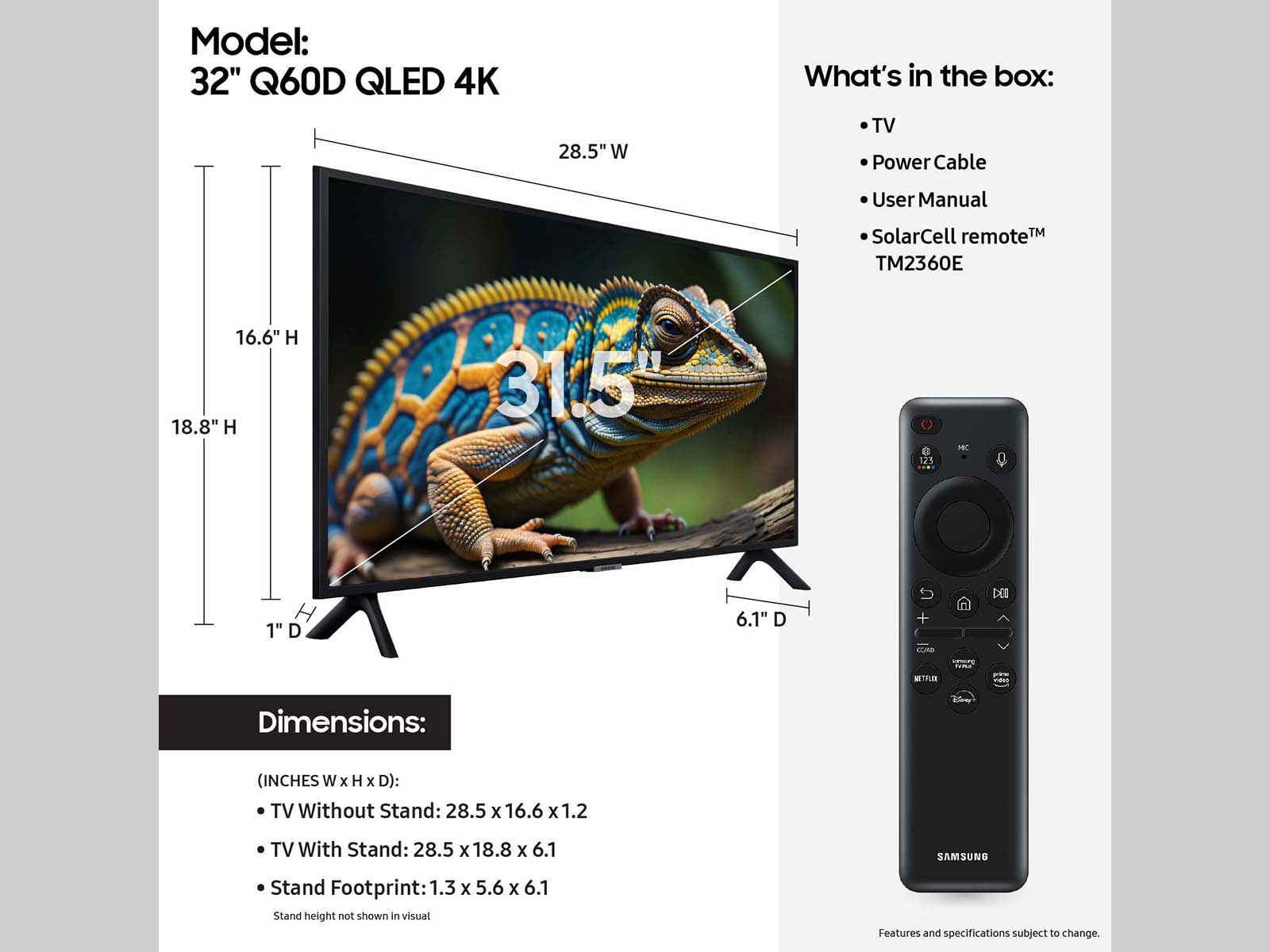
A:AnswerHi mils71 - A Bluetooth connection will not be automatically established on Samsung TVs unless you manually accept (via the pop-up notification this will prompt). Bluetooth devices also are not remembered - whether or not they were previously paired to your TV.
~ Samsung Specialist
A:AnswerHi Pearow – You can find this information on this model’s product page – just click Show Full Specs and scroll down to Power: https://www.bestbuy.com/site/samsung-32-class-q60d-series-qled-4k-smart-tizen-tv-2024/6576335.p?skuId=6576335
~ Samsung Specialist