Black Friday is hereShop new DoorbustersShop now

Main Content

Questions & Answers

Your price for this item is $89.99
Clearance
The comparable value price is $279.99
Page Showing 1-20 of 253 questions
  • QuestionDoes remote control allow voice commands?

    Asked by Anonymous.

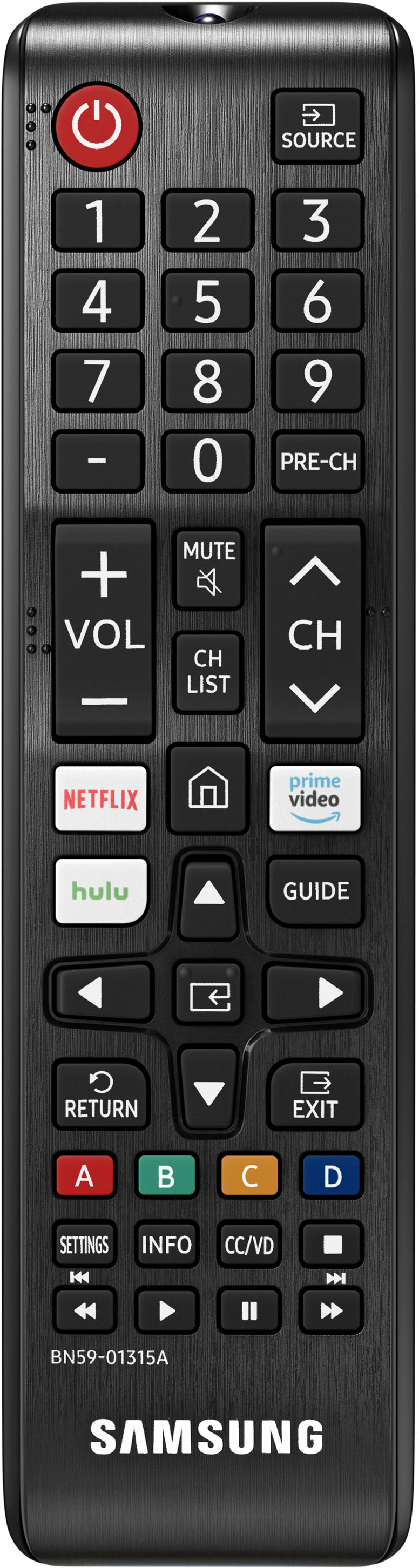
    • Answer Hi, No, the remote on the TU690T TV is not a voice remote, nor does not have voice assistants built in. However, they do work with Alexa and Google Assistant. You can connect them to your existing Alexa and Google Assistant devices to ask them to turn on your TV, change channels, control volume, and more. ~Samsung Advisor

      Answered by Samsung

  • QuestionDoes this Tv have AV ports? Where are they located?

    Asked by Mae.

    • Answer Hi Mae, The TU690T has 3 HDMI ports, 1 USB port, 1 digital optical audio input, 1 ethernet port, 1 RF antenna input, and is both Wi-Fi and Bluetooth enabled. ~Samsung Advisor

      Answered by Samsung

  • QuestionDoes this Smart TV Come with Wi-Fi already in the TV? Or Do I Need a Wi-Fi Adapter to connect to the Internet Service Provider?

    Asked by BESTBUYER252.

    • Answer Yes , though obviously you Must have a Wi-Fi account with a provider , TV will direct you to connect on prompts

      Answered by Anonymous

  • QuestionSo if the brightness is up to 50…highest it will go, is there any tricks to get brighter? Really disappointed in brightness on night scenes 🫤

    Asked by Buzzy.

    • Answer Hi Buzzy, Yes, there are several settings adjustments that you can make to your TV image. First, let’s ensure you are running the latest Firmware Update. Go to Settings> Support> Software Update. Next, If the colors on your TV are correct but just a little too dark or bright, you can try adjusting Picture Modes, Contrast, Brightness, or Sharpness settings. For darker scenes, I recommend Dynamic Picture Mode, which makes pictures brighter and clearer in bright viewing environments. Go to Settings > Picture > Picture Mode > Dynamic. Or you can manually adjust the Brightness by pressing the HOME button on your remote, then navigating to Settings > Picture > Expert Settings. You may also want to disable Power Saving Mode, which automatically adjusts the brightness to reduce the TV’s power consumption. Go to: Settings > General > Eco Solution> Power Saving Mode. If you need more help, Samsung is here for you. Please call us at 1-800-SAMSUNG, 8 AM - 12 AM EST, seven days a week. ~Samsung Advisor
      Answered by Samsung

  • QuestionDoes this TV have access to an internet browser?

    Asked by ItsMe.

    • Answer Yes. Clay

      Answered by Anonymous

  • QuestionDoes this model come with PIP/Picture ln Picture?

    Asked by Anonymous.

    • Answer Hi, The TU690T Series does not have PIP (or split-screen). Split-screen capability to view two different content side-by-side is available starting from our QLED Q60B Series and up using our Multi View feature. Buy it here at Best Buy: https://www.bestbuy.com/site/samsung-60-class-q60b-qled-4k-smart-tizen-tv/6502242.p?skuId=6502242&ref=212&loc=1&extStoreId=160&ref=212&loc=1&gclid=Cj0KCQiA1NebBhDDARIsAANiDD18LXR_12wSpMo0Ji2G6otKjAmd8laGQQ4NpizgQhjYTGS3vhdYswQaAh_iEALw_wcB&gclsrc=aw.ds ~Samsung Advisor

      Answered by Samsung

  • QuestionI was interested in buying this TV but had seen in reviews that remote is 2 seconds slow and wonder if its true?

    Asked by Cher.

    • Answer The remote is slow... So annoying

      Answered by Sepp

  • QuestionI have read the Samsung supports the Spectrum app. Will this TV download the Spectrum app? Thank you

    Asked by JM.

    • Answer This television will support the spectrum app.

      Answered by Anonymous

  • QuestionWill I be able to connect my cable company box to the tv?

    Asked by James.

    • Answer Hi James, Yes, you can connect your cable box via HDMI. ~Samsung Advisor

      Answered by Samsung

  • QuestionCan I download Apple TV and HBO MAX?

    Asked by Anonymous.

    • Answer Yes, both apps have been downloaded.

      Answered by Anonymous

  • QuestionCan a DVD player be used with this tv?

    Asked by Catmom.

    • Answer Hi Catmom, Yes, you can connect your DVD Player via HDMI Cable. If it does not support HDMI, you will need an RCA to HDMI converter like this one. https://www.bestbuy.com/site/insignia-rca-to-hdmi-converter-black/6134312.p?skuId=6134312 ~Samsung Advisor

      Answered by Samsung

  • QuestionWhat year is this TV

    Asked by Patti.

    • Answer 2022

      Answered by Ombud9

  • QuestionCan you connect any wireless headphones to this TV so you can watch it while working out?

    Asked by Phsavage1.

    • Answer Hi Phsavage1, The TU690T is Bluetooth enabled, so you can connect your Bluetooth devices, such as headphones, speakers, etc. ~Samsung Advisor

      Answered by Samsung

  • QuestionWhat is smart tizen?

    Asked by Beth69.

    • Answer Smart Tizen is the Samsung brand Smart TV operating system, much like LG TV's WebOS, Roku Ultra, Amazon Fire Stick, etc. It is already built into the TV, but you can always install the aforementioned Roku or Amazon operating systems if you prefer them instead.

      Answered by BestBuyGuy

  • QuestionDoes it have a timer?

    Asked by Ron.

    • Answer Hi Ron, Yes, there is a Sleep Timer and an Auto Off Feature that turns off your TV after a certain amount of inactivity. ~Samsung Advisor

      Answered by Samsung

  • QuestionCan you connect with wireless headphones and mute speakers , so you can watch tv without disturbing others .

    Asked by billr.

    • Answer Hi billr, Yes, you can connect your headphones to your TU690T TV and mute the speakers. ~Samsung Advisor

      Answered by Samsung

  • QuestionHow many HDMI ports does the UN50TU690TFXZA have?

    Asked by DIYer.

    • Answer 2

      Answered by Kaden

  • QuestionWhat is the difference between the TU690 and CU7000 50 inch. What do u recommend as the better tv in quality

    Asked by Jk.

    • Answer Hi Jk, Great question! Both the TU690T and CU7000 both feature Crystal Displays for brilliant colors and exceptionally crisp, vivid images. Their Crystal 4K Processor further brings impressive clarity to all your content while upscaling everything you watch to stunning 4K definition, no matter the source. When stepping up to the CU7000, you'll gain Dolby decoder MS12 2ch, dual Bluetooth audio, mobile camera support, and Google Meet. Plus, you will gain Filmmaker Mode, which allows you to watch the source content (e.g., movie) just as the director intended, as well as Tap View, which allows you to cast content from your smartphone by simply tapping it to the side of the TV. ~Samsung Advisor

      Answered by Samsung

  • QuestionDoes this TV support Q Symphony?

    Asked by QSymphony.

    • Answer Hi, No, the TU690T does not have Q-Symphony. You will need to upgrade to the CU7000 TV to pair it with one of our Q Series Soundbars to use the Q-Symphony feature, surrounding yourself with sound from both your TV and soundbar. ~Samsung Advisor

      Answered by Samsung

  • QuestionDoes this tv support Blue Stream app?

    Asked by Mom.

    • Answer Hi Mom, No, the Blue Stream app is not available on the TU690T TV. There are hundreds of other apps available for download on the built-in app store. ~Samsung Advisor

      Answered by Samsung