A:AnswerHi Dan,
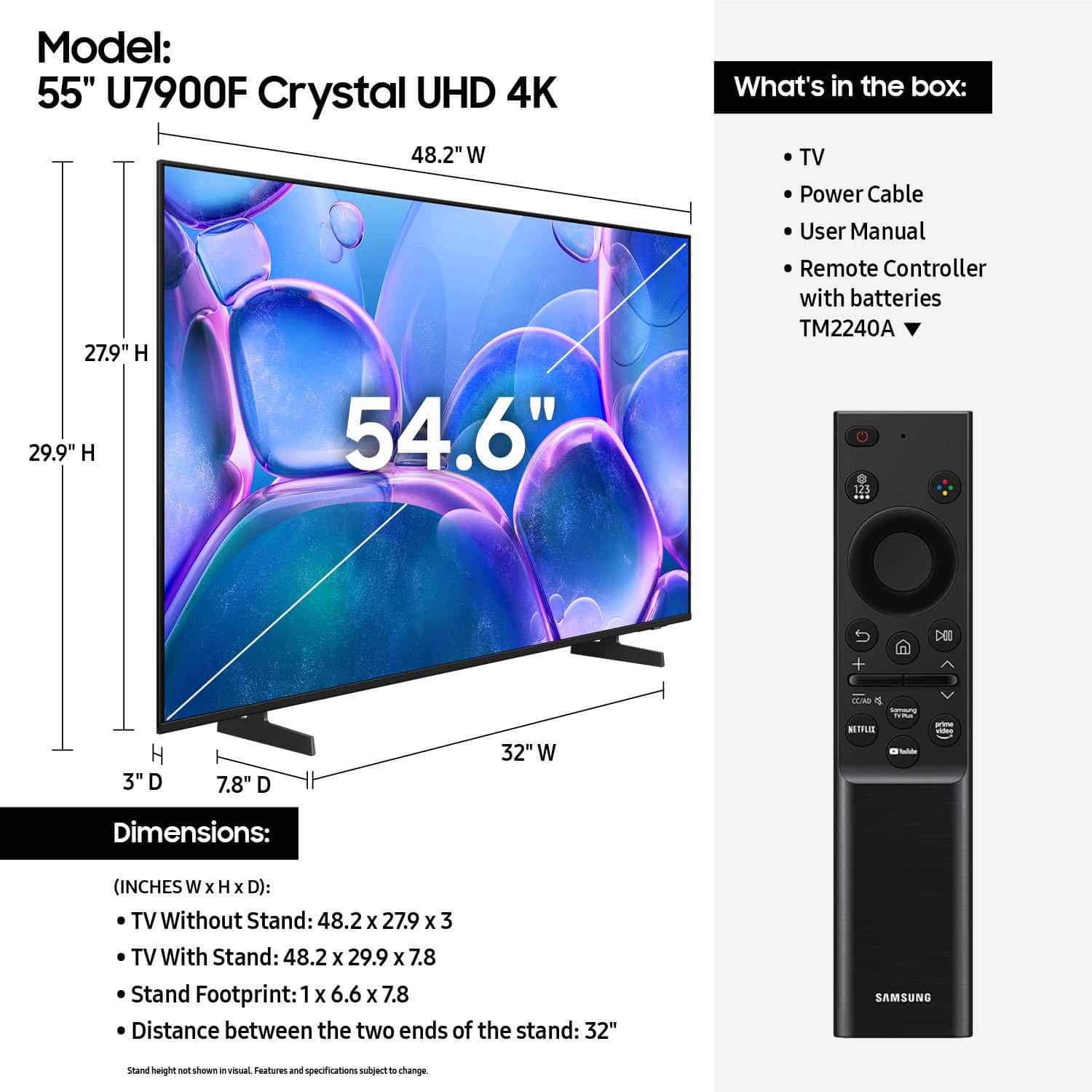
Yes, the U7900F TV is a Smart TV that includes features such as our built-in App Store, allowing you to choose and download from hundreds of available apps.
~Samsung Advisor
A:AnswerHi Mike,
The U7900F features Mega Contrast which automatically adjusts brightness and contrast, enhancing the difference between light and dark areas on the screen, so you can enjoy stunning picture quality. If you are looking for a TV Series with a Wide Viewing Angle I recommend the QN70F Series and aboe.
~Samsung Advisor
A:AnswerHi Diane,
To best assist you, please call us at 1-800-SAMSUNG, 8AM - 12AM EST, 7 days a week, or Chat with us on Samsung.com: https://www.samsung.com/us/support/contact/
~ Samsung Advisor
A:AnswerHi Jkw,
The U7900F has a built-in ATSC 1.0/ClearQAM tuner; when stepping up to our Neo QLED 8K Series, you’ll gain a built-in ATSC 3.0 tuner for receiving digital broadcasts.
~Samsung Advisor