1-10 of 11 Answers
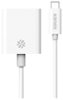
You'll need an USB Type C-to-HDMI adapter
I would recommend:
Sorry, there was a problem. Please try again later.No, it does not. However, you can use an adapter to go from USB-C to HDMI.
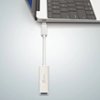
I would recommend:
Sorry, there was a problem. Please try again later.It has a USB type C port. You can purchase a USB type C to HDMI adapter or cable. It does have support for 4K out also as long as your adapter and/or cable and TV/Monitor/Projector is 4K.
Sorry, there was a problem. Please try again later.A multi-purpose adapter for USB Type-C slot will include the HDMI port but check with the salesman if it will work with the Samsung Pro. One review elsewhere indicated such adapter (brand unknown) worked well with USB connections but the HDMI slot worked in other products but not on this unit. It is worth noting that this smaller slot is said to be the thing of the future. It is supposed to eliminate the bigger USB ports. If this is this case, the adapter may come handy for other products as well.
Sorry, there was a problem. Please try again later.It does not have an HDMI port, but both of the USB-C ports support external displays. To connect this Chromebook to an HDMI display, you just need a USB-C to HDMI adapter.
Sorry, there was a problem. Please try again later.No it does not. It has 2 USB-c ports on it so maybe a conversion kit will work with one of the ports.
Sorry, there was a problem. Please try again later.No it has two USB c. You can get a USBC to HDMI adapter
Sorry, there was a problem. Please try again later.No, but you can use an hdmi/USB c adapter to accomplish this.
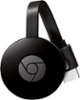
Sorry, there was a problem. Please try again later.You may wish to consider purchasing a Google Chromecast which has an HDMI output. Then you could cast from the Chromebook to your TV. I have used the Google Chrome Netflix app to cast from my Windows laptop to my TV and it works very well.
I would recommend:
Sorry, there was a problem. Please try again later.No-unfortunately
Sorry, there was a problem. Please try again later.