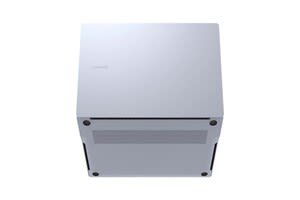
A:Answer The Samsung Galaxy Book4 Edge (and related Book4 series) is manufactured primarily in Vietnam and India.
Key details regarding manufacturing locations:
Vietnam: Samsung operates major manufacturing facilities in the Thai Nguyen province, which serve as a central hub for producing phones, tablets, and laptops.
India: Samsung has expanded its laptop manufacturing to plants in Noida and Tamil Nadu as part of its "Make in India" initiative.
Design: While manufactured in these locations, the devices are designed by Samsung in Seoul, South Korea.
While Samsung previously manufactured many products in China, the company closed its last mobile phone factory there in 2019, and the Galaxy Book line is largely produced in its other hubs.

](https://pisces.bbystatic.com/image2/BestBuy_US/images/products/6583/6583788cv21d.jpg)
![Describe how you remember a document on your PC, and Recall will find it instantly. Optimized for select languages (English, Chinese [simplified], French, German, Japanese, and Spanish). Content-based and storage limitations apply. See <https://aka.ms/nextgenaipcs>.](https://pisces.bbystatic.com/image2/BestBuy_US/images/products/6583/6583788cv22d.jpg)
![Get accurate subtitles in real time with automatic Live Captions. Currently supports translation or video and audio subtitles into English from 40+ languages. See <https://aka.ms/nextgenaipes>. Polish, French, Korean, Spanish, English, German. Meeting date: [the next We wll send you today's meeting. the -aeent]. Thank you for attending. mail along with [the -aeent].](https://pisces.bbystatic.com/image2/BestBuy_US/images/products/6583/6583788cv23d.jpg)