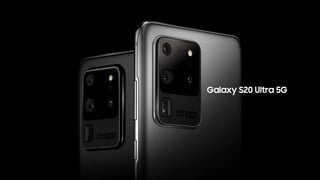
A:AnswerYou can buy it unlocked but will not be able to take advantage of the wifi calling or call & text features. ATT uses a branded version for those features which requires tje ATT branded version.
A:AnswerHi Ironmom1954!
Thank you for reaching out to us. We appreciate your interest in knowing if Galaxy S20 Ultra 5G (AT&T) works with Smart Talk. We apologize; this phone model is AT&T locked. We recommend calling AT&T customer service for an unlock request.
For your reference, an unlocked phone works on multiple networks, and make sure that you have a compatible SIM card. SIM cards must be compatible with the area's available networks. Contact provider for details.
You may visit our website for more information about unlocked phones: https://www.samsung.com/us/mobile/phones/unlocked-by-samsung/.
Should you need more assistance, please feel free to get back to us via the following options:
1. Facebook Messenger: http://m.me/samsungsupport
2. Twitter: https://twitter.com/messages/compose?recipient_id=18768513
3. Samsung Community: https://us.community.samsung.com/t5/Samsung-Community/ct-p/us
Reference #: 1144289407
Have a great day
Melardo
A:AnswerNope. Looks like some of the (I) products have it. And a couple google pixel devices but you have to use Google fi.
It does have the option of two sim cards if your looking to have two phone plans on one device?
Galaxy z flip I believe offered the esim.
A:AnswerHello, i know there are plans if you get an acvount with them. You could also see if you qualify for a bestbuy credit account and make payments, that way you can pay at a steady pace
A:AnswerFor the first part of your question- you should receive a discount on your old S9+, as long as it's in working condition and in good shape. How much of a trade in depends on these variables, but I can say that my old S8+ in working order, with no nicks or.scratches netted me $200 towards the S20 Ultra.
As for the 2nd part of your question: yes! Once you bring your phone in and begin the process of registering and setting up your new phone, part of the process will be to transfer your photos, contacts, messages, and apps over to your new phone. This can be a bit of a lengthy process, depending on how much you have on your old phone. To expedite the process, you're best served to backup your photos onto your computer or into the cloud and delete them, as well as any apps you may have on your phone that you no longer use. Some of your apps will continue to download in the background even after you leave with your new phone, but this part of the process took about an hour. And yes, I'm an AT&T customer, as well.
All told, I spent about an hour and a half in store, and some larger apps finished downloading once I was home on my WiFi connection. Good luck on your new phone!