“Where is the button located to activate the screen?”
Answer This Question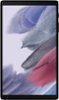
1-3 of 3 Answers
Hi Blake1989, Thank you for reaching out and taking an interest in where the Galaxy Tab A7's power button is located. In line with this, it is found on the right side key of your device. Please see its user manual on Page 7-9 for further instructions: https://downloadcenter.samsung.com/content/UM/202106/20210623002343105/SAM_T220_T227_EN_UM_R11.0_060721_FINAL_AC.pdf Should you need more assistance, you may reach us via the following for immediate support: 1. Samsung Community: https://us.community.samsung.com/t5/Samsung-Community/ct-p/us 2. Facebook Messenger: http://m.me/samsungsupport 3. Twitter: https://twitter.com/messages/compose?recepient_ id=18768513 Reference Number: 1144243201 Thank you for choosing Samsung. Have a great day! ^Chrystel
Sorry, there was a problem. Please try again later.On the same side as the volumn keys.
Sorry, there was a problem. Please try again later.Its on the top right side of the tablet
Sorry, there was a problem. Please try again later.