A:AnswerHi Zander,
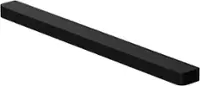
The HW-B650 Soundbar can connect to a TV using a Bluetooth connection, a Digital Optical Cable, or HDMI. The soundbar is compatible with any of these connections with your TV.
~Samsung Solutions
A:AnswerYou are pressing down on the left side control for volume. Rather than pressing on it, flick the volume down and the volume will go down, pressing on the button will result in muting. Flicking it up will increase the volume. Consider that control as a 3 way switch
A:AnswerFrom my research there is one. It has a wireless receiver that you connect two “wired” speakers to. From comments on this setup the wired speakers cables are too short fir any use.
A:AnswerHi Timbo,
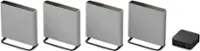
The HW-B650 Soundbar can connect with either the SWA-9100S or the SWA-9200 Wireless Rear Speaker Kit. By design, the surround speakers are supposed to simulate sounds happening behind the viewer. Therefore, most of the time the surround channels are only used for ambient sounds, which are naturally lower in volume.
^Andrew

A:AnswerHi Peacefulman76,
The HW-B650 does not have the ability to do Dolby Atmos. It can do Dolby Audio 5.1 channel and DTS 5.1 channel codecs.
^Andrew
A:AnswerHi there,
The HW-B650 Soundbar can be used with any of the three connections, Bluetooth, Digital Optical, or HDMI. You will choose one of those and only use one.
^Andrew

A:AnswerHi freddcoyn,
The HW-B650 Soundbar isn't Alexa compatible, but it does have a Bluetooth connection allowing you to connect to any compatible devices.
^Andrew
A:AnswerHi Mark,
The HW-B650 features three ways to connect to an external device: HDMI (ARC), digital optical audio, and Bluetooth wireless audio technology. If your TV is compatible with one of these three audio connections, you should have no issue connecting the soundbar to your TV.
^Andrew
A:AnswerHello dorando661, You can factory reset you soundbar by following one of the following steps:
With Remote:
Turn soundbar off
Press power on soundbar 5 – 10 seconds
Release the power button once you see INT or RESET on the soundbar’s LED panel
Wait for the soundbar to turn back on then it should return to default settings.
With Remote:
Power Off Soundbar
Hold Play/Pause button on the remote for about 5 – 10 seconds
Release the button once you see INT or RESET on the soundbar’s LED panel
Power on soundbar and repair to your TV
Without remote
Turn on soundbar
Press and hold the volume up (+) and volume down (-) buttons on the soundbar at the same time for about 5 – 10 seconds
Release when you see LED say INT or RESET
Wait for soundbar to reboot
If you need more help, Samsung is here for you. Please call us at 1-800-SAMSUNG, 8AM - 12AM EST (Ask for Soundbars), 7 days a week. Our Live Chat agents are also available by clicking on the ‘Support’ link on our website.
~ Samsung Solutions
A:AnswerHi WolfmanChuck! Congratulations on your new Samsung 65S90C TV! The 7.1.2ch HW-Q850D Soundbar with the included wireless rear speakers would be a great addition to pair with your TV. You will be able to fully utilize your TV speakers along with the Soundbars and enhance your audio experience as they work as one with Q-Symphony.
Check it out at Best Buy: https://www.bestbuy.com/site/samsung-hw-q850d-7-1-2-channel-q-series-soundbar-with-wireless-subwoofer-and-rear-speakers-dolby-atmos-and-q-symphony-black/6577563.p?skuId=6577563
~ Samsung Solutions
A:AnswerHello,
Dolby Atmos expands on existing surround sound systems by adding height channels, allowing sounds to be interpreted as three-dimensional objects with neither horizontal nor vertical limitations. Earc stands for Enhanced Audio Return Channel.
~ Samsung Solutions