“Does this turn off on its own. I want to have this plugged into an Alexa and remain on indefinitely.”
Answer This Question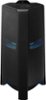
1-4 of 4 Answers
Whoever answered "press and hold the button"....does your version only have 1 button or are you referring to a particular button? If so, would you mind sharing which button that would be? I tried the AUX button on the remote...nothing happened. I tried the Power button....the speaker just shut off.
Sorry, there was a problem. Please try again later.While using the speaker remote press the aux button then press and hold the pause/play button for more then 5 seconds.... you have to do it with the remote or it wont work
Sorry, there was a problem. Please try again later.Hi Chris! The MX-T70 Sound Tower will not always stay powered on. As one of its energy saving features, the Sound Tower automatically turns off after 20 minutes with no command input. You can disable this feature for the AUX1 and AUX2 connections. To turn off Auto Power Down function while the unit is in AUX1, AUX2 mode, press and hold the button for more than 5 seconds. ON-AUTO POWER DOWN / OFF-AUTO POWER DOWN appears on the display. ^Tim
Sorry, there was a problem. Please try again later.The sound tower automatically turns off after 20 minutes with no command input ready state
Sorry, there was a problem. Please try again later.