DoorBOOsters are hereExclusions apply. Ends 11/2/25.Shop now

Main Content

Questions & Answers

Your price for this item is $147.99
The comparable value price is $149.99
Page Showing 21-40 of 62 questions
  • QuestionWhich rear speaker kit is compatible with the HW-S50B soundbar? Thanks

    Asked by Anonymous.

    • Answer Hi there! The HW-S50B Soundbar is compatible with the SWA-9200S Wireless Rear Speaker Kit. ~ Samsung Solutions

      Answered by Samsung

  • QuestionAre these compatible with the HW N550 sound bar?

    Asked by J.

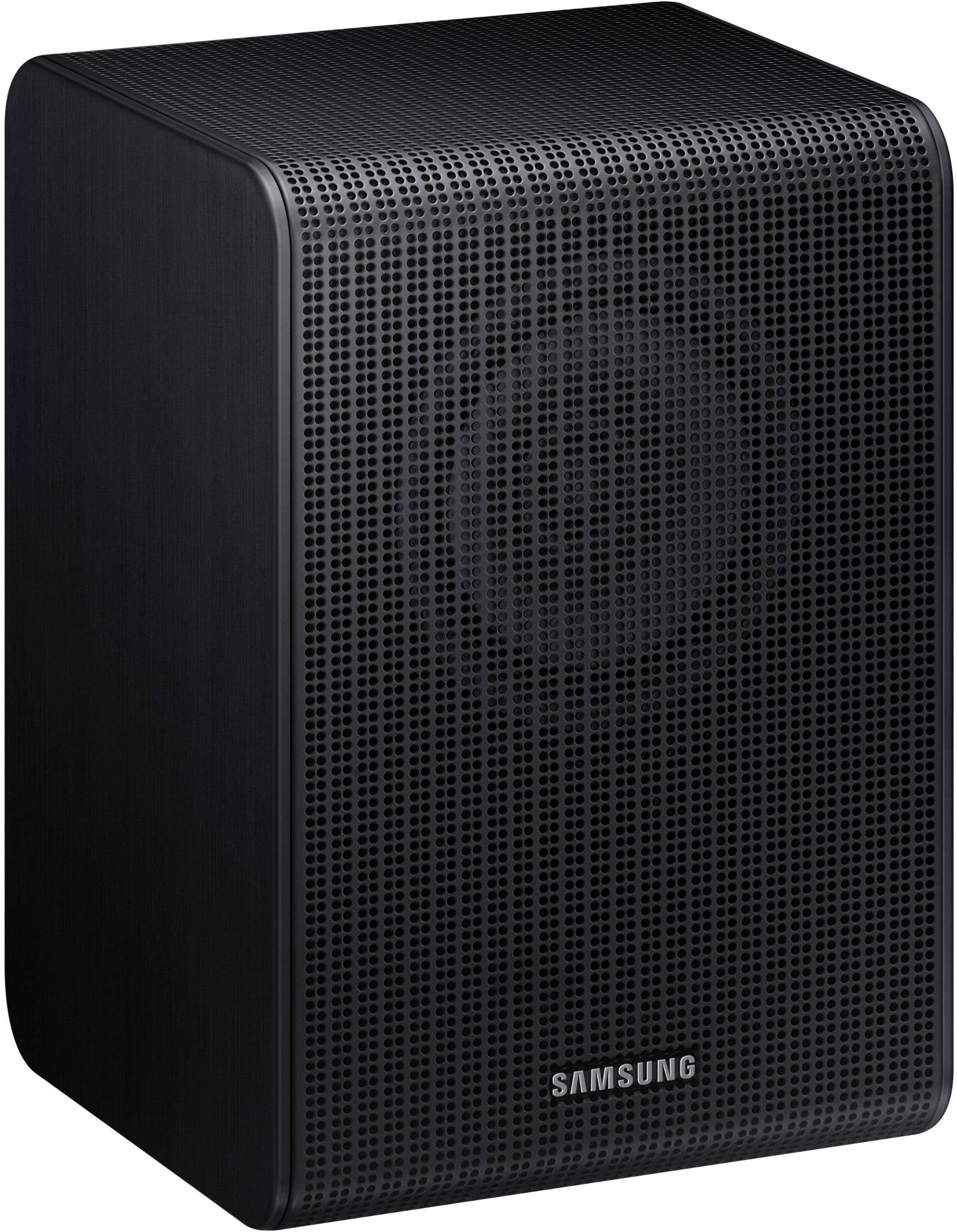
    • Answer Hi J! No, the SWA-9250S Wireless Rear Speakers are compatible with the HW-Q600F, HW-B750F, HW-B650F, HW-B630F, and HW-B550F 2025 Samsung Soundbars. ~ Samsung Solutions

      Answered by Samsung

  • QuestionAre these speakers Samsung SWA 9250s compatible with Samung B550D 3.1 Soundbar? A samsung rep said yes, but I'm getting conflicting answers and they currently won't connect to the soundbar. Thank you!

    Asked by JG.

    • Answer Hi there JG! No, the HW-B550D is compatible with the SWA-9200S Wireless Rear Speaker kit. The SWA-9250S Wireless Rear Speakers are compatible with the following Samsung soundbars: HW-Q600F, HW-B750F, HW-B650F, HW-B630F, and HW-B550F (2025 models). ~ Samsung Solutions

      Answered by Samsung

  • QuestionHow do i connect these to hw-b750f soundbar?

    Asked by RearSpeakers.

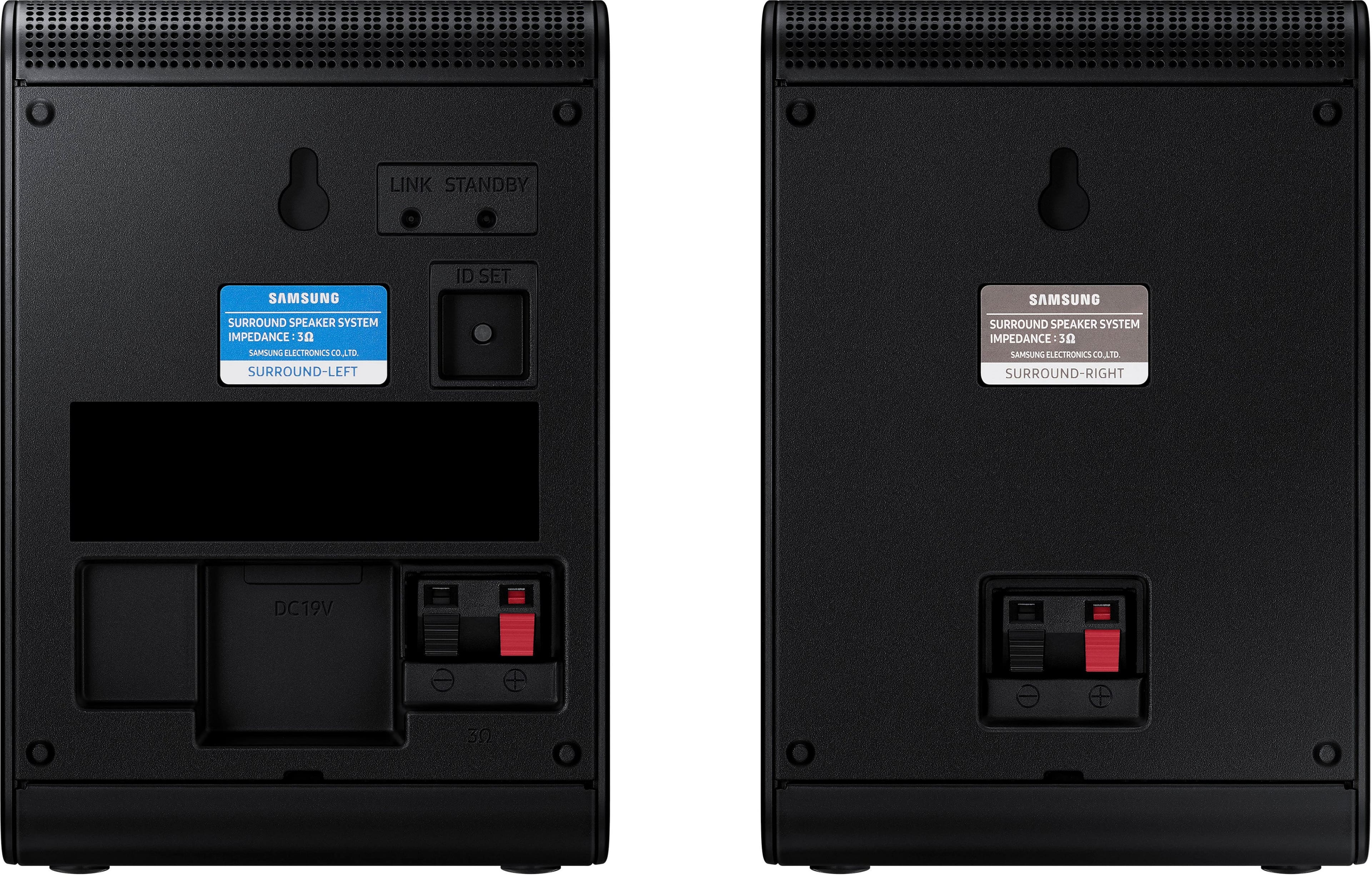
    • Answer Hi RearSpeakers! When powered on for the first time, the rear speakers should automatically connect wirelessly. If the auto-connection process fails, you can try manually connecting the rears to the soundbar. 1. Connect the Surround speaker cables Use the speaker cables to connect the two surround sound speakers. • When connecting the speaker cable, connect the core wire to the speaker. • Insert the wire fully, taking care not to insert beyond the wire insulation • When connecting the speaker cables to the surround speakers, follow these steps: insert the red and black colored ends of each speaker cable into the red and black jacks of the appropriate speaker. The labels are on the backs of the speakers. 2. Plug the Surround speakers’ power cord into an electrical outlet to turn on the Surround speakers. The LINK LED indicator (blue LED) on the rear of left surround speaker will blink quickly. If the LINK LED does not blink, please see step 6. 3. Turn off the Soundbar If the Soundbar is turned on, please turn off the Soundbar by pressing the (Power) button on the Soundbar or remote control. 4. Connect Soundbar and Surround Speakers Press the Up button on the remote control for more than 5 seconds until the “ID SET” message appears on the Soundbar’s display. The message will disappear shortly. (If your Soundbar does not have a display window and only LED indicators, please refer to the LED information below.) • After the ID SET process is successful, the Soundbar will turn on automatically. 5. Check the connection complete The LINK LED stops blinking and changes to solid blue when the Soundbar and surround speakers are successfully linked. Please turn off the Soundbar and turn it back on. Confirm that the LINK LED is blue. (It may take a minute depending on the environment.) 6. LED Indicator’s status LINK (Blue) On: Connected with the Soundbar. LINK (Blue) Blinking fast (at an interval of around 0.5 second) : Surround speakers are in ID SET mode. • Check if the Soundbar is turned on and in ID SET mode. • Repeat steps 3 through 5. LINK (Blue) Blinking slow (at an interval of around 1 second) : Previously connected to a Soundbar but cannot currently find it. • Check if the Soundbar is turned on. • If the LINK LED keeps blinking slowly even when the Soundbar is turned on, 1. Press the ID SET button on the rear of the left surround for more than 5 seconds until the LINK LED starts blinking fast in blue. 2. Repeat steps 3 through 5. STANDBY (Red) On : When the Soundbar turns off or connection has failed. • Follow the instructions for “Link (Blue) Blinking slow (at an interval of around 1 second)” above. ~ Samsung Solutions

      Answered by Samsung

  • QuestionAre these compatible with the HW-B73MD?

    Asked by Dangerous.

    • Answer Hi Dangerous! The SWA-9250S Wireless Rear Speakers are compatible with the HW-Q600F, HW-B750F, HW-B650F, HW-B630F, and HW-B550F 2025 Samsung Soundbars. However, the HW-B73MD is compatible with the SWA-9200S Wireless Rear Speakers. ~ Samsung Solutions

      Answered by Samsung

  • QuestionCan i add these speakers to my HW Q910D 9.1.2 SAMSUNG SOUNDBAR SYSTEM?

    Asked by Marv.

    • Answer Hi Marv! No, the HW-Q910D Soundbar is compatible with the included rear speakers or the SWA-9500S Wireless Rear Speaker Kit. Please know you can only have one set of rear speakers connected at the same time. ~ Samsung Solutions

      Answered by Samsung

  • QuestionAre these speakers work with HW-B73CD

    Asked by Anonymous.

    • Answer Hi there! No, the HW-B73CD Soundbar is only compatible with the SWA-9200S Wireless Rear Speaker Kit. ~ Samsung Solutions

      Answered by Samsung

  • QuestionWill this pair up with a Q6CC soundbar?

    Asked by Anonymous.

    • Answer Hi there! No, the HW-Q6CC Soundbar is only compatible with the SWA-9200S Wireless Rear Speaker Kit. ~ Samsung Solutions

      Answered by Samsung

  • QuestionHow do these speakers connect to the Samsung HW m450 sound bar?

    Asked by Connect.

    • Answer Hello Connect! The SWA-9250S Wireless Rear Speaker Kit is not compatible with the HW-M450 Soundbar. ~ Samsung Solutions

      Answered by Samsung

  • QuestionDo these speaker work with the SAMSUNG 2.1 Soundbar HW-R450 Speaker System?

    Asked by RegularGuy.

    • Answer Hello RegularGuy! No, the SWA-9250S Wireless Rear Speakers are compatible with the HW-Q600F, HW-B750F, HW-B650F, HW-B630F, and HW-B550F 2025 Samsung Soundbars. ~ Samsung Solutions

      Answered by Samsung

  • QuestionCan these connect to the Samsung hw-c450 soundbar

    Asked by Anonymous.

    • Answer Hi there! No, the SWA-9250S Wireless Rear Speaker Kit is not compatible with the HW-C450 Soundbar. The compatible speakers for that soundbar are the SWA-9200S rear speaker kit. ~ Samsung Solutions

      Answered by Samsung

  • QuestionAre these compatible with the HW-430 soundbar?

    Asked by Anonymous.

    • Answer Hi there! No, the SWA-9250S Wireless Rear Speakers are compatible with the HW-Q600F, HW-B750F, HW-B650F, HW-B630F, and HW-B550F 2025 Samsung Soundbars. ~ Samsung Solutions

      Answered by Samsung

  • QuestionWill these work with Samsung HWS700D

    Asked by Eddie.

    • Answer Hi Eddie! No, the HW-S700D Soundbar is compatible with the SWA-9200S Wireless Rear Speaker Kit. ~ Samsung Solutions

      Answered by Samsung

  • QuestionAre these speakers compatible with Samsung Soundbar HW-M360?

    Asked by KC.

    • Answer Hello KC! No, the SWA-9250S Wireless Rear Speakers are compatible with the HW-Q600F, HW-B750F, HW-B650F, HW-B630F, and HW-B550F 2025 Samsung Soundbars. ~ Samsung Solutions

      Answered by Samsung

  • Questionare theses speakers compatible with the samsung HWC 4oo sound bar?

    Asked by Anonymous.

    • Answer Hi there! No, the SWA-9250S Wireless Rear Speakers are compatible with the HW-Q600F, HW-B750F, HW-B650F, HW-B630F, and HW-B550F 2025 Soundbars. ~ Samsung Solutions

      Answered by Samsung

  • QuestionCan these speakers be combined with the Q6CC Soundbar with Subwoofer?

    Asked by Anonymous.

    • Answer Hi there! No, the HW-Q6CC Soundbar is compatible with the SWA-9200S Wireless Rear Speaker kit. ~ Samsung Solutions

      Answered by Samsung

  • QuestionWill these rear speakers work for the HW-S60D Soundbar? If not which ones do?

    Asked by Peter.

    • Answer Hi there Pete! The HW-S60D is compatible with the SWA-9200S Wireless Rear Speaker Kit. ~ Samsung Solutions

      Answered by Samsung

  • QuestionAre these compatible with the Samsung HW-B750D/ZA?

    Asked by Johnny.

    • Answer Hello Johnny! No, the HW-B750D Soundbar is compatible with the SWA-9200S Wireless Rear Speakers. ~ Samsung Solutions

      Answered by Samsung

  • QuestionDo these speakers work with sound bar hw-b750d?

    Asked by Aldo.

    • Answer Hello Aldo! No, the HW-B750D Soundbar is only compatible with the SWA-9200S Wireless Rear Speaker Kit. ~ Samsung Solutions

      Answered by Samsung