A:AnswerAll zeroes. 0000 is the code it should ask for. The older ones were 12345. Made no sense. All non code equipment uses non code.. which is 0000.
A:AnswerYes this would be great for a 10 yr old. You can find them by artist, album,or make your own play lists. I think this would be a great MP3 player plus radio. The radio is what sells this to me. A 10 yr old will love the radio.
A:AnswerGrief, since this was 6 months ago I'm sure you've gotten an answer, I just reviewed it and it put me here, so...
Yes, but the files have to be MP3. Easy to convert from AAC using iTunes, though.
A:Answerplug it into a usb drive on your windows 10 machine. and your computer should recognize it. If it does not, you can type "device manager" into the windows bar or else "new hardware" into the windows bar. That will show you what items you have plugged into your computer, when you find it, you should be able to open the storage in the device under "this pc" or you may just try typing "this pc" into the windows search bar. You will see the SANDISK storage device unser your list of drives, select it, and you can copy, delete, manage files from there as you would any other drive.
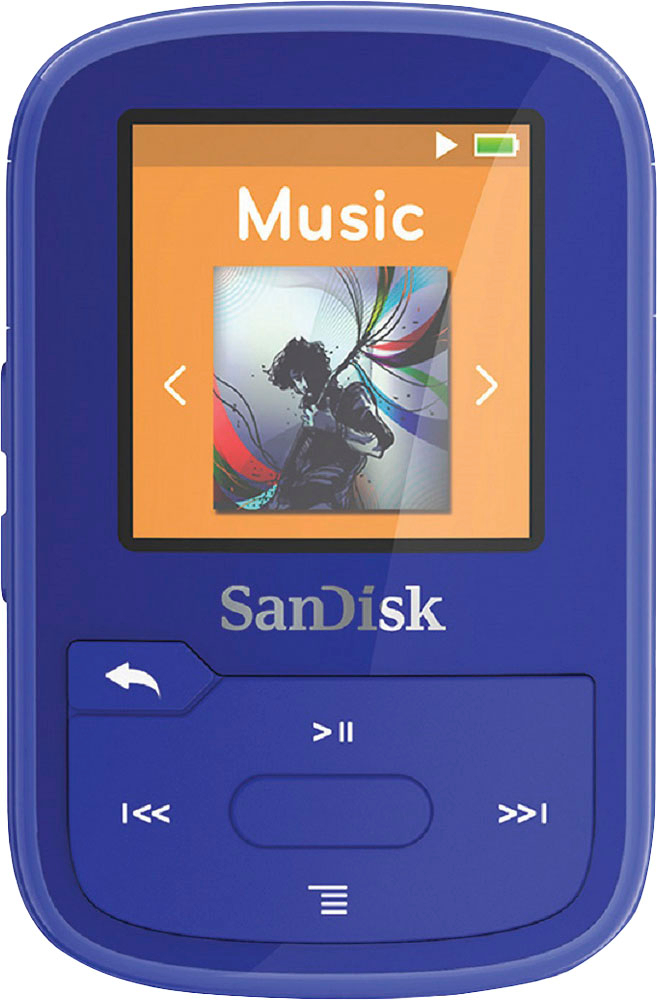
A:AnswerMake sure it's not muted, shown by the pause indication, and that it's tuned to an FM local station ( you may need to go through the preset search procedure, by pressing down button and selecting Auto Presets).