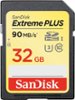
“My wife just got a coolpix B500. We installed a SanDisk ultra plus 32g as card and the camera says this card will not work. How do I get it to work or do I need to get a different card.”
Answer This Question
1-3 of 3 Answers
I know this answer is to an old question, but if the device says the card will not work, you need to try a different card. Also, the cards only go in one way, so check to see that you have installed it the proper way.
Sorry, there was a problem. Please try again later.Scan disk cards are typically made with Nikon cameras in mind, that being said the card should function in your camera without this, but you could check your manual to see what type of cards your Camera requires. Rachel Z. Arndt says, "Your camera probably isn't equipped to read cards larger than 32 gigabytes. The larger cards fall under the SDXC standard, while cards between 4 and 32 GB follow the older SDHC standard. You can use SDHC cards in a device that reads the new SDXC cards, but the newer cards aren't backward-compatible. That's unfortunate, given their high capacities." This being said, check to see if your manual says to use SDHC cards (older sd versions) or the SDXC (newer sd versions). Also you will want to compare this to what is written on the card you purchased. If it doesn't match the recommended card I would take it back and get the appropriate card. If the camera would allow you, you could attempt to format the card in camera via the camera's menu and see if that will reset the file format setup on the card. If the Camera still can't read it or won't format, I would recommend returning it for a card of the correct format.
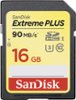
I would recommend:
Sorry, there was a problem. Please try again later.Does the camera provide any opportunity to format the card? Most device manufacturers typically recommend formatting new flash media with the device prior to first use.
Sorry, there was a problem. Please try again later.