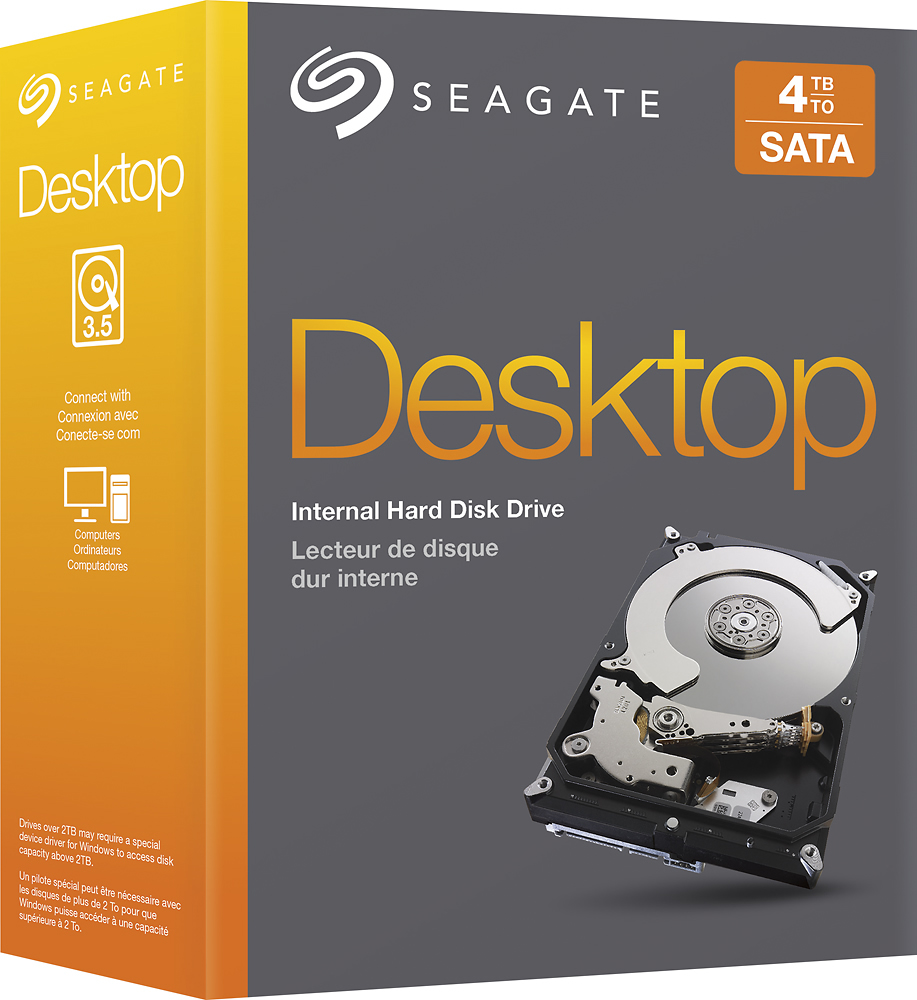
Questions & Answers
- Model:
- STBD4000400
- |
- SKU:
- 7733093
Highly rated by customers for: Storage Capacity, Performance, Ease of use
Page Showing 1-9 of 9 questions
Q: QuestionDoes this drive include any of the SATA cables or necessary wiring?
Asked by Anonymous.
- A:Answer No
Answered by John
Q: QuestionIs this compatible with a Dell XPS 8700I have a Dell XPS 8700 which I bought from Best Buy and I was wondering if this hard drive would work on my computer. I am looking to add more storage. I am running Windows 7 Professional Processor is Intel(R) Core(TM) i7-4790 CPU @ 3.60 GHz RAM is 8 GB 64-bit Operating System Thanks
Asked by Walt.
- A:Answer It should, depending what else you have installed. The 8700 has a an easy to install spot for two 3.5 inch drives so if this is your second hard disk other than the SSD (if you have one) you are fine. The 8700 also has a larger harder to reach spot where you can mount a 3.5" drive like this. That is what I had to do on my machine and the hardest part is getting the drive past all the cables and into the mounting rail.
Answered by mfkelley
Q: QuestionCan this be installed on the Alienware - Aurora Desktop - Intel Core i7 - 8GB Memory - NVIDIA GeForce GTX 970 - 1TB Hard Drive - Epic silver Model: AUR5-5714SLV?
Asked by Spike.
- A:Answer It should work fine. I am running it in an Optiplex 790 Intel Core i7 - 32GB Memory and a NVIDIA GeForce GTX 960 the 960 was a tight fit.. lol
Answered by User
Q: QuestionWhat is the RPM speed? Not many and I think Seagate especially does not have a 7200 RPM 4TB drive. Thanks.
Asked by Jay.
- A:Answer Speccy says it's 5900 RPM
Answered by TheAngryIntern
Q: QuestionIs this hard drive compatible with Dell Optiflex 7010 DESKTOP? Thanks in advance.
Asked by charliejuliet87111.
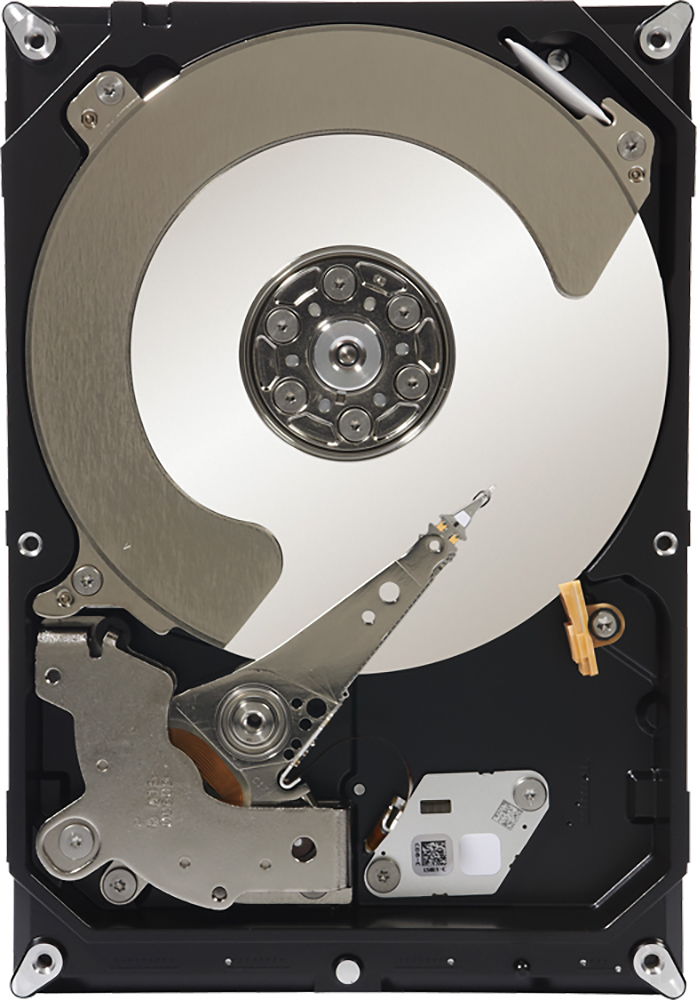
- A:Answer This is a Desktop (3.5") size SATA HDD (SSHD or SSD). Any recently purchased make/model Desktop computer should work fine. If you have a Laptop, then you usually require a Laptop (2.5") size SATA HDD (SSHD or SSD). However, some ultralights and Chromebooks use a different kind of storage device (eMMC Flash Memory). A lot of devices with eMMC Flash Memory are NOT upgradeable, depending upon how it is attached (soldered or socket). Apparently some of these devices have hardware and/or firmware that limits the storage size supported.
Answered by Technicalities
Q: QuestionWill this work for movie rendering. Will this work in an Alienware Area 51 x58 R2 desktop? I am wondering if this is the best for movie rendering.
Asked by Phillip.
- A:Answer This drive is really is not made to run very quickly. What I mean is compared to years ago, it is a fast hard drive, but I bought mine to save data only (I backup my DVD and Blu-ray movies to use with a multimedia server at home on this this.) So if you want to use this drive to save the data, it will work fine – but if it is a working drive, for the program to read and write a lot of temporary files to it, it may not be the best. A suggestion that I do for myself is I use a solid-state drive for drive C and my computer (Intel i7 with 32 gigabytes of memory, Quadro workstation card running Windows 10) runs very quickly.
Answered by Pooky
Q: QuestionIs this compatible with a Dell XP optiplex 745
Asked by Sonny.
- A:Answer Yes it should work. I have it in an Optiplex 790 they are not that much different..
Answered by User
Q: QuestionWould this be capatible with a Hitachi deskstar HDT725040VLA360 hard drive
Asked by Eric.
- A:Answer That depends what you mean by compatible. You can certainly install this drive in the same system with the Deskstar if you have a free hard drive mounting rail. Then you can use the Seagate drive wizard software to format it and set it up as a drive on your system. I'm not sure you can make the two part of a RAID array or stripe data across the two of them since they are different sizes.
Answered by mfkelley
Q: QuestionIs it compatible with the PS4?
Asked by Anonymous.
- A:Answer I honestly can't believe all the wrong answers given, and even worse the amount of "helpful"s to all the wrong answers... NO this will NOT fit inside a PS4 as the PS4 uses a 2.5" drive and this is a 3.5". This doesn't surprise me as most people that use this website don't really know what they're talking about. This will fit inside the Nyko Data Bank but even then it's still not recommended to go over 2TB as you will lose rest mode. You can do like I did and put a 2TB laptop drive inside the PS4 and it will work just fine (although check the overall height since the PS4 can't fit drives over 9.5mm thick). Please don't go by any of these other 'answers', they are wrong.
Answered by Zach
Page 1, Showing 1-9 of 9 questions
Most-viewed items
- $198.99$198.99The price was $389.98
- $1,399.00$1,399.00The price was $1,499.00
- $219.99$219.99The price was $399.99
- $197.99$197.99The price was $429.98