“Have a new Mini Inspiron, installed Windows (incl.) and it is now out of memory/storage. Can/how can I set up this drive to be the "permanent" place for storing/running all additional files, apps, etc. upon start-up? Thanks!”
Answer This Question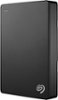
1-5 of 5 Answers
The drive is better used to store your less active data to free up space on your internal drive. Move your photos, music, etc. off of your internal drive onto this external USB drive. They would still be accessible. Freeing up space on the OS drive is more useful.
Sorry, there was a problem. Please try again later.You have to move the files you want saved to the new drive, and then delete them from their old location. You can also use Windows commands to delete temporary files and reclaim disk space.
Sorry, there was a problem. Please try again later.Use one of the USB PowerShare ports on your Mini Inspiron. You have a Dell; I too have a Dell Inspiron. Your Mini will see the Seagate as another external memory device. Just Copy and Paste to it.
Sorry, there was a problem. Please try again later.I wouldn't recommend to or use any external drive as a "permanent" place for your programs. Better to free up your main drive, if possible, - by copying necessary data to external drive, - or replacing built-in drive in your LT with a bigger one.
Sorry, there was a problem. Please try again later.I suppose you could, but it would be slower than a internal drive. I have two internal drives (system programs and files on one, large operating files on the other and it works well. I needed some Geek help in addressing which drive and when for operations. Since, it is working well.
Sorry, there was a problem. Please try again later.