“How can I store photos on Seagate Backup Plus Portable Drive I want to store"Aperture" Libraries on the Seagate Drive”
Answer This Question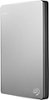
1-4 of 4 Answers
This drive should be adequate for Aperture Library storage. Simply plug in the drive, open the window for the drive, open the "Pictures" folder on your Mac, look for the Aperture Library and drag it into the drive's window. This will copy the library to the drive. Then, double-click the library from the drive window. This should launch Aperture and tie the new location to the application.
Sorry, there was a problem. Please try again later.Yes. If you can access the files you can store them on this or any drive that is compatible with your operating system.
Sorry, there was a problem. Please try again later.I did with no problems.
Sorry, there was a problem. Please try again later.Yes
Sorry, there was a problem. Please try again later.