“Will this remote work on devices hidden in cabinets? My av receiver and Xbox are behind wood doors.”
Answer This Question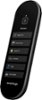
1-2 of 2 Answers
It depends on how your receiver is set up to receive remote signals. Most receivers use IR (Infrared) remotes, which require you to physically see the receiver. You can read your user manual to see what type of remote commands it can accept. You can also do the Simple Test below, to see your hour current remote operates.. Simple Test: Put your hand in front of your receiver remote and try to operate it. - If the receiver still works, then this Smart Remote will work without additional hardware. - If the receiver does not respond, then you have an IR Remote, and the solution is below. Again, you can also read the user manual to see if it can accept other remote signals. Solution: My receiver has this set up, so I purchased a cheap IR blaster from online. Placing the IR Receiver Eye in a discreet but visible place, and running the IR Emitter eye to the receiver. You will need to locate where your Receiver's IR Eye is located, and place the Emitter Eye, over the Receiver Eye. Look online for the one I purchased; it solved the problem. This information is true for any device, inside a cabinet, that can only receive IR Remote Signals. So, you can buy the device with 1, 2, or 4 Emitter eyes. Sewell Direct SW-30471 BlastIR USB Adaptor, IR Repeater 1 Receiver/Emitter Sewell Direct SW-30471-2 BlastIR USB, IR Repeater 1 Receiver 2 Emitters & USB Adaptor Sewell Direct SW-30471-4 BlastIR USB, IR Repeater 1 Receiver 4 Emitters & USB Adaptor
Sorry, there was a problem. Please try again later.You will have to make use of an IR receiver to use your Smart Remote with devices hidden behind doors or cabinets.
Sorry, there was a problem. Please try again later.