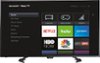
“I cant seems to get my USB; thumb drive to connect to tv. I place it in the slots where it fits, however, I am not seeing it on home screen or in input. I have searched setting and all over and nothing. Need help before I start calling this dumb tv.”
Answer This Question
1-4 of 4 Answers
Hi Dal. You need to look for the Roku Media Player application on the home screen.
Sorry, there was a problem. Please try again later.You can use the USB jack on your TV to view photos and videos and listen to music stored on a USB flash drive. 1- Plug a USB flash drive into the USB port on the side of your TV. Caution: Do not remove the USB flash drive or turn off your TV while using the USB flash drive. You may lose data or damage the USB flash drive. 2- Scroll UP or DOWN to highlight the Roku Media Player or USB Media Player tile, then press OK.
I would recommend:
Sorry, there was a problem. Please try again later.Hit home button and scroll to the media app, launch that and you should be cool.
Sorry, there was a problem. Please try again later.Hello, This Sharp LC-50LB481U unit only supports FAT32 storage devices. Also, for best use we recommend using storage devices between 2- 8GB of storage space.
Sorry, there was a problem. Please try again later.