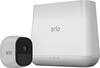
“How long does this record for and does it hook up to an Iphone”
Answer This Question
1-10 of 11 Answers
You have the option to record as long as you want. I chose 10 seconds because the longer it records the more battery it uses.
Sorry, there was a problem. Please try again later.Arlo provides an easy app for your iPhone. Each camera can record for up to 2 minutes every time it notices movement. If movement continues for more than 2 minutes, a new 2 minute recording is created to continue capturing the motion.
Sorry, there was a problem. Please try again later.The Arlo Pro App is free in iTunes and works great on the iPhone. It does not physically hook up to any of the cameras, it doesn't need to thanks to "wireless". The app is very useful, user friendly, and complements the system overall.
Sorry, there was a problem. Please try again later.You set the record time and it alerts on your IPhone.
Sorry, there was a problem. Please try again later.The max record time is 120seconds, I think you can download the Arlo app on your iPhone(I have a droid) my app works fine. hope this helps
Sorry, there was a problem. Please try again later.Records for two minutes Works well with I phone
Sorry, there was a problem. Please try again later.You can vary the length of the recording time from 10-seconds up to 120 seconds when in Motion Detection mode; or up to 300 seconds when activity stops. For the Front Door I have it set at 25 seconds which I find is plenty of time but especially important at this time of year with deliveries being made and those trying to get your package before you do. 'Tis the season for the 'grinch idiots' to ruin it for the rest of us but maybe this camera system may help set things right. Back to your question, you do have to pay attention to battery life.
Sorry, there was a problem. Please try again later.It only records for about 4 seconds. I would like it to record a little longer but, if new motion is detected it starts to record again. It runs easily from your iPhone. I really like my cameras.
Sorry, there was a problem. Please try again later.The recording duration can be set for up to 90 seconds but if continuous motion is detected another recording will engage immediately. The basic free plan comes with a 7 day recording history or up to 1gb. They offer other plans for a fee that allow the expansion of the system for more cameras and more recording space for a longer period of time. iPhone setup is integrated into the setup of the device in general. Total setup time is about 10 minutes for the base station and app, as well as the initial camera setup. It's very easy to do, the directions are great and there are video tutorials available if needed.
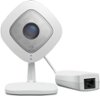
Sorry, there was a problem. Please try again later.Hey Baby, Recording time defaults to 15 or 30 seconds, depending on when they were released. You can change that in settings. The longer the recording time, the shorter the battery life. There are apps for the iPhone, iPad, and AppleTV. "Baby" -- if this might be used for the baby, consider the Arlo Pro. It has sound and two-way communication. That way when baby is upset, you can say "Mommy is tired and Daddy is too lazy to come in there. Go back to sleep" in that baby coo voice. Works like magic. Doesn't matter what you say, it is how you say it. But I digress and I'm not Dr. Phil. Get the Arlo Q if you can provide power. Better resolution, longer record times, NO batteries. If you need wire free, get the Pro -- they are rechargeable. The second link is to the Arlo Q Plus. This requires Power of Ethernet. If you don't know what that is, you don't have it.
I would recommend:
Sorry, there was a problem. Please try again later.