“Love the PC but it turn off on me a few time already. This is not due to any updates. It randomly shut off and when I click the power it didn't turn on. More of a power issue, PC shut down to protect itself. Can I merge this PC to a bigger tower ??”
Answer This Question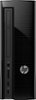
1-2 of 2 Answers
I'm having this same issue, purchased 3 weeks ago, HP remote customer support has attempted to fix through Logmein with no luck. HP has been great with following up trying to solve issue but I'm afraid it may be an internal issue such as a fan, etc. If anyone has found a solution to this problem with this model I'm all ears.
Sorry, there was a problem. Please try again later.When you hold the power button for 10 seconds will it then let you turn it on? If so it seems the computer could be going to sleep or hibernating for some reason unrelated to the power. Your local Geek Squad could check it out.
Sorry, there was a problem. Please try again later.