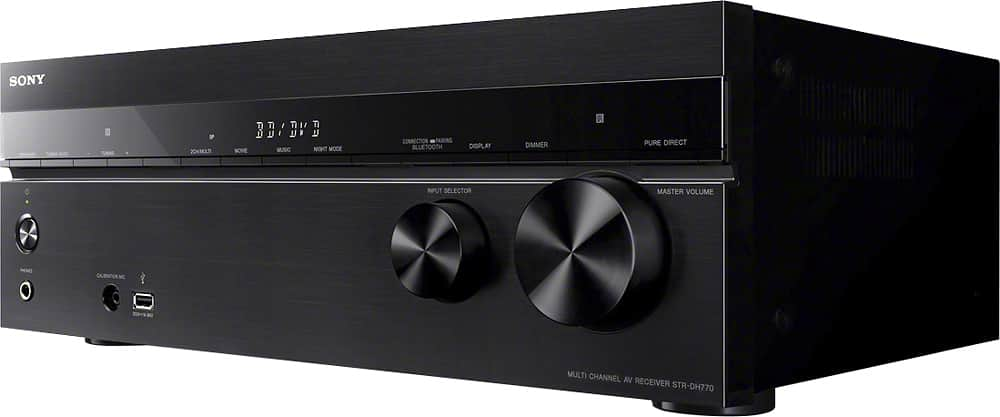
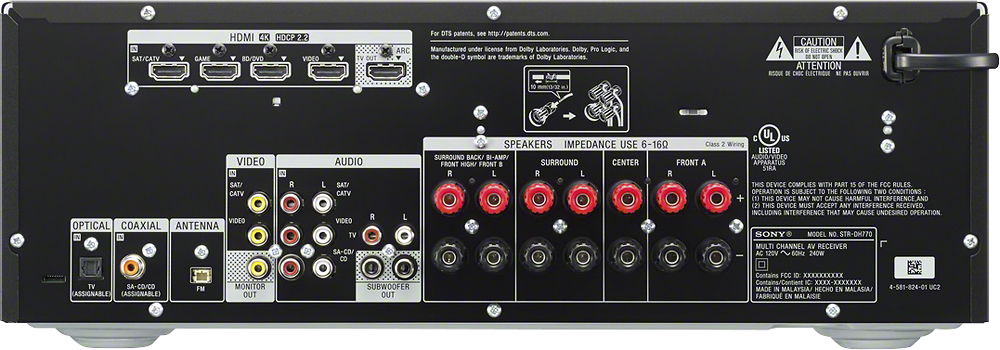
A:Answeryou should be able to just plug your streaming device into the TV by HDMI. Then select that input on your tv, and turn on receiver, which is set up to play sound from tv to external speakers...I do this with several devices and it works fine...
A:AnswerProbably. But fyi, it is a reciever. Tune in man. FM stereo receiver baby. Hook up antenna and rock on! The power is there but you might want bad aa speakers from the 90s cuz thst don't sell hi wattage speakers like that anymore. Except on pro level. $$$.
A:AnswerYou can hook up 7 speakers and 2 subs. Center, front right, front left, rear right, rear left, middle/side right, and middle/side left then 2 subs.
A:AnswerHi, simply connect the headphones to the receiver. The audio will be outputted directly on the headphones once connected to the receiver. Thanks! ^Ron
A:AnswerHi Sonygy,
AMP is HDMI audio signals from playback devices are only output to the speakers connected to the receiver. Multi-channel sound can be played back as it is. TV+AMP: The sound is output from the speaker of the TV and the speakers connected to the receiver. Check this link for more information.
https://docs.sony.com/release//Help_4584081111.pdf (#119 - Setting the HDMI audio signal output of connected devices)
Regards,
-David
A:AnswerHi Iyanna, "Enter" is the middle button on the remote control. To know more about performing Auto Calibration, please visit the link below. I hope it helps. Regards, ^Ron
http://helpguide.sony.net/ha/strdh77/v1/en/contents/TP0000960654.html