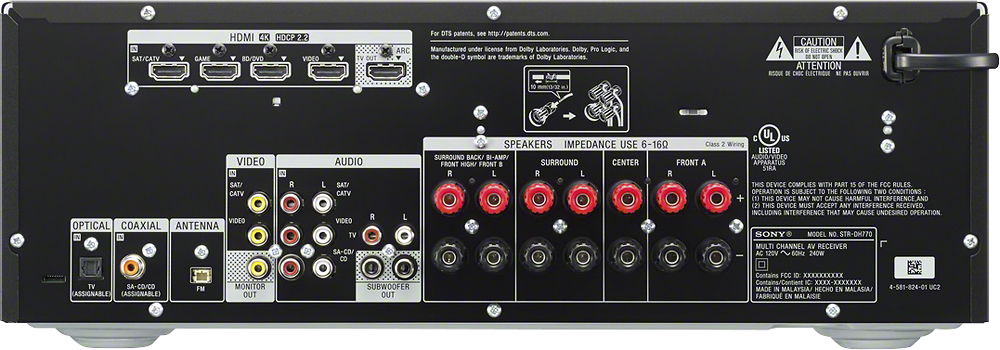
A:AnswerHi bimby, yes, however, you cannot connect a microphone to this receiver. You can use your existing home theater system with this unit and connect the microphone to that home theater system. You may check this link for more information on this receiver: https://docs.sony.com/release//SPECS/STRDH770_mksp.pdf Thanks, -Mark
A:AnswerHi RoughRider, you may use speakers that are within the 6-16ohm impedance rating requirement of this receiver. You may check this link for additional information on this unit: https://docs.sony.com/release//SPECS/STRDH770_mksp.pdf Thanks, -Mark
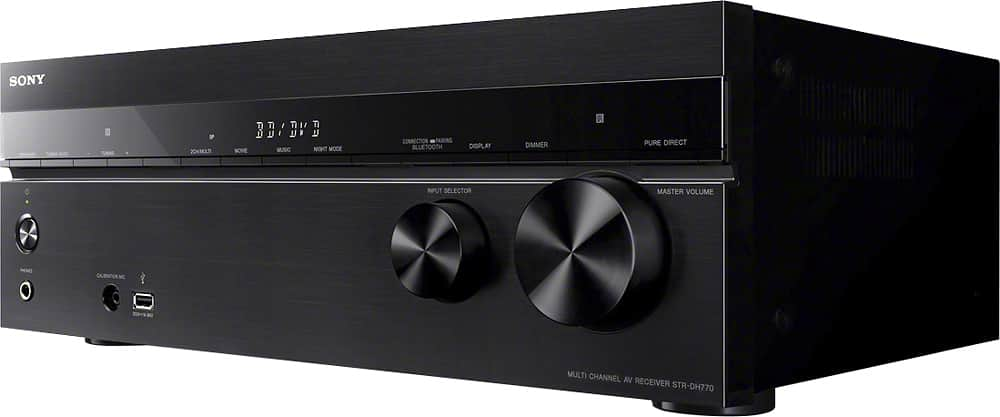
A:AnswerI believe answer would be yes, as I just installed, using an old Panasonic 5 speaker system- only glitch was my old sub not having and RCA out,(receiver uses RCA inputs for Sub) but I would think that could be remedied with newer correct speaker cable. all my other speakers work fine -
A:AnswerI finally figured this out this weekend. Once you hit the amp button on the remote, all the sub menus are accessed using the up/down arrow keys. When you are at an option you want to adjust hit the center (OK) button. Then scroll using the right/left keys on the remote. The directions are well written to explain the process but if you start using tghe arrows and enter button you can figure it out also. Good luck.
A:AnswerHi Fredness, this unit doesn't support HD radio. For more information about this unit, please visit the link below. Thanks! ^Ron
https://docs.sony.com/release//SPECS/STRDH770_mksp.pdf
A:AnswerHi Steph, please visit the link below for more information about the set-up. I hope it helps. Regards, ^Ron
http://helpguide.sony.net/ha/strdh77/v1/en/contents/TP0000960579.html
A:AnswerMy speakers did not come with wire. I had to buy a roll of copper wire. Splice the ends 1/4 inch at ends. Unscrew the outlet red and black caps on the back of the receiver. This will reveal a gap that u place the wire ends into. Mark the red side so that both ends are connected to red and both blacks are connected to black. Retighten the caps on both the receiver and the speakers.
A:AnswerYes, but the amp does NOT convert the analog signal from the VCR to the HDMI cable so you also need to connect a RCA video cable to the RCA port on the receiver labeled "MONITOR OUT". Connect the RCA video cable to the TV and then switch the input on the TV to use the VCR. Plug RCA cables from the VCR to the RCA ports on the receiver labeled " VIDEO". Make sure the HDMI port on the receiver labeled "VIDEO" is unused or else the counterpart RCA port will automatically be disabled. The same also applies to the "SAT/CATV" HDMI port and "SAT/CATV" RCA port.