Questions & Answers
- Model:
- K43S30
- |
- SKU:
- 12316882
Q: QuestionDoes this TV come with an HDMI cable?
Asked by Danny.
- A:Answer Hi Danny, Thank you for reaching out with your question. Unfortunately, the K-43S30 (BRAVIA 3) TV does not include an HDMI cable in the package. HDMI cables are usually sold separately, so you will need to purchase one if you don't already have it. The Sony BRAVIA 3 combines HDR color support with Sony's intelligent picture processing to analyze and enhance every scene with accurate, lifelike color. Connect HD and UHD devices via HDMI 2.1 inputs with advanced features like ALLM and eARC. For streaming, the built-in Google TV OS provides a plethora of apps and options, with your favorite and frequently watched shows brought together on one convenient home screen. I hope this information is helpful! Best regards, Romeo
Answered by SonyListens

Q: QuestionIs this tv good for in a bright room?
Asked by Charlie.
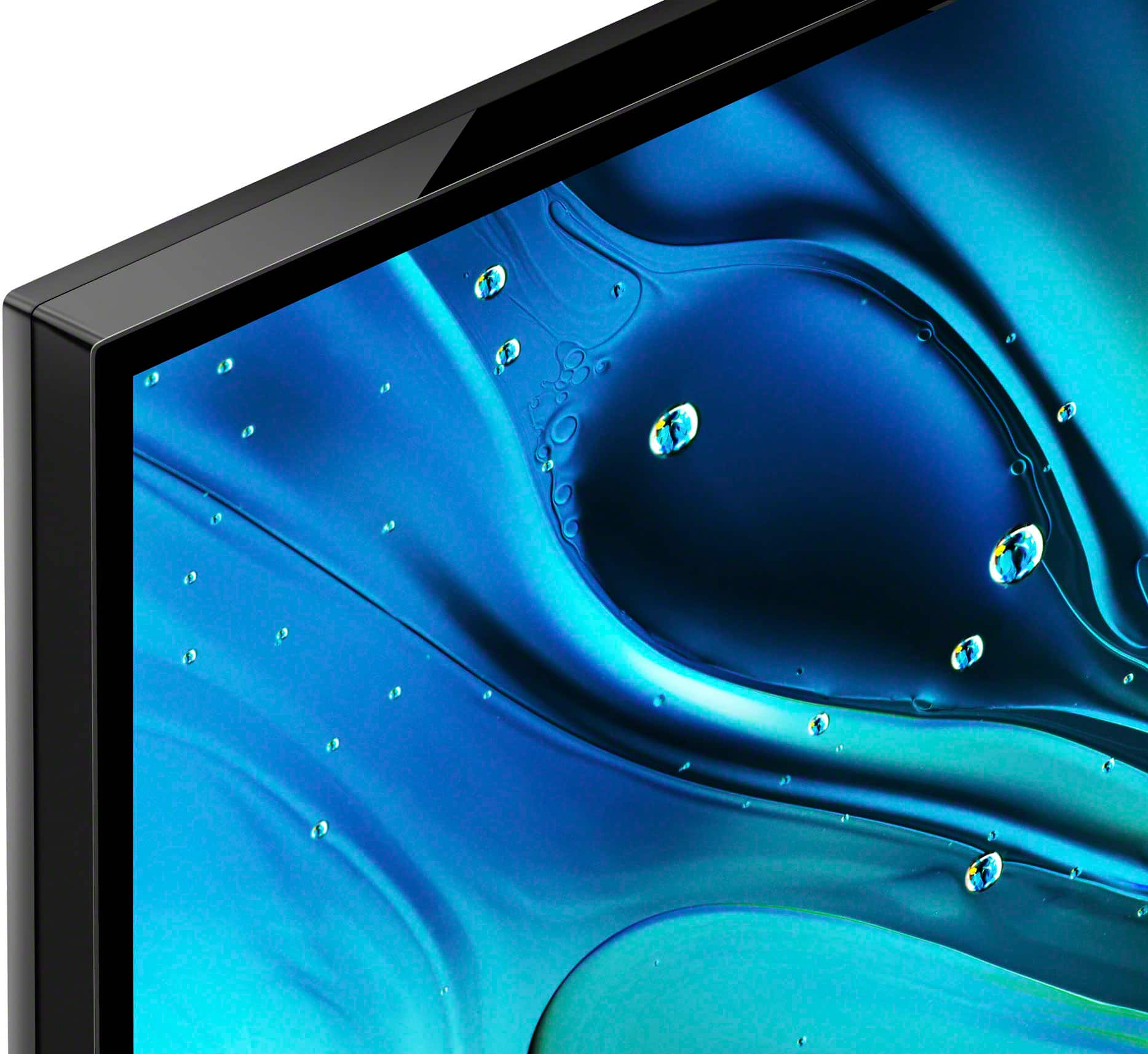
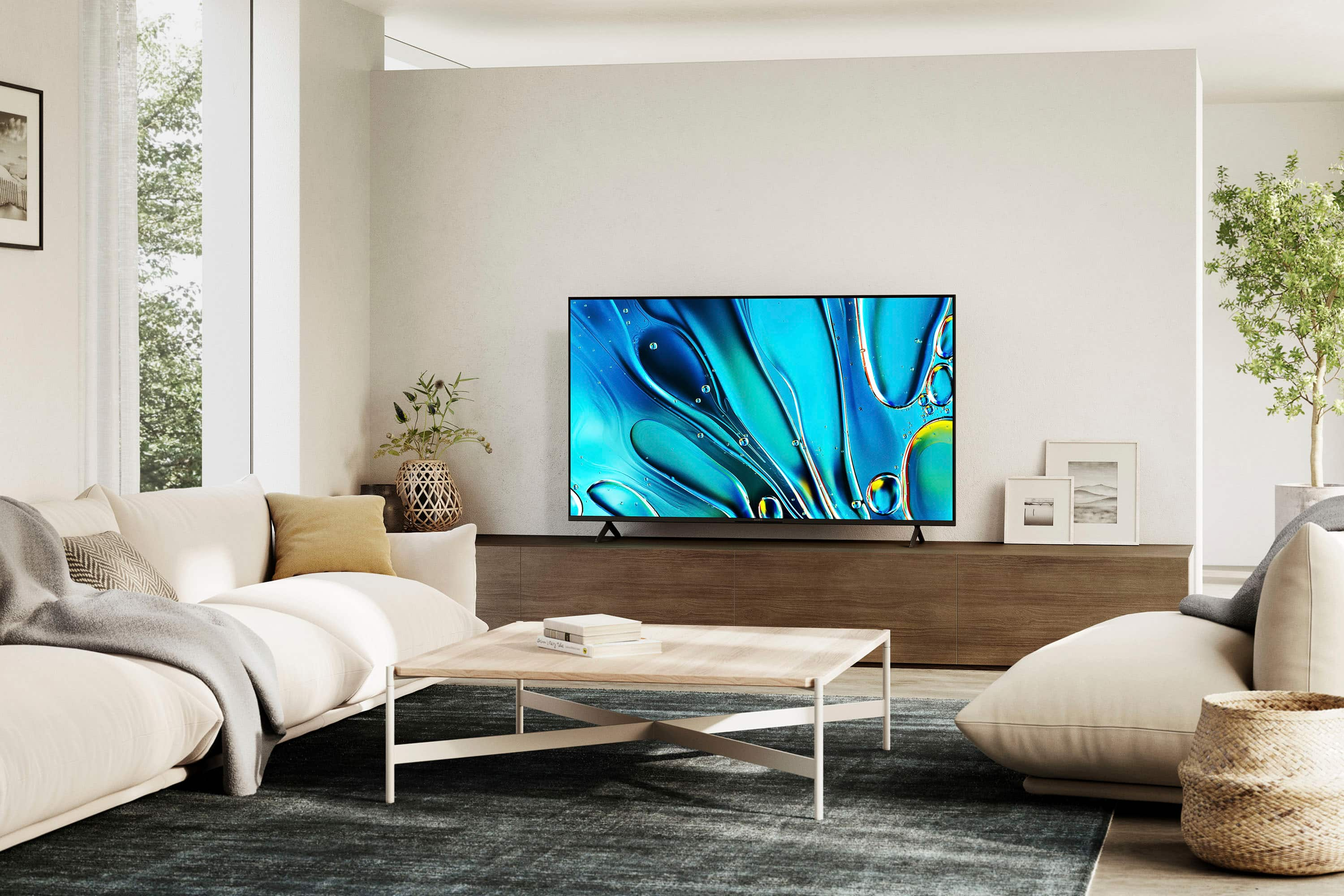
- A:Answer Hi Charlie, Thank you very much for your question! The Sony BRAVIA 3 (K43S30) TV is a good option for bright rooms. This model is designed to handle various lighting conditions, including bright environments. It features advanced technologies that enhance picture quality and brightness, ensuring a clear and vibrant viewing experience even in well-lit spaces. Additionally, the BRAVIA 3 features various settings related to the TV display such as Brightness, Color, Hue, etc. for picture quality that will help improve your overall viewing experience. Smart TV for everything you watch. The BRAVIA 3 Smart TV is exceptionally easy to use with a variety of all-in-one smart features for stress-free viewing. With a large screen, detailed pictures full of color and dynamic sound, everything you love feels so much more exciting. I hope this helps! Best regards, Romeo

Answered by SonyListens

Q: QuestionCan I download Prime, Tubi etc? I see no mention of these.
Asked by Andrew.
- A:Answer yes. i use firestick plug in because i am used to it but that is not required.
Answered by CovidKing
Q: QuestionWhat is the distance between the 2 feet ,( stand) it has to fit on my small table Thank you
Asked by Fenwick.
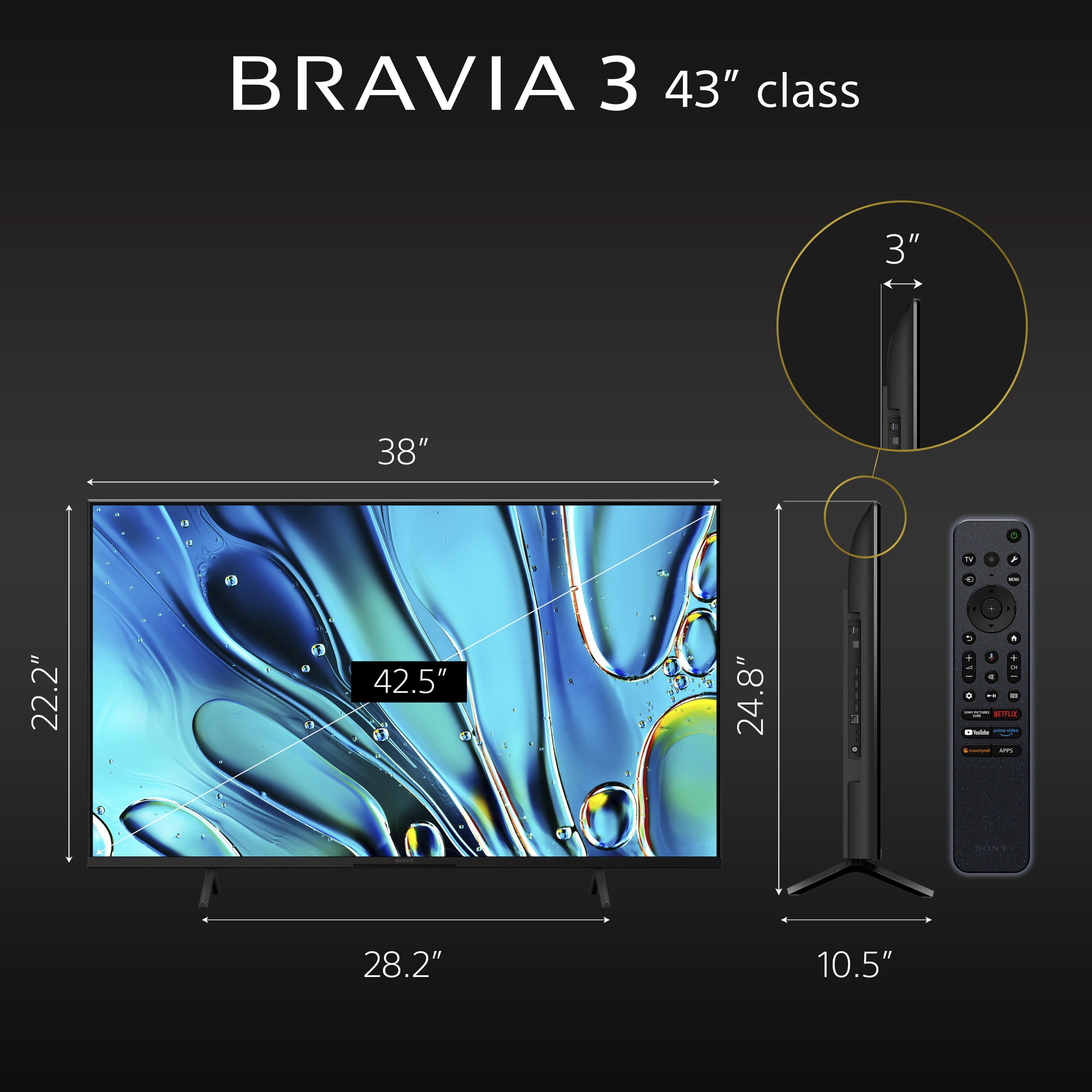
- A:Answer Hi Fenwick, Great question! The stand legs of our 43" BRAVIA 3 have an end-to-end distance of approximately 28 1/4 inches (715 mm) and approximately 10 1/2 inches (266 mm) deep. Smart TV for everything you watch. The BRAVIA 3 Smart TV is exceptionally easy to use with a variety of all-in-one smart features for stress-free viewing. With a large screen, detailed pictures full of color and dynamic sound, everything you love feels so much more exciting. I hope you find this answer helpful, and thanks again for your inquiry! Best regards, Romeo

Answered by SonyListens

Q: QuestionDoes the TV and the remote support voice control?
Asked by nick.
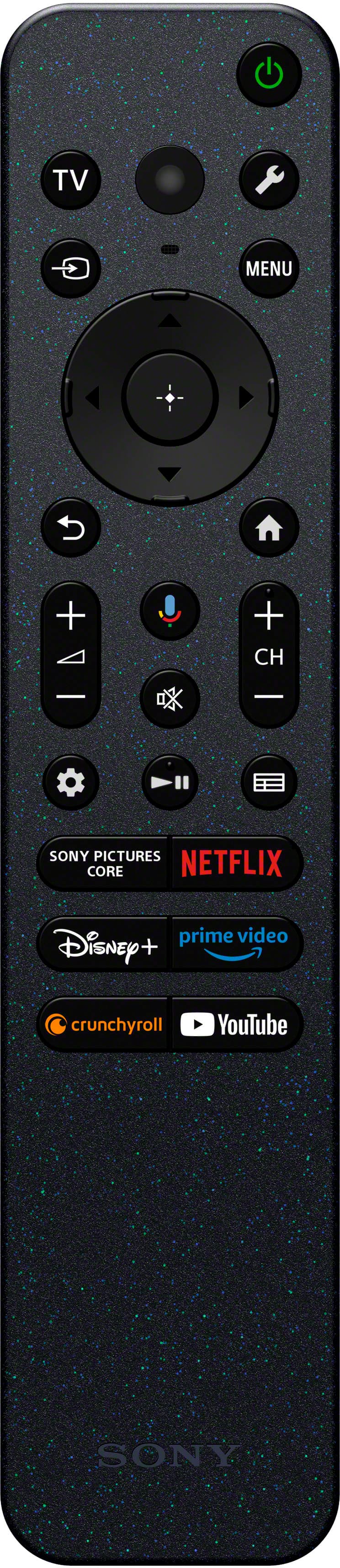
- A:Answer Thank you for contacting Sony, Nick. Yes, it does! The Bravia 3 comes with a Voice Remote that has a built-in microphone. We appreciate your interest in Sony products. Should you require any further assistance, please don't hesitate to reach out for support here: https://us.esupport.sony.com/support/s/support-contact?language=en_US&category=tv Best regards, Gus, Sony North America Customer Support
Answered by SonyListens
Q: QuestionIf I use the digital optical out put to connect to my Avantree headphones will I still be able to hear the TV sound at the same time?
Asked by Barbie.
- A:Answer Hi Barbie! Thank you for reaching out with your question. We're happy to assist you! The K-43S30 TV can’t play sound from both the speakers and headphones at the same time directly. To achieve audio from both sources, you can connect a transmitter to the TV's DIGITAL AUDIO OUTPUT terminal. We recommend the Sony WLA-NS7 Wireless Transmitter for this purpose. To set it up: 1. Connect the WLA-NS7 to the TV’s DIGITAL AUDIO OUTPUT with an optical cable. 2. Pair your headphones with the transmitter. 3. On the TV, set the audio output to TV speakers. This way, the sound comes out from both the TV speakers and your headphones at once. For detailed instructions, please check out the following link: https://www.sony.com/electronics/support/articles/00049501 Thanks for considering Sony products! Best regards, Estefany
Answered by SonyListens
Q: QuestionCan this tv connect to a DVD player?
Asked by explore.
- A:Answer Hi explore, Yes, you can connect a DVD player to this TV using a standard HDMI cable for a quick and high-quality setup. Thanks for choosing Sony. Best regards, Eliab
Answered by SonyListens
Q: QuestionCan this tv be used with a firestick?
Asked by explore.
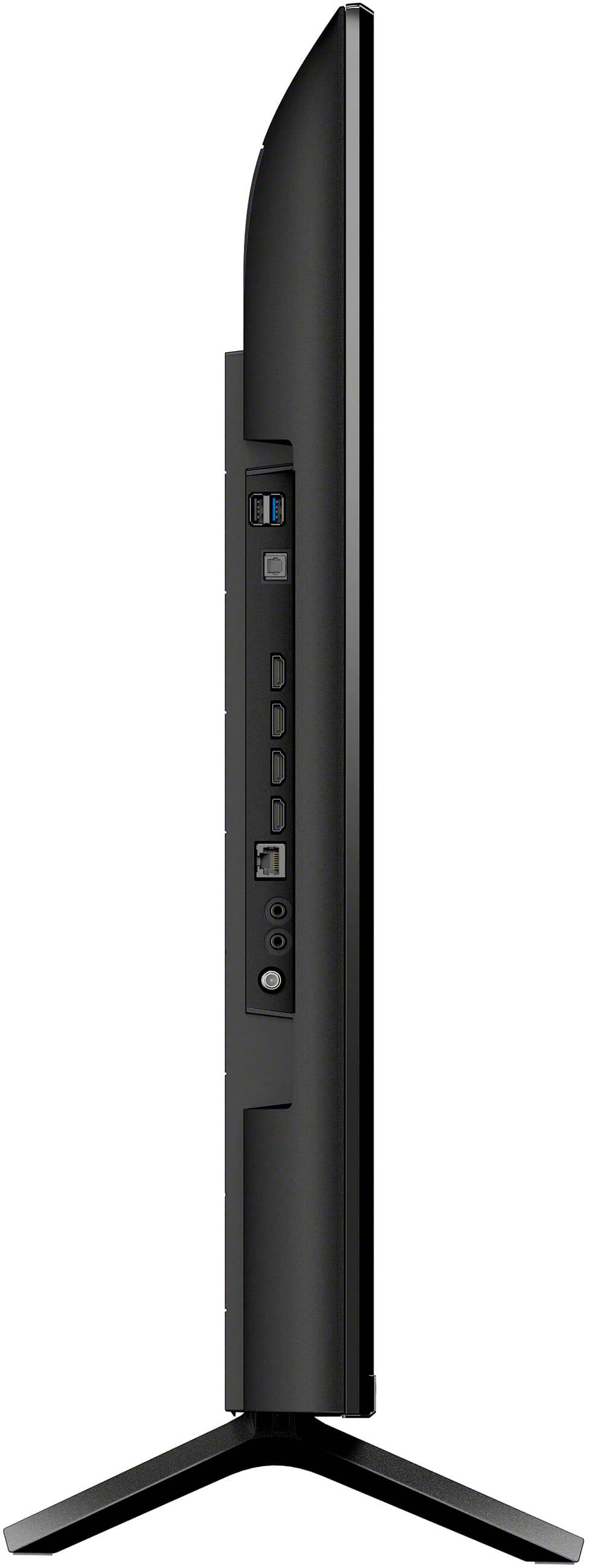
- A:Answer Thank you for contacting Sony, Explore. Yes, the BRAVIA 3 is fully compatible with any Amazon Fire TV Stick. You can simply plug the Firestick into any of the four available HDMI ports on the side of the TV. We appreciate your interest in Sony products. Should you require any further assistance, please don't hesitate to reach out for support here: https://us.esupport.sony.com/support/s/support-contact?language=en_US&category=tv Best regards, Gus, Sony North America Customer Support
Answered by SonyListens
Q: QuestionCan this tv be fitted with a pedestal stand I,or do you have to use the legs that come with it?
Asked by Littlejohn.
- A:Answer Thank you for contacting Sony, Littlejohn. While we do not offer an official alternative pedestal stand for this specific model, the TV is VESA compliant. This means you can easily attach a third-party universal pedestal stand or a wall mount if the included legs don't fit your furniture. We appreciate your interest in Sony products. Should you require any further assistance, please don't hesitate to reach out for support here: https://us.esupport.sony.com/support/s/support-contact?language=en_US&category=tv Best regards, Gus, Sony North America Customer Support
Answered by SonyListens
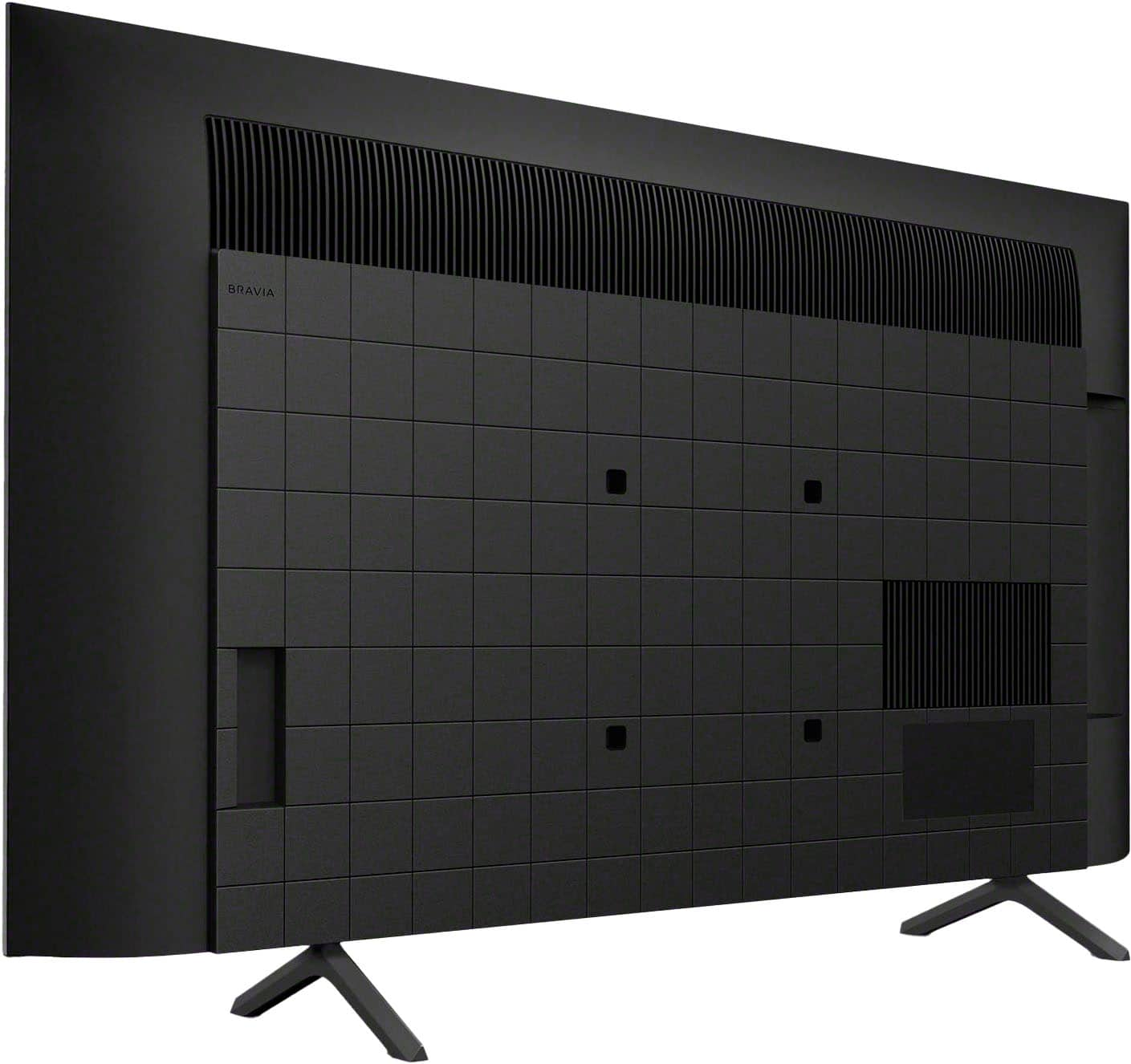
Q: QuestionWhere is the yellow video port

Asked by Anonymous.
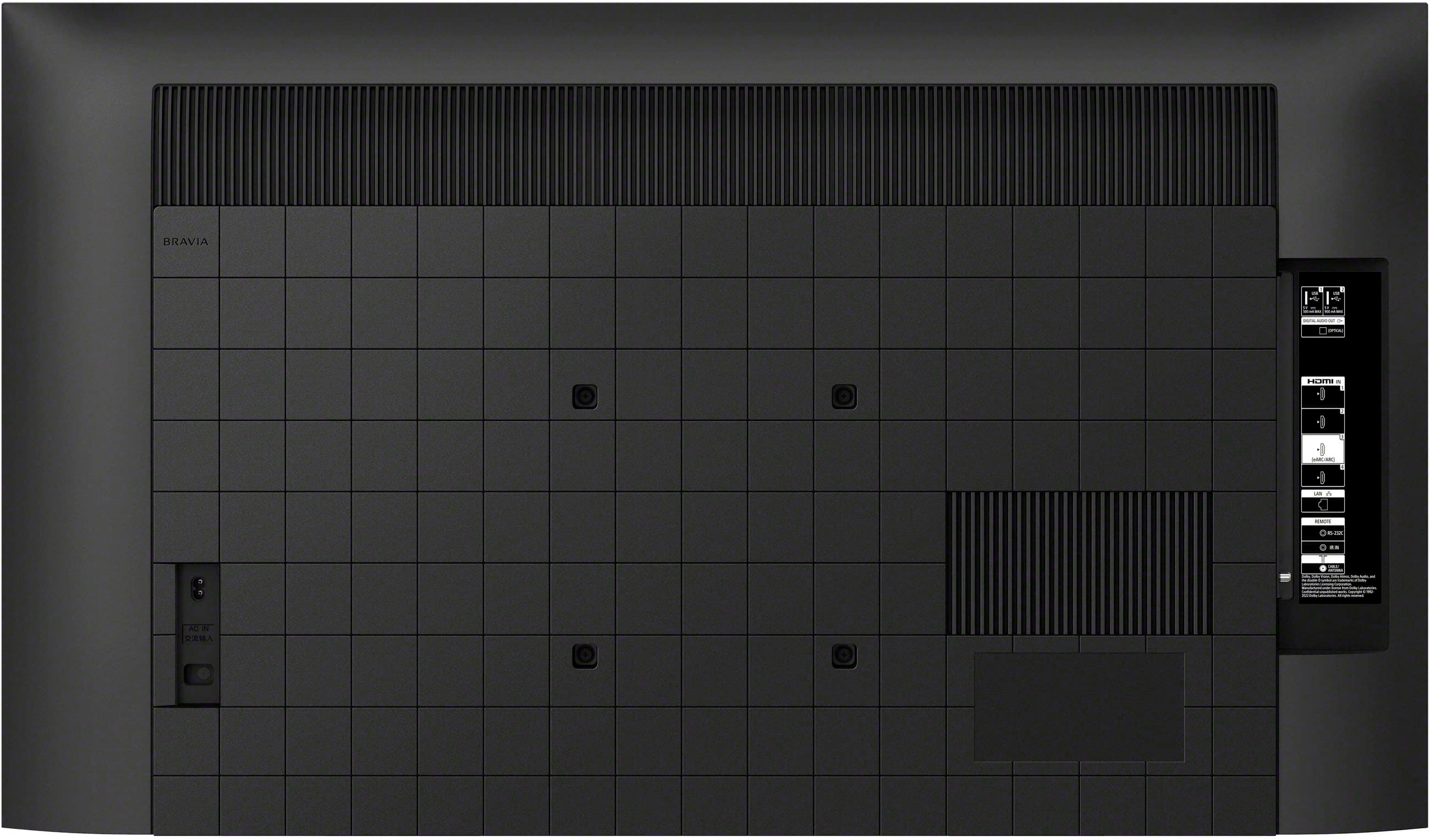
- A:Answer Hi there, thanks for sending your question. We're happy to assist you with this today! The K-43S30 does not have a yellow video port (composite video input). Instead, this model is equipped with multiple HDMI ports, including at least one HDMI port labeled eARC for advanced audio/video connections. If you need to connect an older device that only has composite video output (yellow RCA), you would need an HDMI converter, as the TV does not natively support composite video input. To see all the ports and connections on this TV, just click this link and then select "Help Guide". https://helpguide.sony.net/tv/lusltn2/v1/en-003/index.html We sincerely appreciate you considering a Sony product! Best regards, Estefany
Answered by SonyListens
Q: QuestionCan this TV be wall mounted?
Asked by Anonymous.
- A:Answer Hi there, Yes, this TV can absolutely be wall mounted as it is VESA-compliant.1 For the 43" BRAVIA 3, you will need a wall mount that supports a 200 mm x 200 mm hole pattern to ensure a secure and proper fit. Thanks for choosing Sony. Best regards, Eliab
Answered by SonyListens
Q: QuestionDoes the 43 inch Bravia 3 utilize Sony's Tri luminous Display?
Asked by Ronman.
- A:Answer Hi Ronman45, Thank you for your question! Yes, the 43-inch Sony BRAVIA 3 model utilizes Sony's TRILUMINOS™ Pro Display technology. This technology enhances color accuracy and vibrancy, providing lifelike picture quality. Thank you for considering Sony! Regards, Dominick
Answered by SonyListens
Q: QuestionWILL FIT MY TV STAND THAT MEASURES 28.25? DO I HAVETO USE THE SMART, AI FEATURES ANF THE GOOGLE SETUPS? CAN I PUT DIFFERENT STAND ON IT?
Asked by DEDEE.
- A:Answer Hi DEDEE, The Sony 43" Class BRAVIA 3 TV stand width is exactly 28.25 inches, so it will fit on your TV stand that measures 28.25 inches. Regarding the smart features, the TV will require you to complete a basic initial setup, but you are not required to use the Google or AI features afterward; you can simply use it as a traditional TV connected to external sources like a cable box. Finally, while we recommend using the stand provided for guaranteed stability, the TV is VESA compliant (200x200 mm), meaning you can use a compatible third-party stand or wall mount if you prefer. Thanks for choosing Sony. Best regards, Eliab
Answered by SonyListens
Q: QuestionCan this be wall mounted?
Asked by Anonymous.
- A:Answer Hello there, Thank you for your interest in Sony products! We appreciate your inquiry and are pleased to assist you. The K43S30 TV is indeed compatible with wall mounting. It features a VESA mounting hole pattern of 200×200 mm and weighs 9.9 kg (21.9 lbs) without the stand. For your safety and to ensure a secure installation, please ensure that the wall mount and the wall itself are rated to support a weight of at least three times that of the television. For more detailed information on wall mounting specifications and instructions, please refer to the official Sony support manual available here: https://www.sony.com/electronics/support/res/manuals/5057/6f886eab7672aa25d76333080e2acd6f/50579301M.pdf Best regards, -Fred
Answered by SonyListens
Q: QuestionDoes the Bravia 3 43" support multiview
Asked by Pyradoz.
- A:Answer Thank you for contacting Sony, Pyradoz. Unfortunately, the Multiview feature—where you can view a TV source (like an antenna/OTA channel) simultaneously with a video input (HDMI) or app—are not supported on the BRAVIA 3 or any current Sony TV. This functionality is not currently included in the operating system for these models. However, we do offer a unique, specialized Multiview feature that you may find useful: When a console is connected and the TV is set to game mode, the TV allows you to run your game on one side of the screen while displaying a YouTube video or stream on the other side. We appreciate your interest in Sony products. Should you require any further assistance, please don't hesitate to reach out for support here: https://us.esupport.sony.com/support/s/support-contact?language=en_US&category=tv Best regards, Gus, Sony North America Customer Support
Answered by SonyListens
Q: QuestionCan this TV be used to surf the Internet and if so, can it be done with a keyboard?
Asked by ukdyv.
- A:Answer Hi ukdyv, Thank you for reaching out with your question. We can certainly help you with that! The K-43S30 doesn't come with a traditional browser pre-installed. However, since it runs on the Google TV operating system, you can easily go into the Google Play Store on the TV and download a third-party web browser application. As for the keyboard, you can connect a compatible USB or Bluetooth model to make typing search terms and web addresses much easier than using the on-screen option. More information about the unit is available in the Help Guide at the following link: https://helpguide.sony.net/tv/lusltn2/v1/en-003/index.html We sincerely appreciate you considering a Sony product! Best regards, Estefany
Answered by SonyListens
Q: Questiondoes this tv have picture freezing capability?
Asked by george.
- A:Answer HI george, The BRAVIA 3 does not have a dedicated "Picture Freeze" or "Still" button feature on the remote or in the main menus, as that is a specialized feature not typically found on smart TVs. However, if you are looking to display a static image, you can use the TV's Ambient mode to show photos or art as a screensaver. Thanks for choosing Sony. Best regards, Eliab.
Answered by SonyListens
Q: Questiondoes it have an ethernet port
Asked by vrg627.
- A:Answer Hi Vrg627, Thank you for your question! Yes, the Sony - BRAVIA 3 does include an Ethernet (LAN) port. This allows you to connect the TV directly to your router with a wired connection, which can provide a more stable and reliable internet experience. Thank you for considering Sony products! Regards, Dominick
Answered by SonyListens
Q: QuestionI read that the remote has a lot of problems. Can you explain further? Does it take a lot of button pushing to succeed? Does it constantly act up? I have carpel tunnel so I don’t want to be pressing a lot. Are simpler remotes available for this model?
Asked by KIP.
- A:Answer Hi KIP, Thank you for your question about the remote for the BRAVIA 3 TV. You'll be happy to know that the remote is a great part of the experience. It's built to be very easy and intuitive, making navigation simple and quick, and we've received excellent feedback on its design and performance. The option to use the Sony | BRAVIA Connect app on your smartphone is available for extra convenience, but the remote itself is an outstanding tool for daily use. Thanks for choosing Sony. Best regards, Eliab
Answered by SonyListens