Last Chance 48-Hour Flash SaleEnds Dec. 24. Limited quantities.Shop now

Skip to content
Gift Ideas
Main Content

Questions & Answers

Your price for this item is $167.99
Clearance
The comparable value price is $599.99
Page Showing 81-100 of 133 questions
  • QuestionHow do you use the built in google assistant when I have a google nest smart speaker in the room. Will they get confused with each other?

    Asked by Anonymous.

    • Answer Hi, Thank you for your inquiry. The following below are the requirements to use the built-in Google assistance on the X80J TV: A supported Android TV or Google TV A compatible remote control with a MIC button Any compatible Google Assistant smart speakers A mobile device with installed Google Home app Google™ account (if you use the full function) An active internet connection You may open this link with steps and video tutorial on how to use Google Assistant on Android/Google TV: https://www.sony.com/electronics/support/televisions-projectors-lcd-tvs-android-/kd-50x80j/articles/00186878 Should you need further assistance, please email the below information to [email protected]. Name: Best Buy Username: Telephone Number: Model Number: Issue: Regards, Kris

      Answered by SonyListens

  • QuestionDo I have to sign up for Google to be able to use the smart capability on this TV as in watching Netflix Apple TV so on and so forth and also can this be hooked up to my home theater?

    Asked by Anonymous.

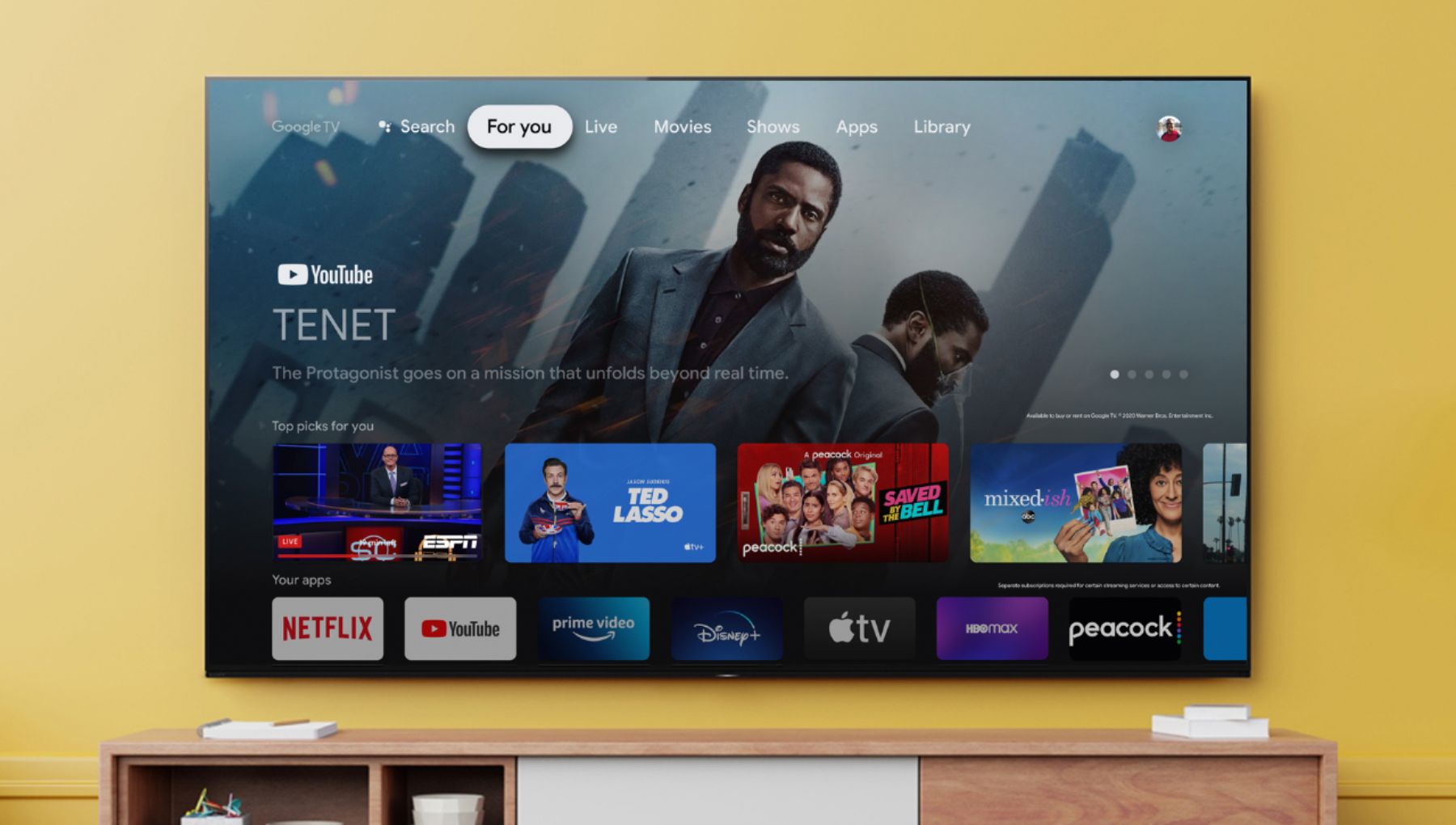
    • Answer Hello, Thank you for the inquiry! During the initial set-up, you can Skip Sign-in to Google. You can enjoy some functions on your Google TV device without a Google account. You can watch TV programs and enjoy all Sony apps, home network functions for the Album, Music, and Video apps and use the Network Electronic Program Guide (EPG). In addition, certain functions, such as the Google voice search function, Chromecast built-in (Google Cast), internet browsing, and the YouTube™ app, are available without logging in to a Google account. However, you will not be able to rent or buy movies, TV shows, and apps from the Google Play™ Store. Check the Google Privacy Policy and Terms of Service for additional information. Great News, the KD50X80J can hook up to the home theater with compatible connections. You can check the BRAVIA TV Connection Guide for more details: https://www.sony.com/electronics/support/articles/00231150 I hope this helps! Jay
      Answered by SonyListens

  • QuestionI have a Sony X80J and a Polk Signa S2 sound bar both bought at best buy. I set it up and everything worked great arc hdmi. Now all the sudden the Sony remote wont work with the sound bar(volume control). Anyone have any ideas?

    Asked by Vasilli2416.

    • Answer Hi Vasilli2416, We're sorry to hear that the TV remote control won't work with the soundbar. This is definitely not the experience we wanted you to have on our products. We apologize for the inconvenience. In this case, you can perform troubleshooting steps to isolate and resolve this issue: https://www.sony.com/electronics/support/televisions-projectors-lcd-tvs-android-/kd-50x80j/articles/00161073 I hope this helps! Jay

      Answered by SonyListens

  • QuestionDoes the Sony x80j come with a browser. I want to search the web without being enslaved to specific apps.

    Asked by Mark.

    • Answer Hi Mark, thanks for your inquiry. The Android TV™ does not have a pre-installed web browser app. However, you can download and install third-party apps that function as a web browser through the Google Play™ store. Follow these steps to locate a browser app: Turn on the TV. On your remote control, press the HOME button. Select Apps. Select the Google Play store app. In the search window, use web browser or browser to locate an app that will meet your needs. Reference: https://www.sony.com/electronics/support/televisions-projectors-lcd-tvs-android-/kd-50x80j/articles/00121075 I hope this helps. Regards, Erin

      Answered by SonyListens

  • QuestionIs it possible to hook this up with a Bluetooth speaker? I can't find a way to activate Bluetooth

    Asked by SusieQ.

    • Answer Hi SusieQ, Thank you for your inquiry. Yes, the X80J TV can be connected to compatible Bluetooth audio devices such as speakers or headphones that supports A2DP Bluetooth profile. You may use this link as your guide on how to connect your Bluetooth device to the TV: https://helpguide.sony.net/tv/iusltn1/v1/en-003/04-06_01.html If you need additional support, please email the below information to [email protected]. Name: Best Buy Username: Telephone Number: Model Number: Issue: Regards, Kris

      Answered by SonyListens

  • Questioni need to know what the length and height of the box it comes in

    Asked by night.

    • Answer Hi night, thanks for your inquiry. Here's the dimension of the package carton (W X H X D) 48.35 x 30.94 x 5.63 inch (1,228 x 786 x 143 mm)/48.82 x 30.79 x 5.55 inch (1,240 x 782 x 141 mm). I hope this helps. Regards, Erin

      Answered by SonyListens

  • QuestionCan this TV download the Spectrum Live TV App?

    Asked by davideo.

    • Answer Hi davideo, Thank you for the inquiry. Unfortunately, the Spectrum App is not available on the Google Play Store. However, you can use the built-in Chromecast feature to cast the content from the Spectrum TV app to their Sony TV. Chromecast. Chromecast lets you cast your favorite videos, games, and apps from your mobile device in full quality to your Chromecast built-in TV. Just one tap of the Cast button on your Android or iOS screen is all you need to supersize the things you love. Cast your content, then continue browsing on your phone or tablet. Please refer to the link here for your guidelines: https://www.sony.com/electronics/support/televisions-projectors-lcd-tvs-android-/kd-50x80j/articles/00135368 I hope this helps! Jay

      Answered by SonyListens

  • QuestionWhy won't my DVD player work with this TV?

    Asked by Pam.

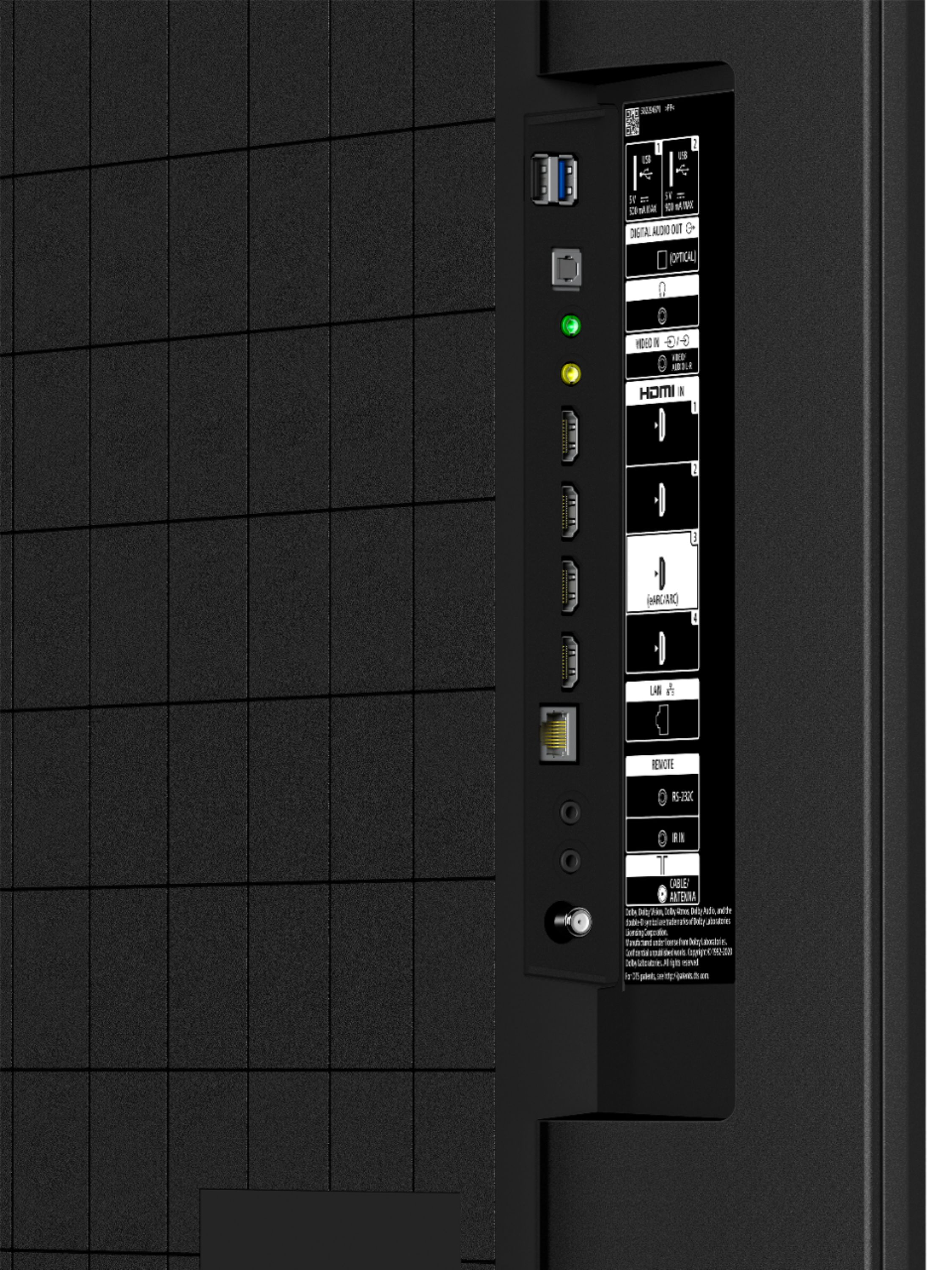
    • Answer Hi Pam, Thank you for the inquiry! You can connect this TV with compatible HDMI Input or composite video input on the DVD player. For more details, please check the link below: https://www.sony.com/electronics/support/articles/00231531 I hope this helps! Jay

      Answered by SonyListens

  • QuestionWhat is the width of the legs? Will it fit on a 32"cabinet?

    Asked by Ellen.

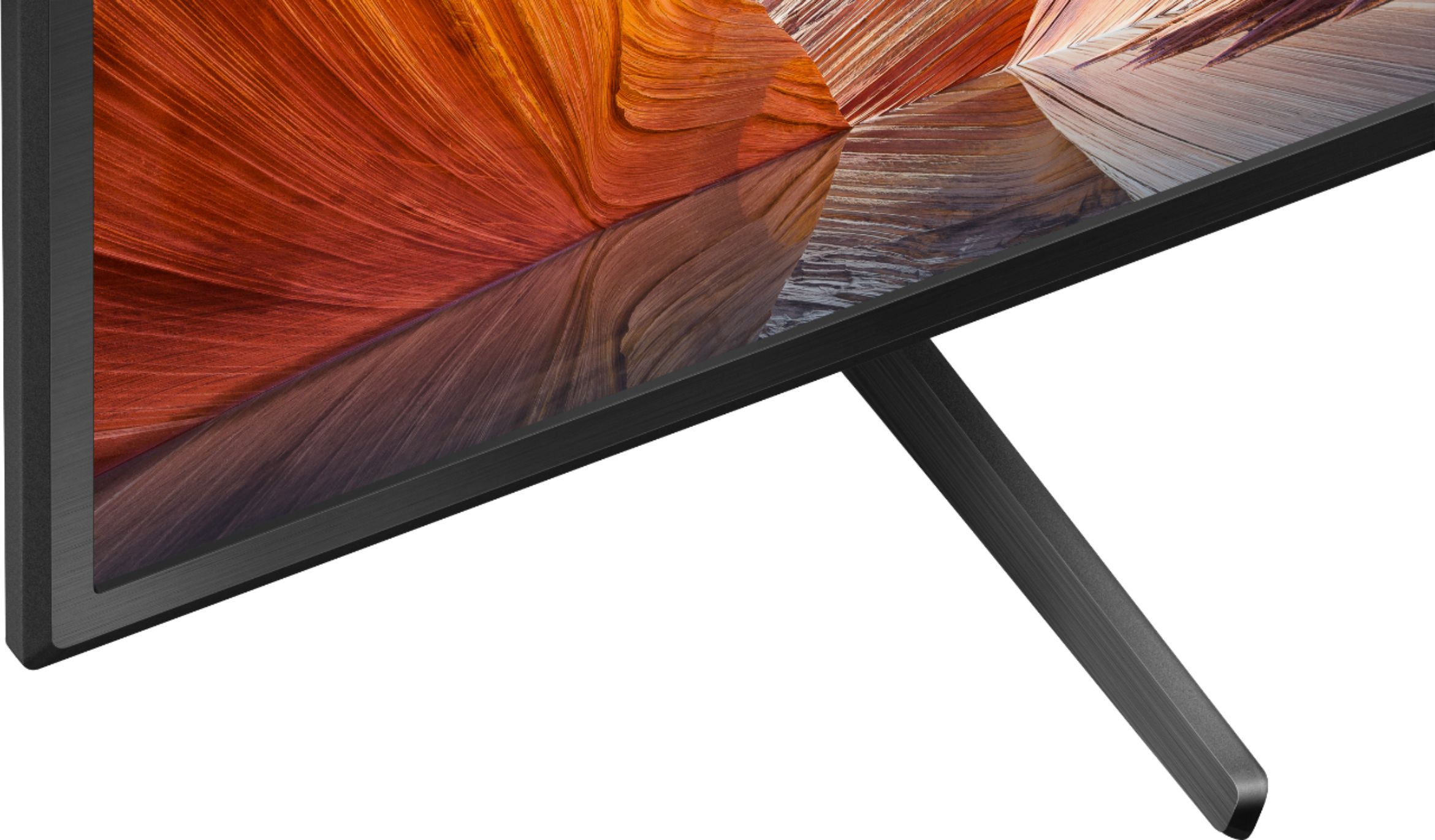
    • Answer Each leg is 11 1/4 inches in depth. They are thirty inches apart.

      Answered by Shelly

  • QuestionHi, How many watts is this? Can I plug in a surge protector with lamp, phone, cable & Bose radio? (Sony 50-class-x80j-series-led-4k-uhd-smart-google-tv)

    Asked by Betsy.

    • Answer Hi Betsy, Thank you for the inquiry! The power consumption in use for the KD-50X80J is 146 W. In standby, Less than 0.5 W with 120 V AC and less than 0.5 W with 240 V AC. I hope this helps! Jay

      Answered by SonyListens

  • QuestionIs this item touch screen

    Asked by Gabby.

    • Answer No, it's not a touch screen.

      Answered by Shelly

  • QuestionIs this tv have bluetooth capabilities

    Asked by Anonymous.

    • Answer Hello, Thank you for inquiring about the Bluetooth Capability of this TV. Great News! Yes, you can pair some wireless headphones, speakers, or soundbars to this KD50X80J through a Bluetooth® connection, however, the devices must be compatible. The Bluetooth headphones, speaker and soundbars that support A2DP may work with your TV. Refer to the link below for the compatible model list: https://www.sony.com/electronics/support/televisions-projectors-lcd-tvs-android-/kd-50x80j/articles/00159290 I hope this helps! Jay

      Answered by SonyListens

  • QuestionPurchased this model w the 3.1 sound bar a week ago, Geek installation. Two days ago I installed Sling. Today the Sony cane on by itself midday no one had set the timer! Where can I get timer instructions? .. could this be a malfunction?.. warranty?

    Asked by dgsg.

    • Answer Hi dgsg, thank you so much for your purchase and for reaching out to us with your concern. We regret to hear you are encountering an auto power on issue with your X80J. Some of these problems can be fixed by following the troubleshooting steps provided on the links below: https://www.sony.com/electronics/support/televisions-projectors-lcd-tvs-android-/kd-50x80j/articles/00032613 https://helpguide.sony.net/tv/iusltn1/v1/en-003/08-08_02.html?hl=automatically For the TV timer, please refer to the following link: https://helpguide.sony.net/tv/iusltn1/v1/en-003/07_14.html?hl=timer Your TV comes with a 1-year limited manufacturer's warranty. If this does not help, please email us at [email protected] with the following details so we can best assist you. Name: BestBuy Username: Model Number: Issue: Telephone Number: We value you, and thanks for choosing Sony! Sincerely, Romeo Sony Social Support

      Answered by SonyListens

  • QuestionIs this a Bravia tv? Wasn’t sure what the difference is between this and a “Bravia” tv version. Is the X80J model also considered a Bravia, are they the same thing or different?

    Asked by Anonymous.

    • Answer Hi Anonymous, Thank you for the inquiry! Yes, the X80J is also Bravia TV. All Sony TVs are BRAVIA TV's. I hope this helps! Jay

      Answered by SonyListens

  • QuestionIs there a sleep timer?

    Asked by Sweeps.

    • Answer Yes. We use this model TV in our offices and conference rooms and it does have a sleep timer.

      Answered by Lula888

  • QuestionIs this TV a good choice for a non tech savvy person who doesn’t stream, play games … and just wants to have a tv with good sound and picture?

    Asked by Curious.

    • Answer I believe so. We use it in our offices and everyone of every technical level connects with no issues.

      Answered by Lula888

  • Questionwill dvd/cd player be used with Bravia oled

    Asked by Sunny.

    • Answer Hi Sunny, Thank you for the inquiry. Yes, you can connect the Blu-ray/DVD player to the TV. For optimum picture quality, we recommend connecting your player to the TV using an HDMI cable. If your Blu-ray/DVD player has an HDMI jack (socket), connect it using an HDMI cable. If your Blu-ray/DVD player has composite jacks (sockets), connect them using a composite video/audio cable. Refer to the link below for more details: https://helpguide.sony.net/tv/iusltn1/v1/en-003/04-02_01.html I hope this helps! Jay

      Answered by SonyListens

  • QuestionDoes this TV support Apple AirPlay?

    Asked by Buyer.

    • Answer Hi Buyer, Great News! Yes, the KD50X80J has Apple Airplay. For more details about the specifications and features of the X80J series, please check your TV model at our support website (http://www.sony.com/esupport). I hope this helps! Jay

      Answered by SonyListens

  • QuestionDoes it have HULU app??

    Asked by Rhys223.

    • Answer Hi Rhys223, Thank you for the inquiry. Yes, the KD50X80J has pre-installed apps including Hulu App. I hope this helps! Jay

      Answered by SonyListens

  • QuestionI would like to add a blue tooth speaker which I can have next to me. I have not been able to figure out how to connect. My bluetooth speakers (Sony SRS-XB33 as well as Beats Pill+) are not recognized by the bluetooth setup. How else can I do it?

    Asked by apkobl.

    • Answer Hi Apkobl, Thank you for the inquiry. The X80J supports version 4.2; HID (mouse/keyboard connectivity)/HOGP (Low Energy device connectivity)/SPP(Serial Port Profile)/A2DP (stereo audio)/AVRCP (AV remote control). You can pair some wireless headphones, speakers, or soundbars to your Google TV™ through a Bluetooth® connection, however, the devices must be compatible. Other Bluetooth headphones and speakers, or soundbars that support A2DP may work with your TV. However, we don't guarantee its operation. For more details, please check the link here: https://www.sony.com/electronics/support/televisions-projectors-lcd-tvs-android-/kd-50x80j/articles/00159290 I hope this helps! Jay

      Answered by SonyListens