A:AnswerSince this product relies on your device for MP3 playback, it will come down to your player's software and whether it supports the feature or not.
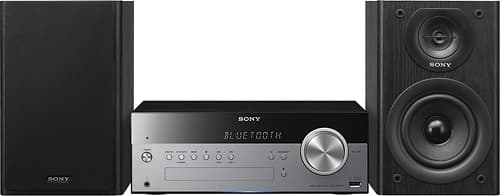
A:Answeron remote push Bluetooth and light will begin to blink blue.Ok go to settings on your ipod or phone .ect go to Bluetooth turn on get close a foot or two and push and will start pairing. when connected blinking blue light will stop and your ipod or phone will read sony. Every time you use open up Bluetooth settings and sony will be there push and connected. Ok ive already said to much. This works very well.
A:Answerall they are are little rubber tips about the size of your pinky tip.There for the speakers don't dance can be purchase at any hardware store come in clear color.
A:AnswerYou can connect your iPhone to the audio in port using a stereo mini plug or use the Bluetooth feature as long as its compatible with the following profiles: A2DP and AVRCP. The USB port will allow your only to charge iPod/iPhone/iPad devices.~ Jeannette
A:AnswerIf your TV has old fashioned RCA AUDIO OUT jacks, yes you can. This SONY has an AUDIO IN jack & I can get my TV’s sound through the SONY using these jacks.
A:Answerthey have a spot for a USB on the front of the unit not sure if it would work with IPOD , but the Sony can take 6 Bluetooth devices can the is the IPOD Bluetooth compatible I don't own a IPOD so not familiar with this device.