Early Black Friday DealsNew Doorbusters every Friday.Shop now

Skip to content
Gift Ideas
26 Cypress St
Williston, VT 05495
Open until 9 pm
Find Another Store
Main Content

Questions & Answers

Your price for this item is $649.99
The comparable value price is $699.99
Page Showing 61-80 of 88 questions
  • QuestionIs this tv 220 volts? If not can I find one here in the USA to take to Italy?

    Asked by Rob.

    • Answer Hi Rob, Thank you for your interest in the Sony BRAVIA 3! This TV has a power range requirement of 110-240 V. Sony TV models purchased in the US/Canada has a power requirement of 120 V AC, 60 Hz and 110-240 V AC, 50/60Hz for other countries. You may need a transformer/power converter to safely use this TV in Italy or in a 220 or 240 V outlet. Hope this helps! The Sony BRAVIA 3 combines HDR color support and Sony's intelligent picture processing to analyze and enhance every scene with accurate, lifelike color. Connect HD and UHD devices via HDMI 2.1 inputs with advanced features like ALLM and eARC. For streaming, the built-in Google TV OS provides a plethora of apps and options with your favorites and frequently watched shows brought together in one convenient home screen. Regards, Sam

      Answered by SonyListens

  • QuestionHello, If I am trying to display an image or logo on the screen via a USB drive, what size does the graphic or image need to be? Thank you

    Asked by ImageHelp.

    • Answer Hi ImageHelp, Thank you for your inquiry! For displaying an image or logo on the screen via a USB drive on the Sony BRAVIA 3, the image/picture size should be 3840 x 2160 pixels. Hope this helps! The Sony BRAVIA 3 combines HDR color support and Sony's intelligent picture processing to analyze and enhance every scene with accurate, lifelike color. Connect HD and UHD devices via HDMI 2.1 inputs with advanced features like ALLM and eARC. For streaming, the built-in Google TV OS provides a plethora of apps and options with your favorites and frequently watched shows brought together in one convenient home screen. Regards, Sam

      Answered by SonyListens

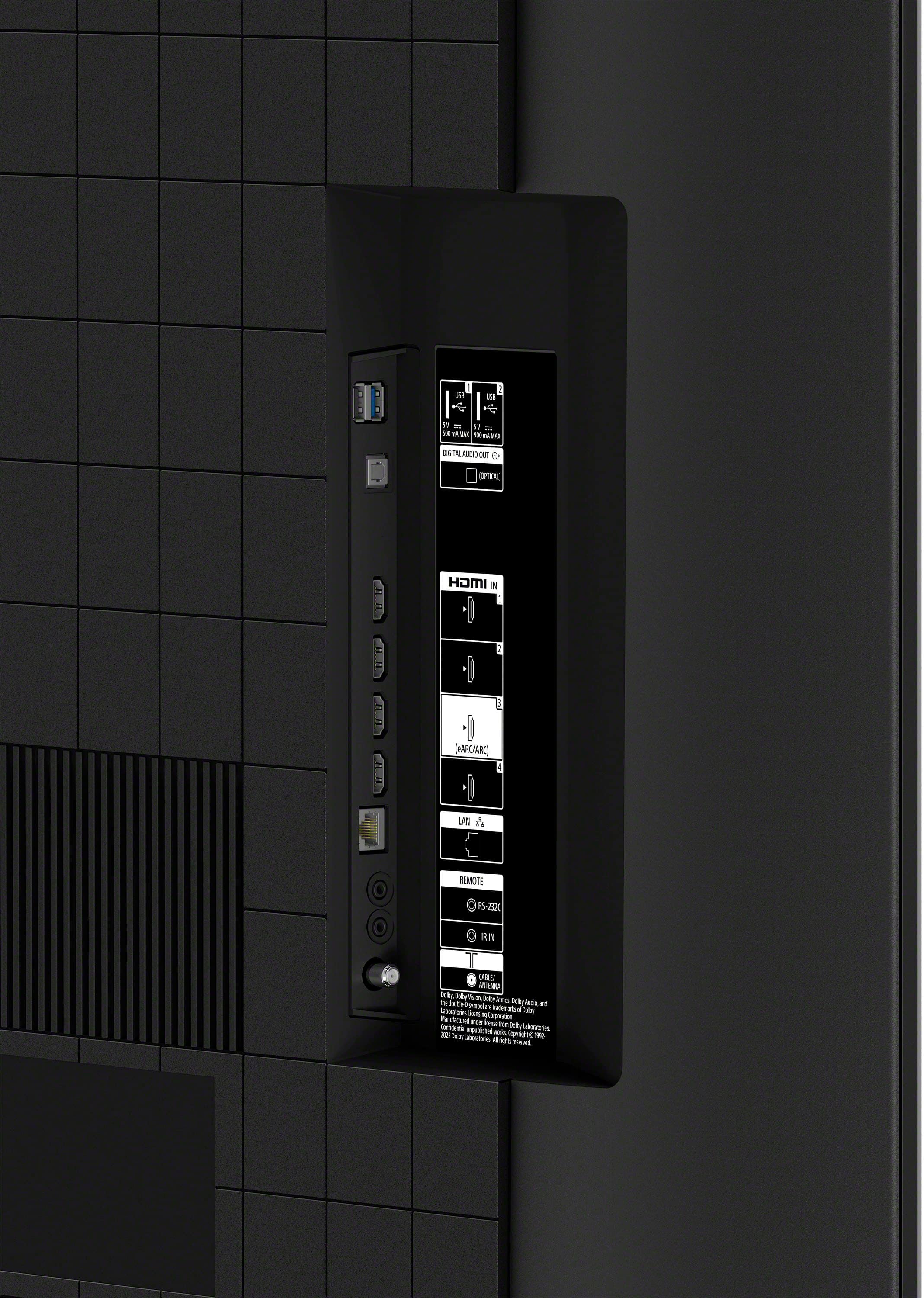
  • QuestionDoes this TV have a USB port? Can we cast images to this screen?

    Asked by Bravia.

    • Answer Yes and Yes

      Answered by RitaM

  • QuestionWhat is the country of origin for this model?

    Asked by Tom.

    • Answer Hi Tom, Thank you for your interest with the BARVIA 3! Regarding your question, TV's for the North American Market are assembled in Mexico. Hope this information helps! Experience 4K HDR color and the user-friendly streaming of Google TV with the BRAVIA 3 K55S30 55" 4K HDR Smart LED TV from Sony. The K55S30 combines HDR color support and Sony's intelligent picture processing to analyze and enhance every scene with accurate, lifelike color. Connect HD and UHD devices via HDMI 2.1 inputs with advanced features like ALLM and eARC. For streaming, the built-in Google TV OS provides a plethora of apps and options with your favorites and frequently watched shows brought together in one convenient home screen. Best Regards, Maria

      Answered by SonyListens

  • QuestionI think my remote is broken what do I do to get a new one that will work my new Sony-55-class-bravia-3-led-4k-uhd-smart-google-tv-2024? I have manually powered it on and off and unplugged it/plugged it back in. The remote still does not work. Thank you.

    Asked by GEwasher.

    • Answer Hi Remote, We're sorry to hear about the remote not working despite manually powering the TV on and off and unplugging/plugging it back in. To further isolate and resolve this issue, please follow these troubleshooting steps: -Press each button on the remote control twice to make sure none of the buttons are stuck. -Remove obstacles between the TV and the remote control. -Remove and reinstall the batteries to ensure a good connection. -Replace the batteries with new ones. -Check the operation of the available buttons (on/off, volume up/down, channel, etc.) on your TV. Press the buttons on the TV itself to verify that the TV will respond and is working properly. If the issue still occurs after you complete all of the troubleshooting steps, the remote control may need to be replaced. You can contact Sony support for further assistance. Unfortunately, due to the current Bestbuy phishing protocol for your protection, we cannot provide a direct email or phone number for customer support as of now. Please find Sony Electronics' Support information: Go to our support website > click on “Support” > scroll down click on “Contact Support” > click on [Product Type] and from there you'll see different ways to reach us. Regards, Sam

      Answered by SonyListens

  • QuestionWhen K55S30CB is connected to our Verizon cable box with an HDMI cable. I see a "no signal" with all 4 ports. The TV recognizes that there is a cable in a port. I bought a new high speed one hoping that would solve it. No luck. About to return it. Help.

    Asked by jimbo.

    • Answer Hi jimbo, We're sorry to hear about the "no signal" issue you're experiencing with your Sony BRAVIA 3. To address the "no signal" issue on your TV when connected to the Verizon cable box via HDMI, you can follow these troubleshooting steps as needed: Perform each step as needed. Check if the issue is resolved after each step is performed. -If you haven't done so already, ensure your cable box is turned on and not in standby mode. Try turning your cable box off and then back on. -Power reset your cable box: Unplug your cable box from the wall outlet or power strip. Wait one minute, then plug it back in and turn it on. Note: If the device is plugged into a power strip or surge protector, remove and plug it directly into the wall outlet. If the issue is resolved, the problem may be with the power strip or surge protector and not the device or TV. -After performing a power reset, make sure the correct input is selected on your TV. -Check with your cable service provider to see if you could be experiencing a service outage in the area. -Perform a power reset of your TV, and then make sure the correct input is selected on your TV. -If you have another source device, connect it to the same TV input to help determine if there is a problem with the cable box. If another device receives a signal from that port but not the cable box, your cable box may be defective. Contact your service provider for assistance. If none of these steps resolve the issue, please contact us. Unfortunately, due to the current Bestbuy phishing protocol for your protection, we cannot provide a direct email or phone number for customer support as of now. Please find Sony Electronics' Support information: Go to our support website > click on “Support” > scroll down click on “Contact Support” > click on [Product Type] and from there you'll see different ways to reach us. Regards, Sam


      Answered by SonyListens

  • QuestionHow long is this sale on?

    Asked by Dj.

    • Answer 1 month

      Answered by KrishnaH

  • QuestionWhat are the dimensions still boxed? I’m picking it up in my suv.

    Asked by Anonymous.

    • Answer Hi there, Thank you for your inquiry! The dimensions of the package carton (W X H X D) are approximately 53.63 x 33.38 x 6.38" (1,362 x 847 x 160 mm). Hope this helps! Our Smart TV is exceptionally easy to use with a variety of all-in-one smart features for stress-free viewing. With a large screen, detailed pictures full of color and dynamic sound, everything you love feels so much more exciting. Regards, Sam

      Answered by SonyListens

  • Questionmy tv remote has to be reset daily to my cable box. tried everything, nothing helps

    Asked by ernierex.

    • Answer Hi ernierex, We apologize for the inconvenience that you experienced. It sounds like you're experiencing an issue where your TV remote needs to be reset daily to control your cable box. Here are some additional steps you can try to resolve this issue: 1. Power reset or restart of the TV is a recommended troubleshooting step that resolves many temporary issues. To perform a power reset, turn off the TV, unplug the power cord for two minutes, then turn on the TV. 2. Make sure your STB is supported with the Cable/Satellite box setup feature. For additional information on your device, contact the STB manufacturer. 3. Perform the Cable/Satellite box setup procedure: -Open the Settings screen according to your TV remote options: Press the Quick Settings button, then select Settings. (For models with the Quick settings button on the remote) Press the HOME button, then select Settings. -The next steps will depend on your TV menu options: Select Channels & Inputs → External Inputs → Cable/Satellite box setup → Cable/Satellite box control setup. Select Watching TV → External Inputs → TV box setup → TV box control setup. Select Watching TV → External Inputs → Cable/Satellite box setup → Cable/Satellite box control setup. -Follow the on-screen instructions. 4. Check for the latest firmware update. If these steps do not resolve the issue, please contact us. Unfortunately, due to the current Bestbuy phishing protocol for your protection, we cannot provide a direct email or phone number for customer support as of now. Please find Sony Electronics' Support information: Go to our support website > click on “Support” > scroll down click on “Contact Support” > click on [Product Type] and from there you'll see different ways to reach us. Regards, Sam

      Answered by SonyListens

  • QuestionJust got this TV brand new 18 days ago, it turns on but the screen stays black. Unplugged it to try and reset, still the same issue. Won't respond to the remote also. Seems this TV has this issue as a common problem. Why? And how do I fix this?

    Asked by Frustrated.

    • Answer Hi Frustrated, We regret to hear that the TV is not working properly. It's also unfortunate that performing a power reset didn't resolve the issue. Allow us to further assist you and help you out. Sony's commitment to customer satisfaction is our top priority. Unfortunately, due to the current Best Buy phishing protocol for your protection, we cannot provide a direct email or phone number for customer support as of now. Please find Sony Electronics' Support information: Go to our support website > click on “Support” > scroll down click on “Contact Support” > click on "Electronics Product Support" > click on "TV & Projectors" and from there you'll see different ways to reach us. -Ralph

      Answered by SonyListens

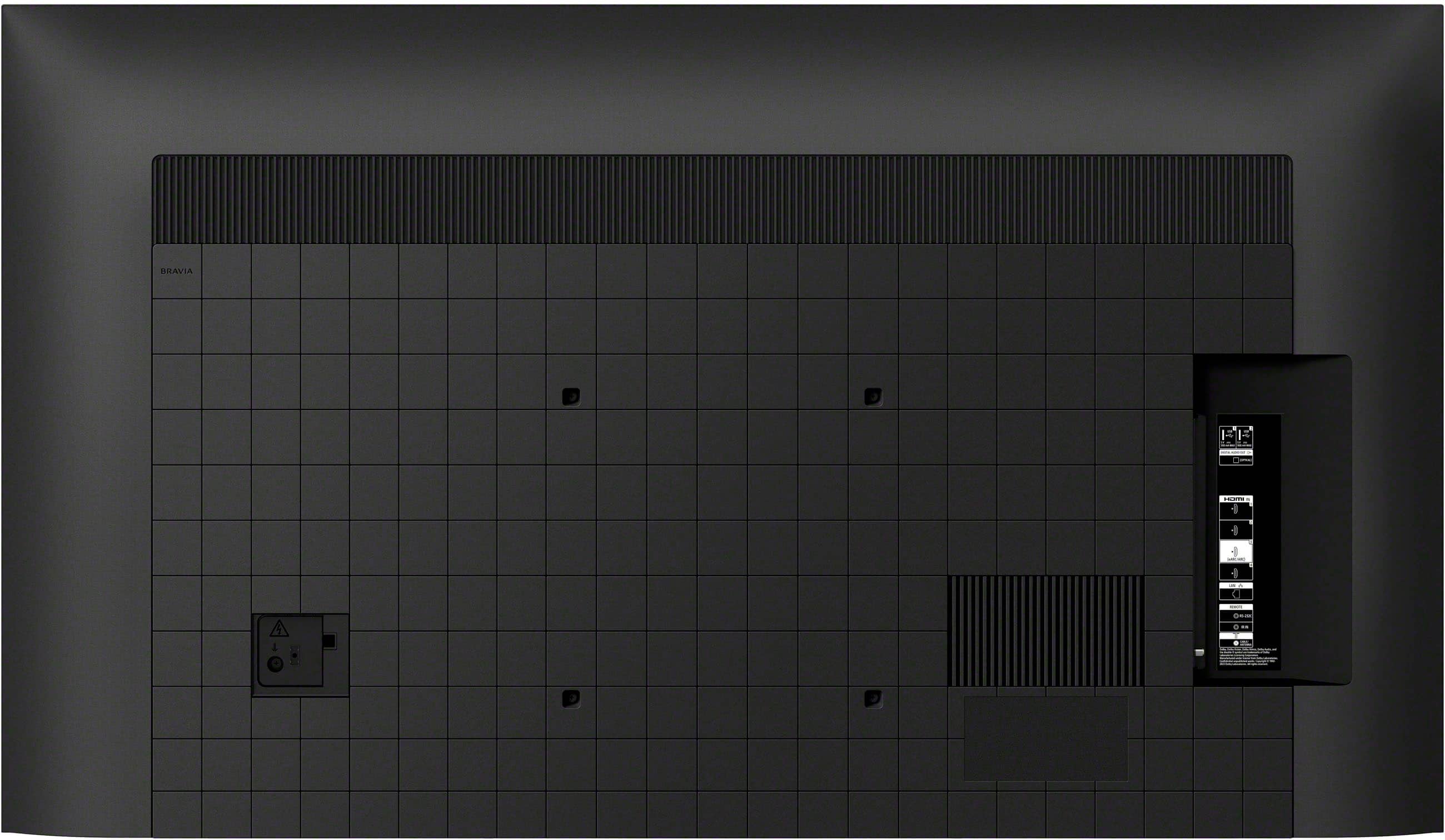
  • QuestionDoes this TV have an earphone jack?

    Asked by Stevo.

    • Answer Hi Stevo, Thank you for your inquiry! The Sony Bravia 3 doesn't have an earphone/headphone jack. However, it can output sound via Bluetooth. You can pair Bluetooth headphones or speakers with the TV (make sure that your Bluetooth device support the Advanced Audio Distribution Profile (A2DP) Bluetooth profile). Hope this helps! Our Smart TV is exceptionally easy to use with a variety of all-in-one smart features for stress-free viewing. With a large screen, detailed pictures full of color and dynamic sound, everything you love feels so much more exciting. Regards, Sam

      Answered by SonyListens

  • QuestionIs this TV compatible to download Fubo and Hulu?

    Asked by Walter.

    • Answer Hi Walter, Thanks for your question. Yes! Fubo and the latest Hulu app, which includes both on-demand and live content streaming are supported on this model. And also, many of the existing apps from the Google Play store or Search for apps can be downloaded to the Google TV. Please visit each application's website to see their channel list. Some of the services may include pay content. Our Smart TV is exceptionally easy to use with a variety of all-in-one smart features for stress-free viewing. With a large screen, detailed pictures full of color and dynamic sound, everything you love feels so much more exciting. Regards, Jess

      Answered by SonyListens

  • QuestionTV installed yesterday. This morning, I cannot get the TV to power on. My cable box is up and running but TV will not come on.

    Asked by SDLong.

    • Answer Hi SDLong, We're sorry to hear that your TV won't power on. This is definitely not the experience we want you to have with your new TV. Allow to help and troubleshoot the problem. Please try some solutions below: Check your TV power cord to ensure they're not loose or disconnected. Press the power switch on the TV to see if the TV turns on. Perform a power reset or restart of your TV. May we contact you to help? If so, please email the below information to [email protected]: Name: Best Buy Username: Telephone Number: Model Number: Issue: We are sorry for the inconvenience and hope to speak to you to resolve this matter. - Kris

      Answered by SonyListens

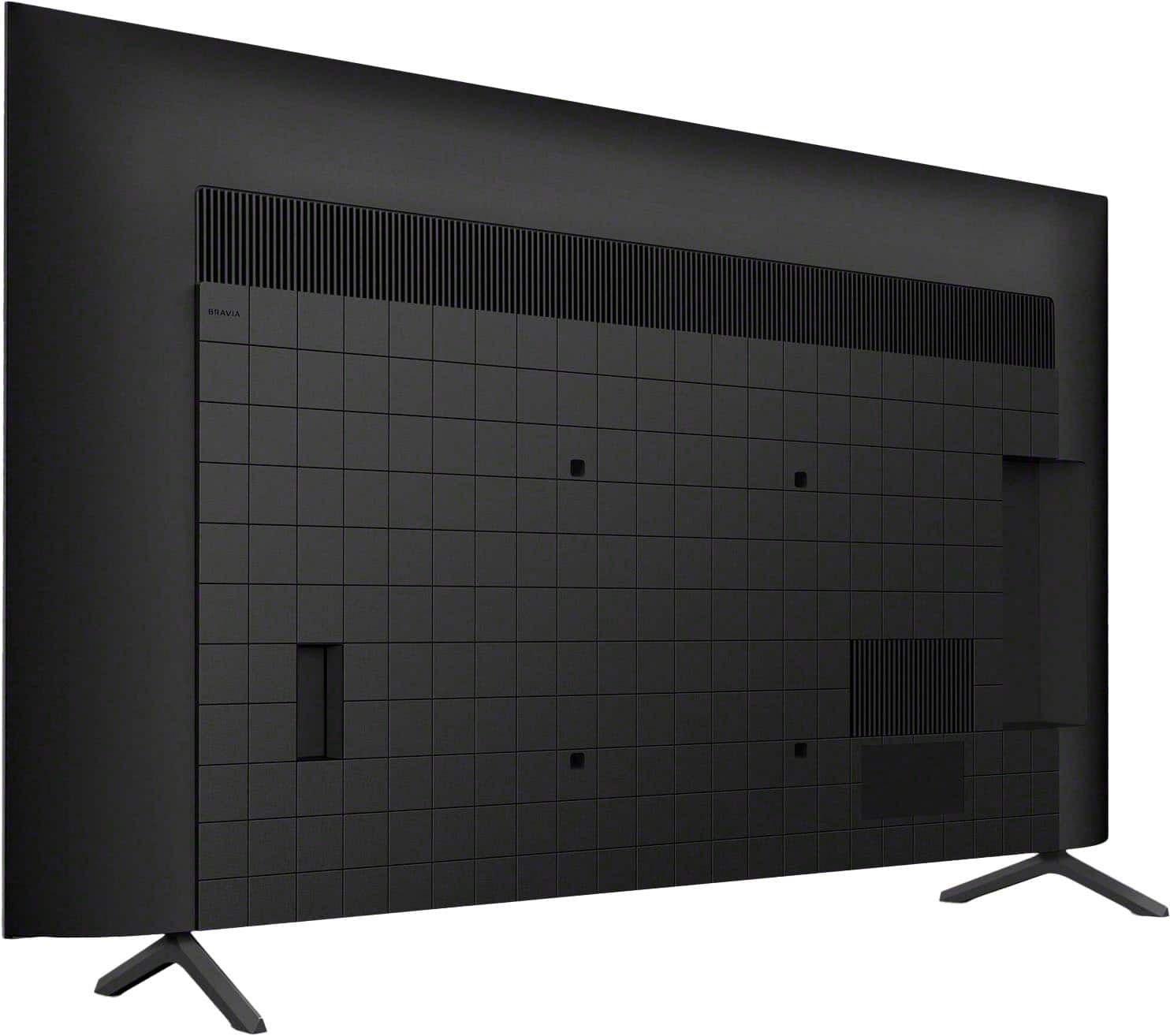
  • QuestionLooking at wall hangers, is the Sony Bravia VESA compliant and work with all wall mounts?

    Asked by Judy.

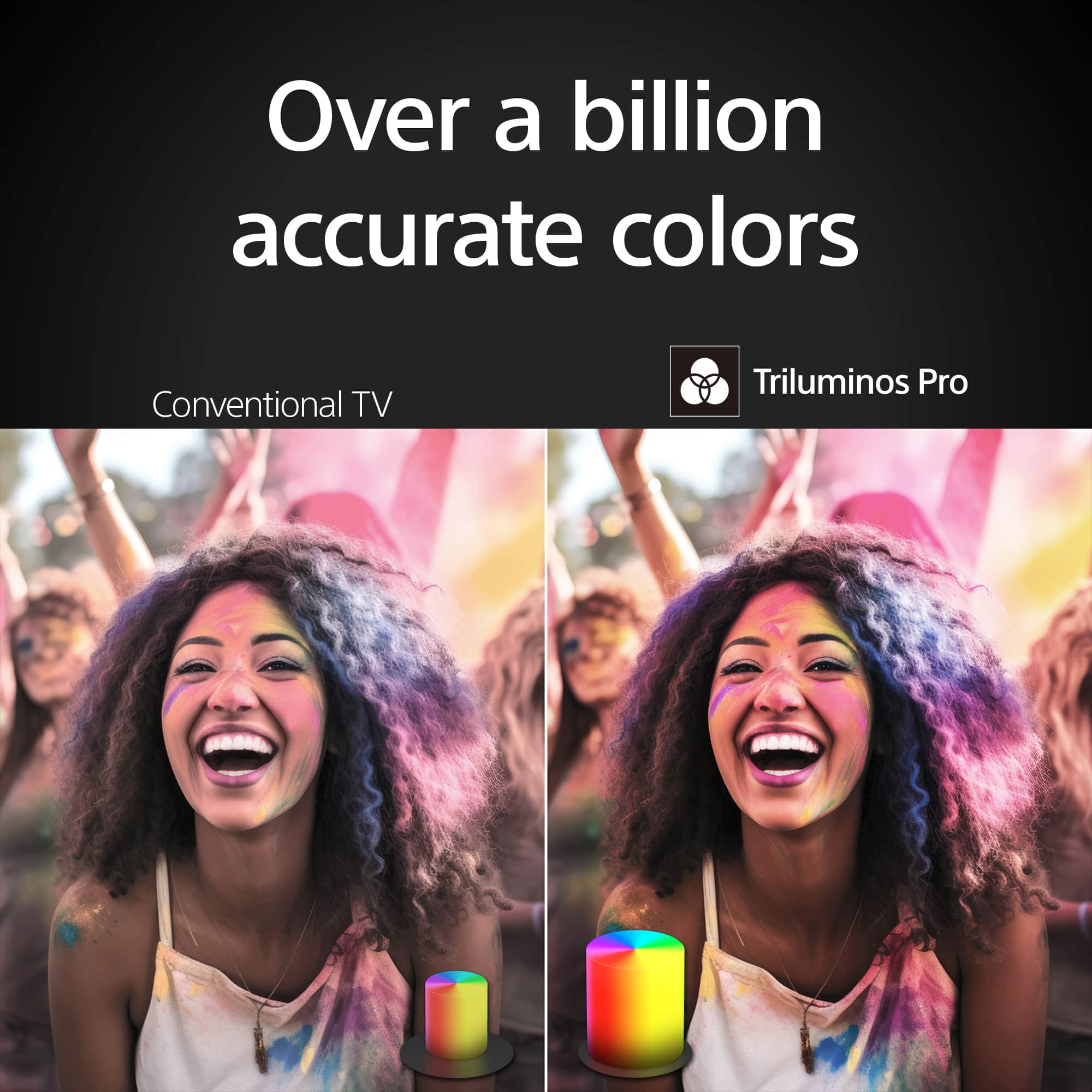
    • Answer Hi Judy, Thanks for the question! Sony BRAVIA TVs are VESA compliant, the specific VESA standard may vary depending on the model. The 55" BRAVIA 3 works with VESA compatible wall-mount bracket with a screw hole pattern of 11.81 x 11.81 inch (300 x 300 mm).This TV is also compatible with the Sony wall- mount bracket SU-WL905 and SUWL855 (not supplied). For safety reasons, product protection, and to make sure that the installation is performed correctly, Sony strongly recommends that the installation of our TV on a wall be performed by qualified professionals. The instructions for installing the TV on a wall using a Sony Wall-Mount Bracket can be found on the TV’s model page on our Sony Support website. Everything you watch is enhanced with over a billion accurate colors with lifelike clarity and contrast that reveals every detail. Google TV™ brings together movies, shows, and more from across your apps and organizes them just for you. Hope this helps! - Kris

      Answered by SonyListens

  • QuestionHOW DO I GET HIGH DEFINITION ON MY TV

    Asked by Anonymous.

    • Answer Hi there, Thanks for your inquiry. The BRAVIA 3 is already a 4K HDR TV. This TV has upscaling technology that enhances the picture quality of everything you watch with four times the detail of regular High Definition (HD) resolution. This means TV shows, Blu-ray Disc movies, streaming video and even home video clips recorded with a smartphone will look even better. Note: 4K has higher picture quality than high definition (HD) and is also referred to as Ultra HD (UHD). Additional information: 4K: 3,840 x 2,160 pixels requires HDR compatible content from supported streaming services, such as Netflix, Amazon Video, YouTube or HDR compatible content device connected via HDMI input. For streaming, quality depends on the original video provided by the video content provider and your connection bandwidth. If your network is not fast enough, you cannot enjoy 4K/HDR content at the best quality. The required network speed depends on the service. If you are watching from an external output like a cable box or your Blu-ray and you want to enjoy high-definition 4K Enhanced format content via HDMI, please make sure that you have enabled the Enhanced Format setting on the TV. When you watch 4K picture with High-Quality, use a Premium High-Speed HDMI Cable(s) that supports speeds of 18 Gbps or more. We do have good information on how to experience high quality picture with your 4K TV on this link: https://www.sony.com/electronics/support/articles/00245141 Regards, Jess

      Answered by SonyListens

  • QuestionIs the stand width adjustable to less than 35”?

    Asked by qualb.

    • Answer The stand is non adjustable. If your surface is less than 44 inches you need to get either a separate wall or table mount.

      Answered by PaulM

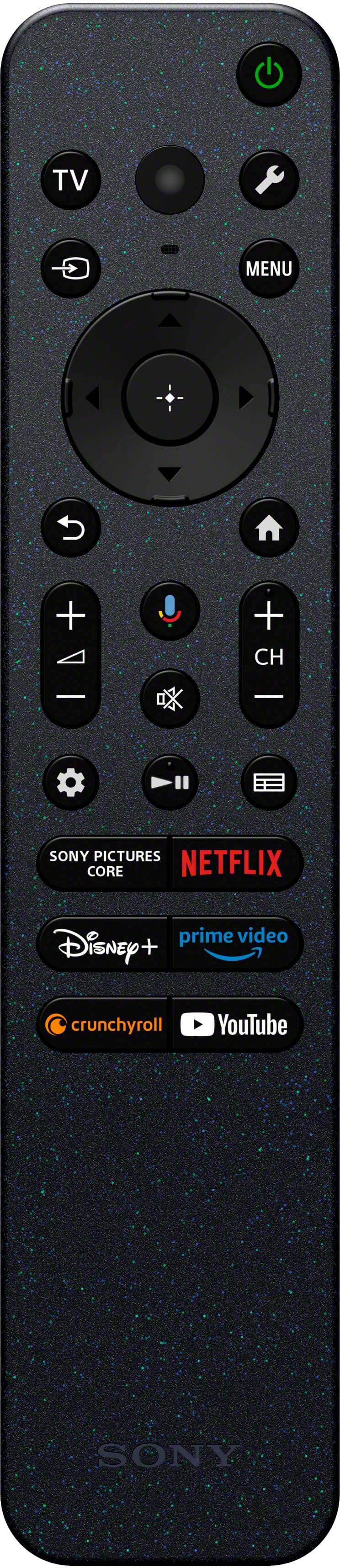
  • QuestionWhere is the Google Assist button on my remote

    Asked by Kenneth.

    • Answer Hi Kenneth, Thanks for the question! The Google assistant or mic button on the BRAVIA 3 TV is found on the upper part of the remote. Unfortunately, due to the current Best Buy phishing protocol for your protection, we cannot provide a direct email or phone number for customer support as of now. Please find Sony Electronics Support information: Go to our support website > click on “Support” > scroll down click on “Contact Support” > click on "TV & Projectors" and from there you'll see different ways to contact us. Hope this helps! - Kris

      Answered by SonyListens

  • QuestionCan you hook this tv up to Comcast/ Xfinity

    Asked by Sha.

    • Answer Hi Sha, Thanks for your inquiry! Yes, you can definitely hook up Comcast/ Xfinity to the BRAVIA 3 TV via HDMI or Coaxial connection. TV just got more exciting with incredibly vibrant picture and easy-to-use smart features. Everything you watch is enhanced with over a billion accurate colors in lifelike clarity and contrast that reveals every detail. Hope this helps! - Kris

      Answered by SonyListens

  • QuestionDo Sony tvs have a full tv guide or just a channel list for antenna.

    Asked by redhandy1.

    • Answer Hi Redhandy1, Thanks for your question. The BRAVIA 3 offers a TV program guide when connected to an antenna. You can quickly find your preferred programs by pressing the (Guide) button to display the digital program guide of the TV or cable/satellite box. The display of the Electronic Program Guide (EPG) depends on the TV setup and whether the broadcast signal contains an EPG data. To ensure that EPG will display properly whenever data is available, follow the steps on the link below. https://www.sony.com/electronics/support/articles/00124784 Notes: -A TV program will appear blank if no data is contained in a channel. -Channel information may not be displayed correctly. I hope you find this information to be helpful! Regards, Jess

      Answered by SonyListens

  • QuestionCan tv be hooked up to antenna if you don't have cable?

    Asked by Sandy.

    • Answer Hi Sandy, Thank you so much for your inquiry! Yes, this TV has Cable/Antenna input and built-in tuner for analog/digital over-the-air TV programs. Please note that the BRAVIA 3 only supports ATSC 1.0 tuner. It does not have an ATSC 3.0 (NEXTGEN TV). However, you will still enjoy watching all your favorite content with rich colors and detailed contrast. If using an antenna, ensure the antenna is in good condition and securely connected to the Cable/Antenna input on the TV. The type of reception that you'll receive will depend on the antenna type that you're using and how far a particular station is. TV just got more exciting with incredibly vibrant picture and easy-to-use smart features. Everything you watch is enhanced with over a billion accurate colors in lifelike clarity and contrast that reveals every detail. Regards, Jess

      Answered by SonyListens