Main Content

Questions & Answers

$1,298.00
Save $201.99
The comparable value is $1,499.99
Page Showing 21-40 of 50 questions
  • QuestionI set up my new Bravia TV, it does work , but a "yellow light" appears under the screen,whether tv is on or off. I can't find any way of getting rid of it, can somebody help? is it an issue?

    Asked by Beaglegirl.

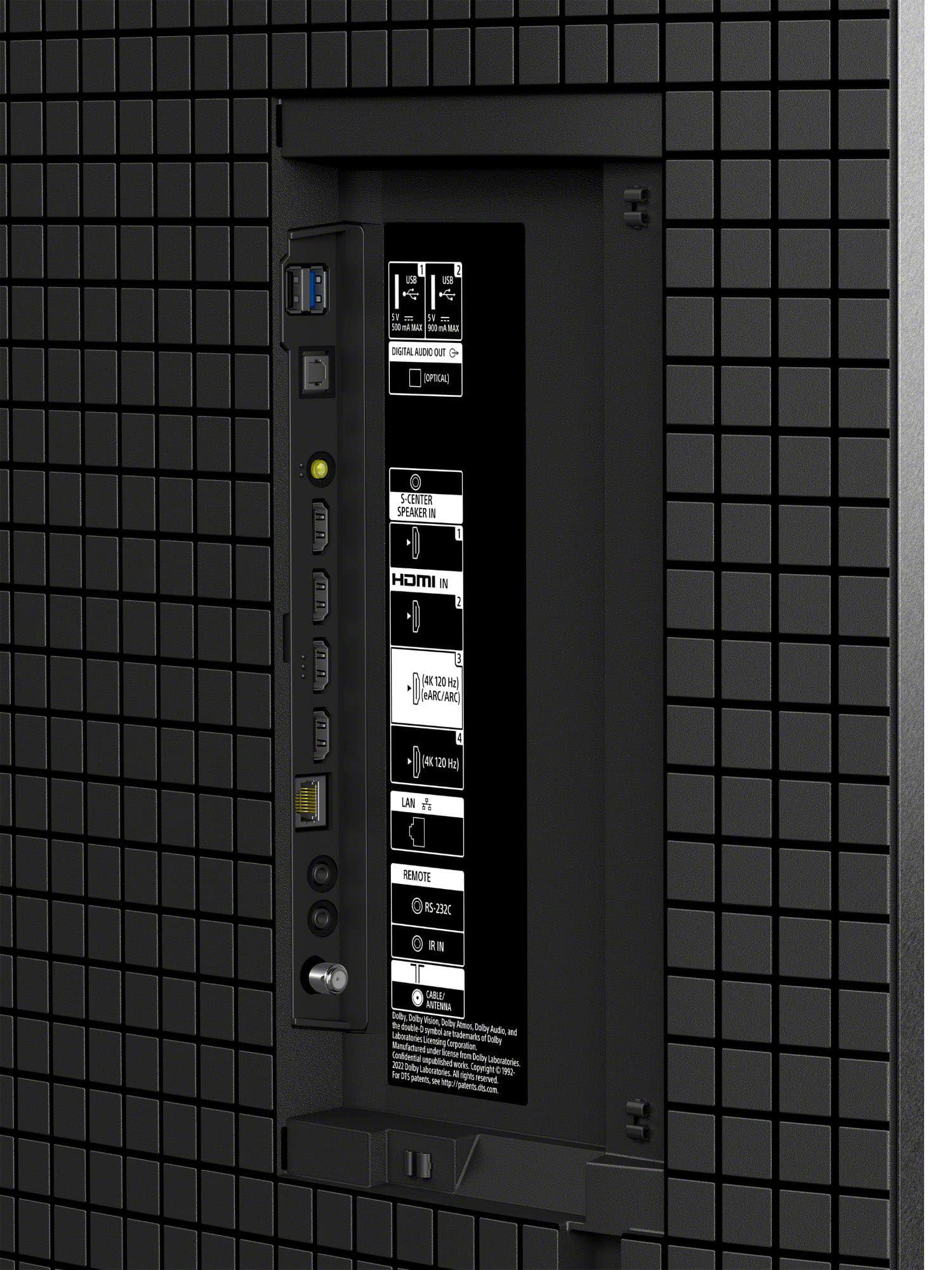
    • Answer Hi Beaglegirl, Don't worry—your TV is functioning exactly as intended! That light is the Voice Function LED, and its color tells you the status of your built-in microphone: Pale Yellow: This appears when the physical Built-in MIC switch on the TV is set to "Off." Amber: This appears when the TV is actively set to detect the "Hey Google" command via the built-in microphone. Essentially, the light is a status indicator to let you know whether the hands-free voice features are active or disabled. If you find the glow distracting, you can easily disable the indicator in your settings: 1- Press the Quick Settings (gear icon) button on your remote. 2- Navigate to [Settings] — [System] — [LED indicator]. 3- Toggle [Voice detection status] to Off. We hope this clears things up, and thank you for choosing Sony! Regards, Dominick

      Answered by SonyListens

  • QuestionIn my Sony 55" Bravia XR8B OLED, Don't want screen burn In..Program my screen to have a rolling screen, when watching anything then, transmisión signal will pause or freeze, before I realize it stop or froze. Baby grandkids watching you tube baby

    Asked by Tito.

    • Answer Thank you for contacting Sony, Tito. We understand wanting to protect your beautiful K-55XR8B OLED screen, especially with the grandkids watching! Your TV actually comes with built-in features like Pixel Shift and Panel Refresh specifically designed to prevent screen burn-in automatically. When using YouTube or external devices, the TV should naturally trigger a screen saver if the image stays still for too long. If you find the image is freezing or pausing frequently, we recommend checking your internet connection or ensuring the YouTube app is updated to the latest version. You can also adjust the "Auto shut-off" or "Screen saver" timers in the System settings to give you extra peace of mind. We appreciate your interest in Sony products. Should you require any further assistance, please don't hesitate to reach out for support here: https://us.esupport.sony.com/support/s/support-contact?language=en_US&category=tv Best regards, Gus, Sony North America Customer Support

      Answered by SonyListens

  • QuestionHow do I get Best picture on smoothnes or no blur on fast action scenes

    Asked by Tito.

    • Answer Hi Tito, To get the best picture for fast action on your BRAVIA 8, go to Settings > Display & Sound > Picture > Motion. Set Motionflow to Custom and increase the Smoothness slider to your preference; for sports, a higher setting reduces blur, while for movies, a lower setting (1 or 2) maintains a cinematic feel without the "soap opera effect." Additionally, ensure CineMotion is set to Auto to help the TV correctly process different frame rates and eliminate judder. Thanks for choosing Sony. Best regards, Eliab

      Answered by SonyListens

  • Questionis the remote wheel or button

    Asked by remote.

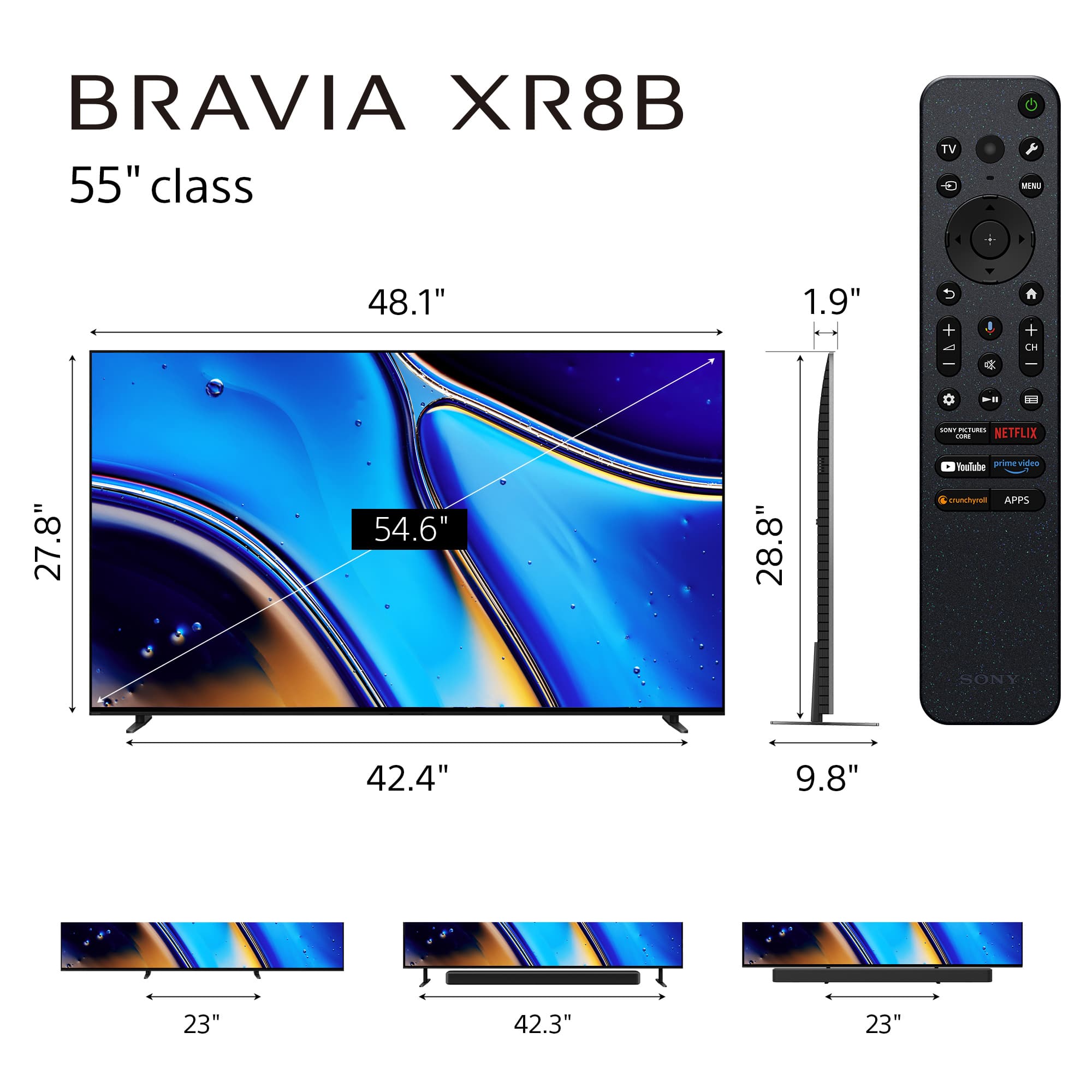
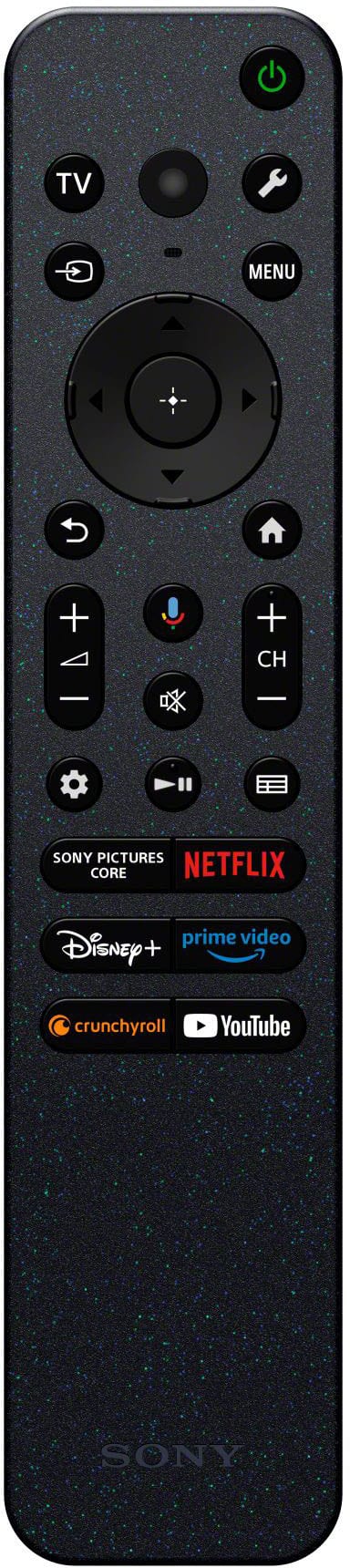
    • Answer Hi remote, The Sony BRAVIA XR8B (Bravia 8) features a premium button-based remote rather than a scroll wheel. It uses a circular 4-way directional pad for navigation, is motion-sensitive with a backlight for dark rooms, and includes a built-in buzzer that can be triggered from the TV if the remote is misplaced. Thanks for choosing Sony. Best regards, Eliab

      Answered by SonyListens

  • QuestionCan this TV allow me to play DVD's?

    Asked by AL.

    • Answer Hi AL, Yes, you can certainly play DVDs on the Bravia 8. To do so, you will need to connect an external DVD or Blu-ray player to the TV using an HDMI cable. Our XR Processor will automatically upscale the DVD signal to ensure the best possible picture quality on your 4K OLED screen. Thanks for choosing Sony. Best regards, Eliab

      Answered by SonyListens

  • QuestionDoes this have a built in subwoofer like the previous models?

    Asked by Rob.

    • Answer Hello Rob, Thank you for considering Sony! We appreciate your inquiry and are happy to assist. The Sony K-55XR8B TV is equipped with a built-in subwoofer that enhances its audio performance. It features a speaker configuration with two actuators, two tweeters, and one subwoofer, delivering rich, deep sound without the need for external speakers. Combined with Acoustic Surface Audio+ technology and the Sound Positioning Tweeter, this setup provides immersive and precise audio for an exceptional viewing experience. For more details about this TV, please visit: https://www.sony.com/electronics/support/televisions-projectors-oled-tvs-android-/k-55xr8b/specifications Best regards, -Fred

      Answered by SonyListens

  • QuestionDoes this TV have VRR support?

    Asked by Bonkgi.

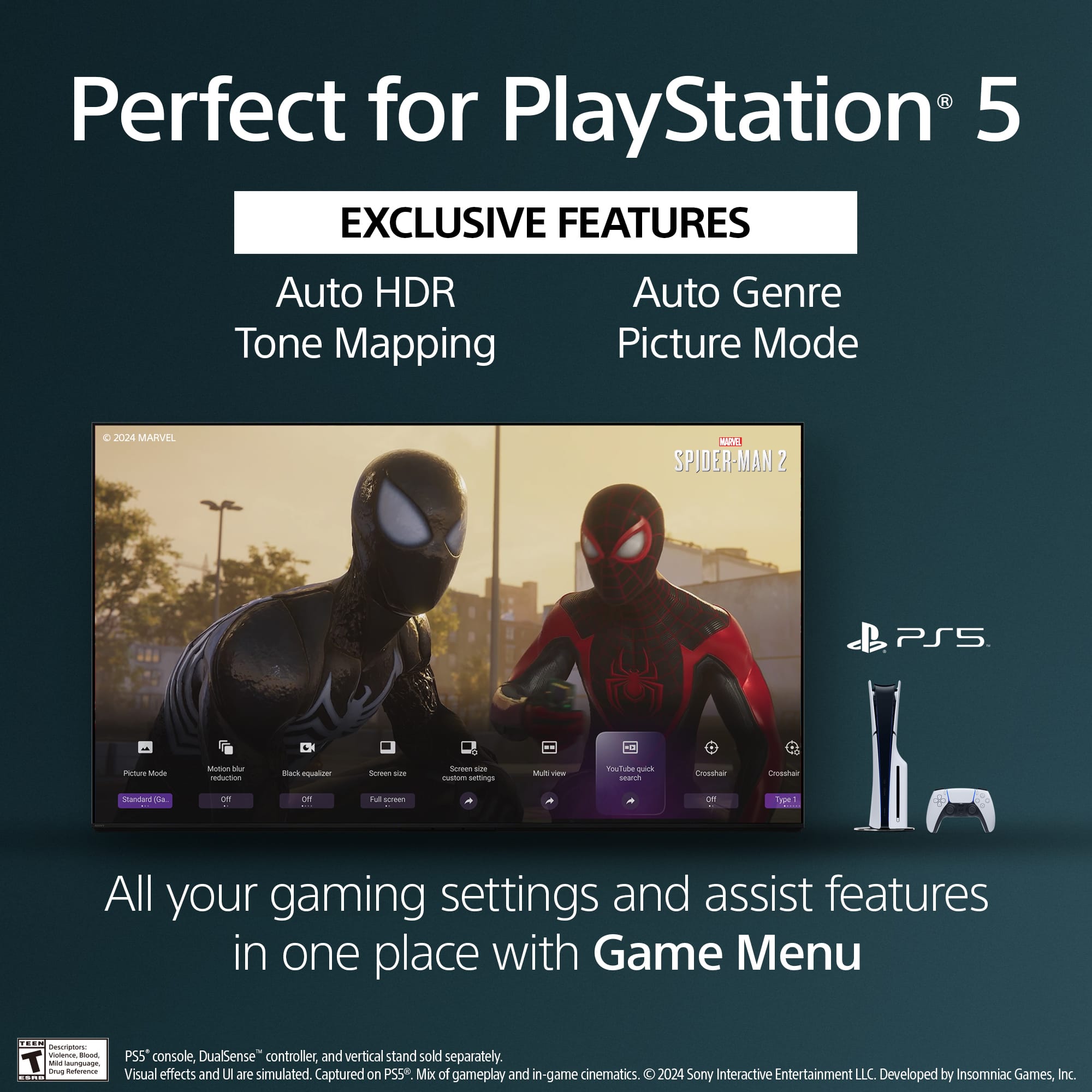
    • Answer Hi Bonkgi, Yes, the BRAVIA XR8B OLED TV supports Variable Refresh Rate (VRR) via its HDMI 2.1 ports, allowing for smoother, tear-free gaming when connected to a compatible console or PC. Thanks for choosing Sony. Best regards, Eliab

      Answered by SonyListens

  • QuestionThe picture and brightness keep changing in daylight, but stays consistent after dark which is perfect. How to I get the picture to match the after dark picture? My last 2 Sony TV’s didn’t do this. Thanks

    Asked by NancyJ.

    • Answer Hi NancyJ, Thank you for your question regarding the Sony BRAVIA XR8B! The changing picture and brightness you’re experiencing during daylight is due to the [Ambient Optimization Pro] feature. This feature uses a built-in light sensor to automatically adjust the screen brightness based on the surrounding lighting conditions, which is why the picture remains consistent after dark. If you prefer to have the picture to stay consistent regardless of ambient light, you can easily disable this feature by following these steps: 1. Go to [Settings] 2. Select [Display & Sound] 3. Choose [Ambient Optimization Pro] 4. Toggle off the [Auto adjust according to ambient light] option This will prevent the TV from automatically adjusting brightness based on the environment. We hope you find this information helpful, and thanks for being part of the Sony family! Regards, Dominick

      Answered by SonyListens

  • QuestionHaving to turn volume up to 30. Is this normal?

    Asked by Carpetcleaner.

    • Answer On older shows I find I have to raise the volume.

      Answered by KathrineL

  • QuestionI don't have cable in this house which TV does Wi-Fi

    Asked by Anonymous.

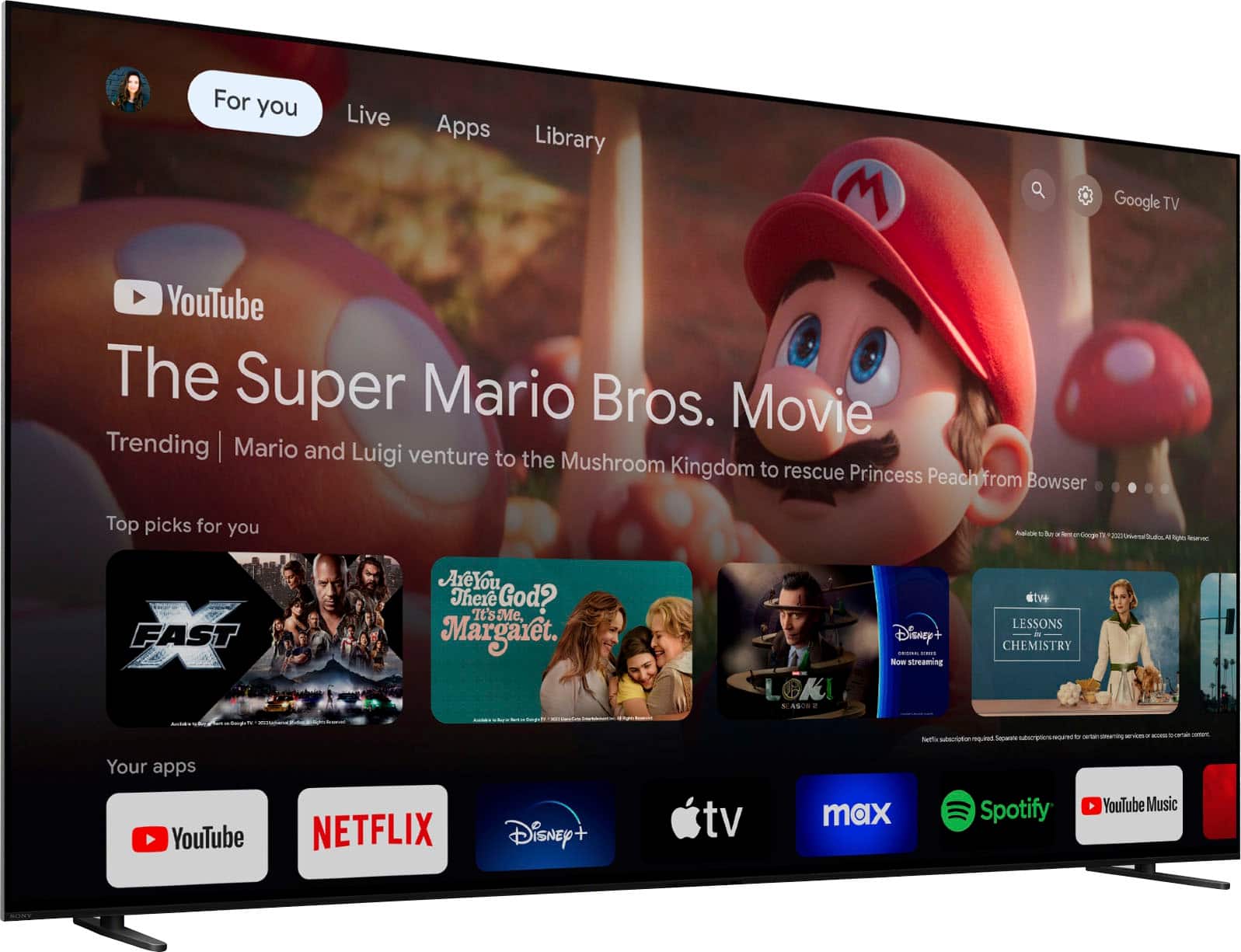
    • Answer Hi there, Every Sony Smart TV, including the 55" Class BRAVIA XR8B OLED Google TV, comes with built-in Wi-Fi connectivity and a full suite of smart features, meaning you do not need a cable or satellite subscription to watch streaming content. You can connect it to your home's Wi-Fi network right out of the box and immediately start streaming from popular apps like Netflix, Disney+, and YouTube using the integrated Google TV platform. Thanks for choosing Sony. Best regards, Eliab

      Answered by SonyListens

  • QuestionThe picture is too dark for me. Is there a setting to brighten it. The TV is in a bright family room. Thanks

    Asked by Nancy.

    • Answer Hello Nancy, Thank you for considering Sony products. We appreciate you reaching out about the picture brightness issue on your K55XR8B TV. We apologize for any inconvenience this may have caused, especially given your bright family room environment. To improve the picture brightness, please try the following steps: 1. Adjust Picture Mode: Press the Quick Settings button on your remote. Navigate to Picture Mode and select either Standard or Vivid to enhance brightness. 2. Increase Backlight Level: Press the Quick Settings button. Go to Picture Settings > Backlight. Increase the backlight level to brighten the screen. 3. Check for Light Sensor Obstructions: Locate the ambient light sensor near the center bottom of your TV screen. Ensure it’s not blocked by any objects such as a soundbar or TV stand. For more detailed instructions, please visit: https://helpguide.sony.net/tv/musltn1/v1/en-003/contents/TP1001675534.html?search=Backlight We want to ensure this issue is resolved for you quickly. If the problem persists, the best next step is to contact our dedicated support team for advanced troubleshooting. You can find all contact options and resources here: https://us.esupport.sony.com/support/s/support-contact?language=en_US&category=tv Best regards, -Fred

      Answered by SonyListens

  • QuestionWhat’s the difference between this and the Bravia 5

    Asked by Rick.

    • Answer Hi Rick, We appreciate your question. We're happy to clarify that for you! When comparing the K-55XR8B and the BRAVIA 5, you're looking at two great TVs, but the true distinction lies in the core display technology and what each is intended to be the best at. The K-55XR8B is an OLED TV. The key advantage here is that every single pixel is self-illuminating. This means when a pixel is supposed to show black, it turns completely off. This unique capability gives the XR8B perfect black levels and virtually infinite contrast. For cinematic viewing, especially in a dimmer room, the OLED is unmatched because of the incredible detail it maintains in dark shadows. In contrast, the BRAVIA 5 is a Mini LED television. While it still uses our top-tier processing, it's a traditional LCD screen with a radically improved backlight made of thousands of tiny LEDs. The critical difference here is brightness. Because it uses a powerful, dedicated backlight, the BRAVIA 5 can achieve significantly higher peak brightness levels than the OLED. For additional specifications of the XR8B, please visit the following link: https://www.sony.com/electronics/support/televisions-projectors-oled-tvs-android-/k-55xr8b/specifications So, in short: the XR8B is better for contrast and perfect blacks, while the BRAVIA 5 is better for superior brightness. Both are solid choices; your final decision will ultimately depend on the specific features you prioritize and, of course, your budget. Thanks for considering Sony products! Best regards, Estefany
      Answered by SonyListens

  • QuestionDoes this TV have screen dimming to view easier at night?

    Asked by Charles.

    • Answer Hi Charles, That is a great question about viewing the BRAVIA XR8B comfortably at night. Yes, the TV is equipped with a specific Picture Mode designed for a softer, less intense viewing experience, which is ideal for nighttime. The BRAVIA XR8B features a "Calm" Picture Mode. This setting is engineered to produce soft colors and gentle contrast, specifically making it suitable for displaying calming and relaxing content in low-light environments, like viewing at night. We hope you find this information helpful, and thanks for considering Sony products! Regards, Dominick

      Answered by SonyListens

  • Questionis this bravia compatible with the Sony BRAVIA Theater System 6

    Asked by ronald.

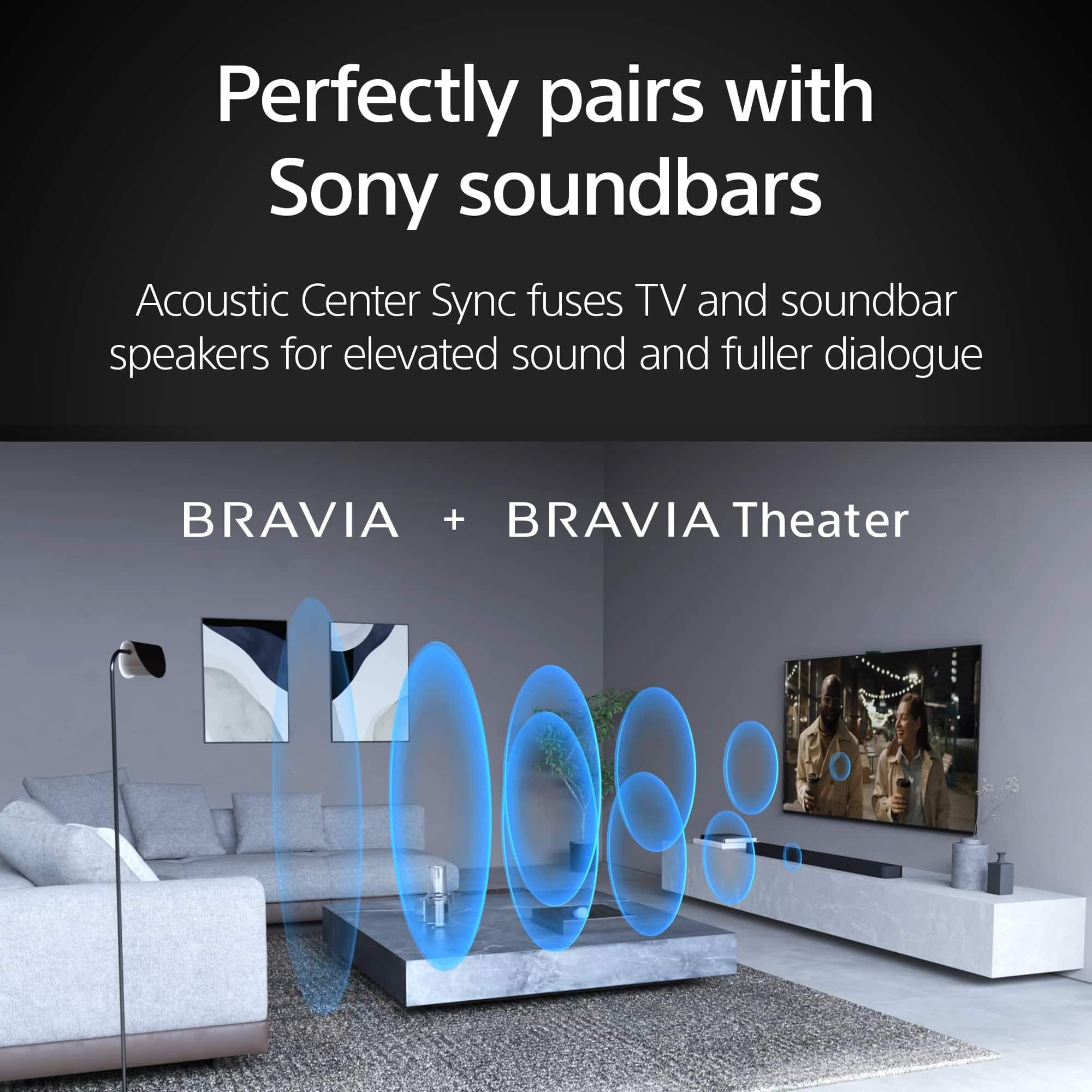
    • Answer Hi Ronald! Thanks for reaching out! The Sony BRAVIA K-55XR8B is compatible with the Sony BRAVIA Theater System 6 (HT-S60). For best results, connect the system using HDMI ARC/eARC and ensure both devices have the latest software updates installed. You can learn more about this television on our site: https://helpguide.sony.net/tv/musltn1/v1/en-003/index.html Thank you for making Sony part of your purchasing consideration! Best regards, Estefany
      Answered by SonyListens

  • QuestionHow long is the warranty? Is delivery included? If not, cost

    Asked by Anonymous.

    • Answer The manufacturer warranty is one year. Best Buy offers warranty for five years for a price.

      Answered by KathrineL

  • QuestionCan a sony DVD player be hooked up to the TV with cables? What inputs are there?

    Asked by Anonymous.

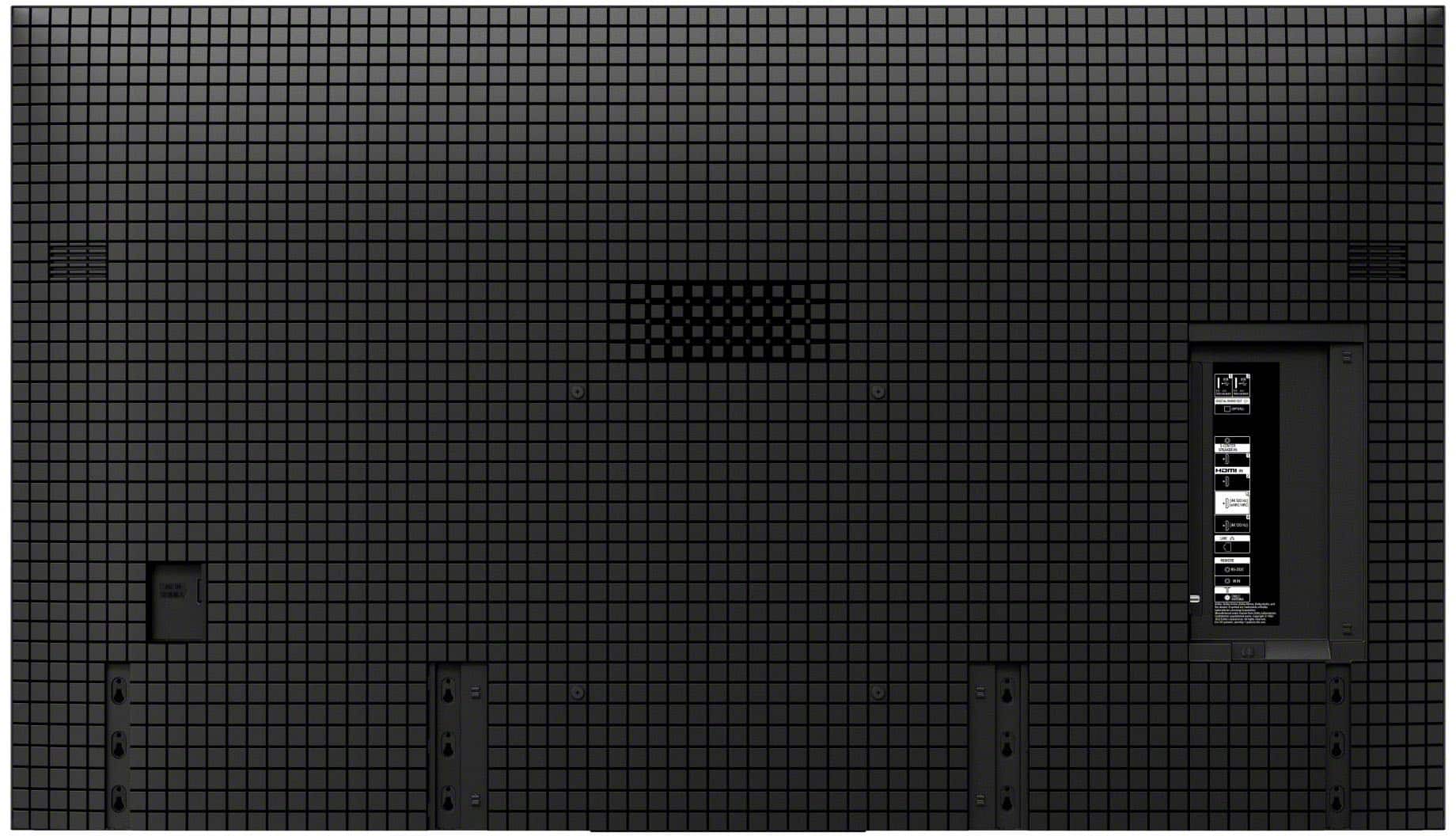
    • Answer Hi there, Thank you for your question! Connecting a DVD player to the Sony - BRAVIA XR8B is certainly possible, provided the player utilizes an HDMI connection. The TV is equipped with four separate HDMI ports, giving you multiple options to plug in your DVD player and other devices simultaneously. Using HDMI ensures you receive the best possible video and audio quality from your source. For comprehensive details on all the connection ports available on the back of the television, please check: https://www.sony.com/electronics/support/res/manuals/5057/c9d7881a9ee15e1d6f0efc6f28a510b3/50577391M.pdf Thank you for considering Sony! Regards, Dominick

      Answered by SonyListens

  • QuestionCan this tv be mounted on a onkron mobile stand

    Asked by Anonymous.

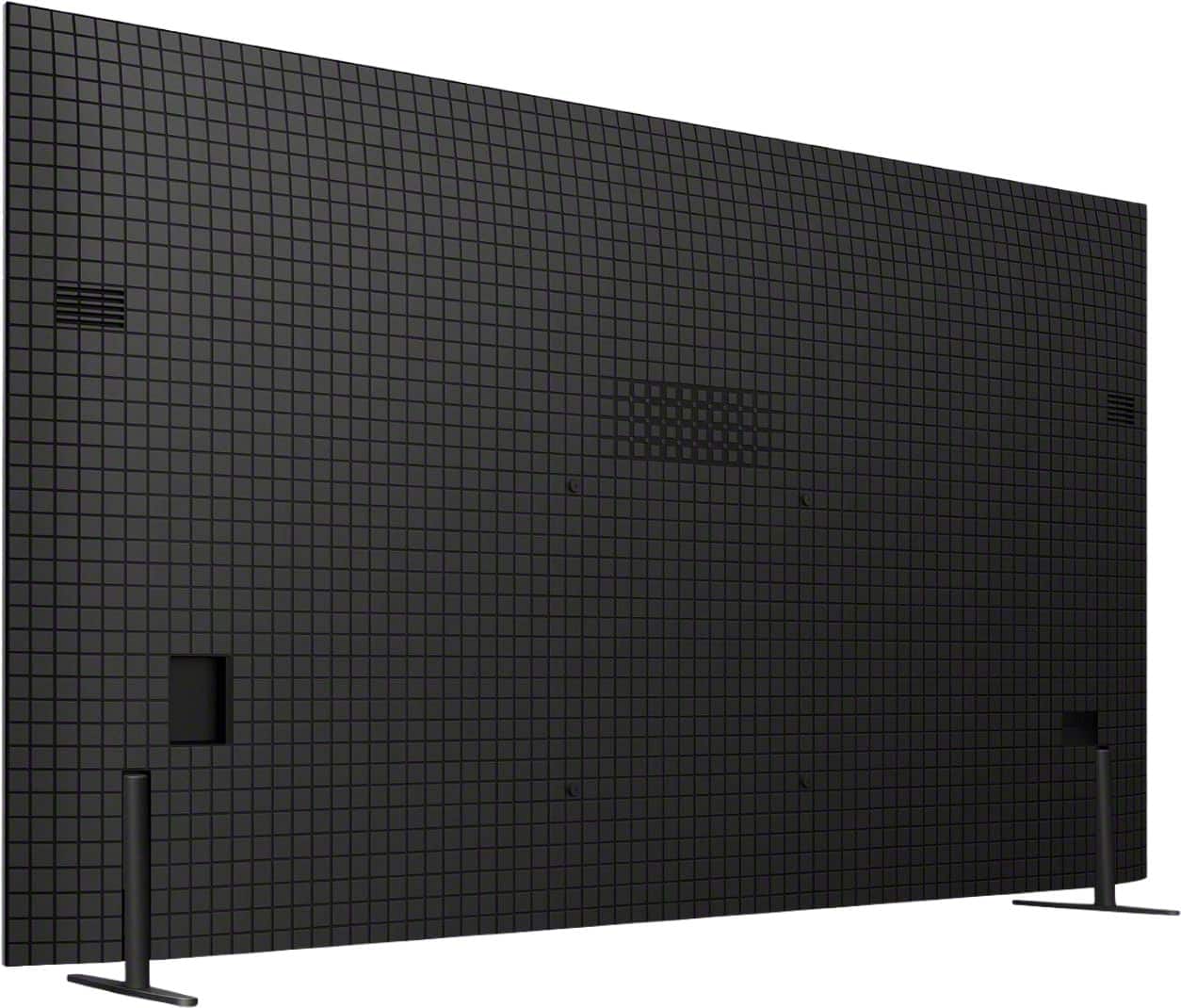
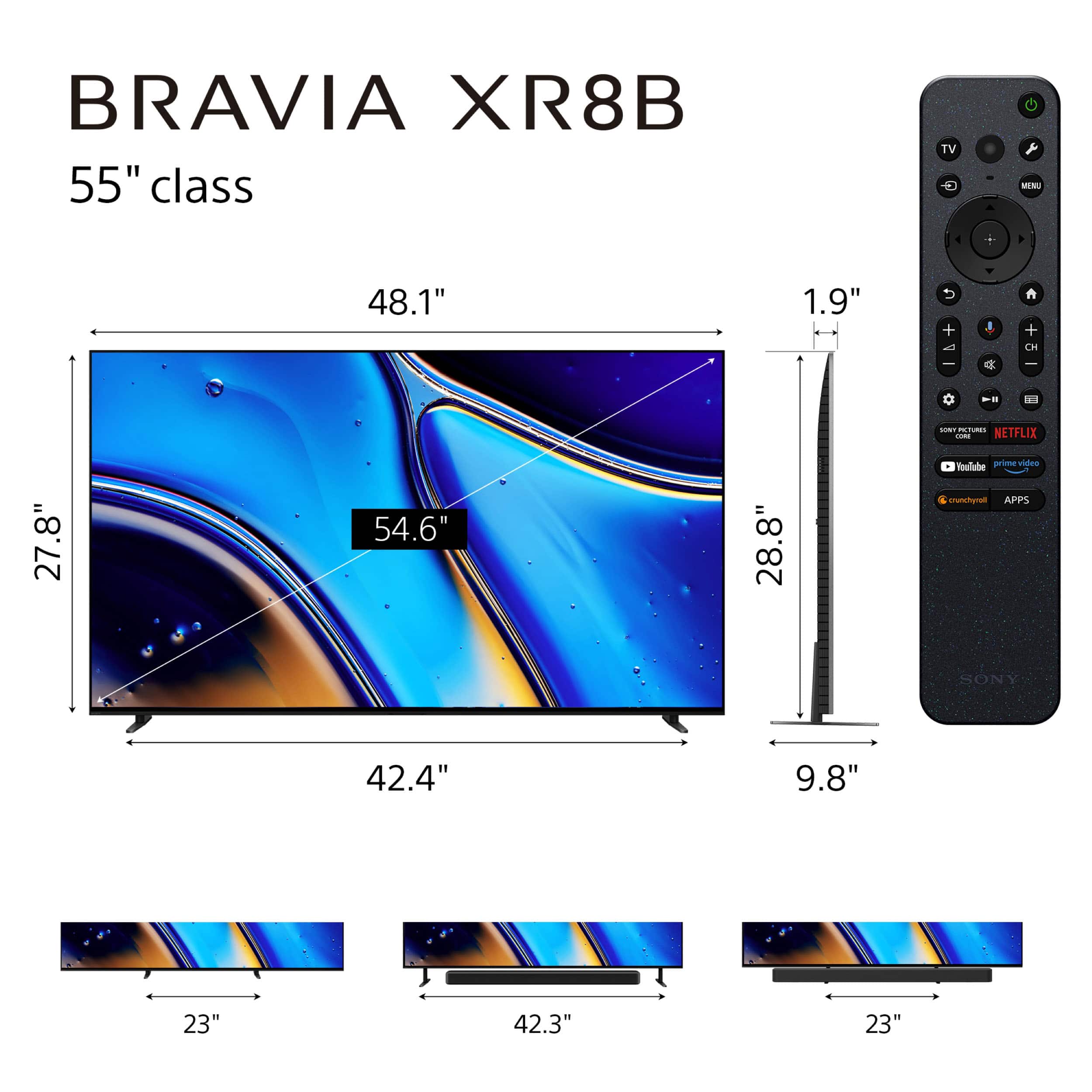
    • Answer Thank you for contacting Sony. To confirm compatibility with any ONKRON mobile stand, you need to check two main specs on the stand's description against the TV's requirements: -The VESA Mounting Pattern for the BRAVIA 8B, 55" is 300 mm x 300mm. -The Weight of the BRAVIA 8B, 55" (without its factory desktop stand) is -approximately 37.7 lbs (17.1 kg). We recommend you compare these two specifications with the features listed for the specific ONKRON mobile stand you are interested in purchasing. If the stand supports VESA 300mm x 300mm and has a capacity of at least 40 lbs, it should be compatible. We appreciate your interest in Sony products. Should you require any further assistance, please don't hesitate to reach out for support here: https://us.esupport.sony.com/support/s/support-contact?language=en_US&category=tv Best regards, Gus, Sony North America Customer Support

      Answered by SonyListens

  • QuestionHello, what is annual operating cost for this TV? Is is one united states dollar? as described in the description. and what is annual electricity usage for this TV? Is it one kilowatt hour? as described in the description.

    Asked by Rajan.

    • Answer Hi Rajan, Thank you for your inquiry regarding the energy specifications of the Sony BRAVIA XR8B. We can provide the exact power consumption figures for this model, which are the fundamental metrics used to determine the operating cost. Your final annual cost will depend entirely on these factors combined with your local electricity rate and daily viewing habits. Here are the official specifications for the power consumption of the Sony BRAVIA K-55XR8B: Power Consumption In Use: 340 Watts (W) Power Consumption In Standby: 0.5 Watts (W) We hope you find this information helpful, and thanks for considering Sony! Regards, Dominick

      Answered by SonyListens

  • Questionis this a Smart TV

    Asked by Dixon.

    • Answer Hi Dixon, Thanks for your question! Yes, the Sony BRAVIA XR8B is definitely a Smart TV, powered by the Google TV operating system, giving you instant access to all major streaming services (like Netflix and Disney+), built-in Google Assistant for voice control, and Chromecast built-in for easy content streaming from your mobile devices, making it fully connected and intelligent right out of the box. Thank you for considering Sony! Regards, Dominick

      Answered by SonyListens