A:Answeryour car has a much stronger antenna and amplification of this signal.
location., walls, and general location can weaken the received signal from a radio station. Do you get any stations? Do you get this station any where indoors on any device? You may need to choice another station to wake to if an external antenna can not be attached.
A:AnswerPress and hold the Set Time button on the back then use the + and - button to change the date, time. Make sure DST is showing if you are experiencing that worthless feature that was cast on us by the "Gobermint". If you are on Standard time make sure it isn't showing. Be sure to set the date and it will automatically change to DST or Standard time based on the date.
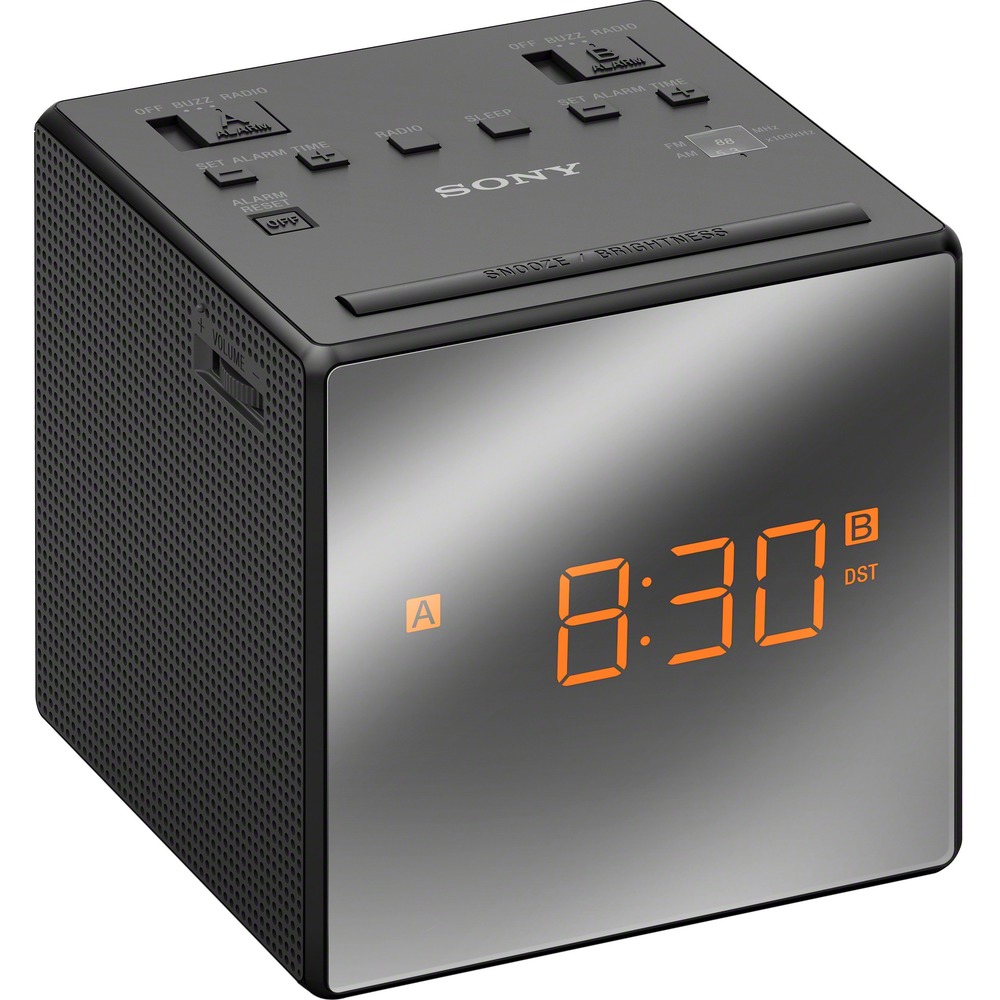
A:AnswerChoose alarm A or B
choose buzz or radio (if you choose radio set the station)
the alarm time appears for a few seconds, then A or B appears on the display. It will not appear if the switch is set to off
Press set alarm time + or - repeatedly to set the desired time while the alarm time appears on the display. While setting the alarm time A or B flashes on the display. When the alarm time setting operation is complete, the clock display returns after a few seconds and A or B changes from flashing to fully lit.
A:AnswerThe dimensions are: 4x4.5x4 (LxWxH) in inches. The projector adds 1/2 inch to the left side of the unit. Otherwise, it is a perfect 4 in. square.
A:AnswerThe size of the display would depend on the height of your ceiling. The size of the display on my ceiling (10 ft) is about 8 inches high. That is an estimate. I haven't measured it.
I'm 65 years old and have no problem seeing the display.