1-4 of 4 Answers
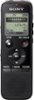
If you plug it into your computer, the device should be recognized right away. Click the device and you should see all your recordings in each folder. If you are referring to finding them on the device, go to which ever folder you did the recordings under then scroll to the left or right to find your recordings. Hope this helps.
Sorry, there was a problem. Please try again later.Home
Sorry, there was a problem. Please try again later.They are categorized into folders and are stamped with date and time so if you have several it is easy to pick the one you need.
Sorry, there was a problem. Please try again later.To play back the recorded sound refer to page 140 on the Users Manual: https://docs.sony.com/release/ICD-PX440_MANUAL_EN.pdf
Sorry, there was a problem. Please try again later.