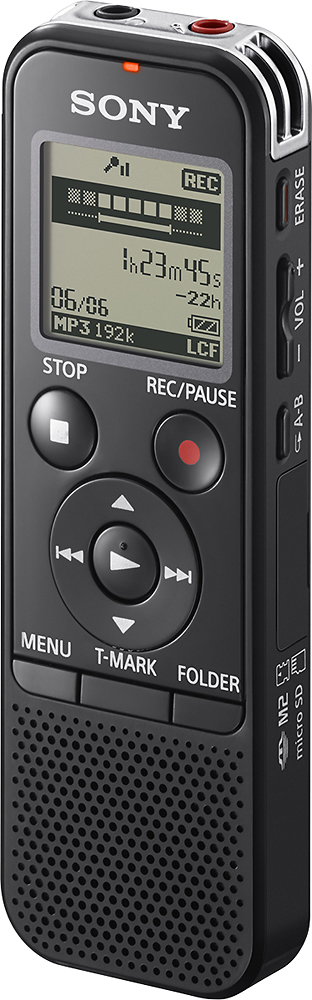
A:AnswerYes, you can using model # ICD-PX440. Just slide the USB out (located on the back of the recorder beside the area where your batteries are held). Plug it into the USB port on your computer. Copy or move your audio MP3 file to the file folder of your choice on your computer. It's just like moving any other file. You don't need any other equipment. It's great.
A:AnswerHi, Yes. You can set the VOR (Voice Operated Recording) function to “ON,” to make the IC recorder start recording when the IC recorder detects sound, and pause when no sound is heard, eliminating recording during soundless periods. You can also manually start/stop recording by pressing the REC & STOP buttons. -Anthony
A:AnswerHi Hmm, depending on the scenario, this recorder can record from a distance of 1 to 2 meters for human voices and 2 to 3 meters for music. Thanks, -Mark
A:AnswerNo. That is all I received and all that I needed. The PC software will load when you attache the device to your PC. You will need to be connected to the Internet to get the latest version of the program.
A:AnswerHi there! this voice recorder is compatible with Mac OS X (v10.5-v10.9) only. Please check this link for more details: http://docs.esupport.sony.com/voicerecorder/ICDPX440/en/contents/TP0000314663.html?search=mac%20os. Regards, ~Erin
A:AnswerHello nrcma98, thank you for your message. Operating System Compatibility Windows® 8, Windows® 7 SP1 or higher, Windows Vista® SP 2 or higher, Windows® XP SP3 or higher Mac OS X (v10.3.9-v10.8), pre-installed. Oscar.
A:AnswerHi Brian, Yes. “Add/Overwrite” in the menu is set to “Overwrite,” you can add an overwrite recording after a selected point in a recorded file. The part of the file after the selected point is erased. -Anthony
A:AnswerIf you plug it into your computer, the device should be recognized right away. Click the device and you should see all your recordings in each folder. If you are referring to finding them on the device, go to which ever folder you did the recordings under then scroll to the left or right to find your recordings. Hope this helps.