“Macintosh Compatibility & Use as Hidden Recorder 1. I've read the other posts stating that the software is for Windows only; however, since the unit can use a SD card, all one really needs to transfer the sound files to a Macintosh is a SD card that will work in this both unit and also mount of the Macintosh desktop, correct? 2. What kind of sound files are generated by the unit? What sort of Macintosh software can open them? For example, can iTunes open them? 3. I am setting up a black and white surveillance camera to catch some repeat thieves. The camera does not have sound. I was thinking of hiding the unit and attaching a external mike to pick up sound while using it under its sound activation mode. How sensitive is this unit? Can it pick up general conversation in a small 20' x 20' room? Can it pick up sound in larger hall during a lecture?”
Answer This Question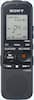
1-1 of 1 Answer
The Sony ICDPX312 Digital Voice Recorder records the voice files in the MP3 format. You can insert the Card in the Computer Memory card slot and then copy the MP3 voice files which can be located under the Voice folder. iTunes is compatible with the MP3 format; however, we suggest that you also check with the Apple support team for other compatible MP3 Software. You can use any External Microphone which has a stereo mini connector. Ensure that the Select Input setting is set to MIC IN when connecting the external Microphone. Some of the recommended Sony Electret Condenser Microphones are: ECM-CS10, ECM-CZ10, ECM-DS70P, ECM-DS30P. To record sound in a larger hall or a low sound away from the IC recorder, set the MIC sensitivity setting to High. To record general conversation, set it to Medium or Low.
Sorry, there was a problem. Please try again later.