1-5 of 5 Answers
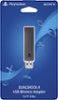
This allows you to sync and use a Sony DualShock 4 controller wirelessly on your PC. If your PC already has Bluetooth built-in, you probably don't need this, but as my PC doesn't, I couldn't tell you for sure whether the DS4 connects with standard Bluetooth protocols. Keep in mind that your DualShock 4 WILL work with your PC if you connect it with the USB cable - this adapter simply gives you the freedom to play wirelessly.
Sorry, there was a problem. Please try again later.It connects a Sony Dual Shock 4 controller to your PC via Bluetooth and allows you to use this controller when playing any PC game that has controller support.
Sorry, there was a problem. Please try again later.It allows you to connect a Sony PS4 controller to your computer and use it to play games. Specifically released to augment the PC/MAC Remote Play application for the PS4 which allows you to play your PS4 from anywhere with a broadband connection. It works rather well. One feature not really mentioned is it also passes your computers audio through the 3.5mm jack on the bottom of the controller allowing you to use a wired headset without being tethered to your computer. Hope this helps!
Sorry, there was a problem. Please try again later.At Newyorksonly1, This adaptor enables the DUALSHOCK®4 Controller to wirelessly connect to your PC or Mac. You can use your controller to play games streamed to your computer through applications such as: PS4™ Remote Play for Windows and Mac OS PlayStation Now for Windows By connecting the product to the USB port of a Windows PC or Mac, you can connect the DUALSHOCK 4 wirelessly via Bluetooth®. You can utilize every feature of DUALSHOCK 4, including buttons, analog sticks, touch pad, light bar, motion sensors, vibration and stereo headset jack, as long as the application supports these features.
Sorry, there was a problem. Please try again later.This wireless adapter allows you to pair your controller with your computer.
Sorry, there was a problem. Please try again later.