Customer Ratings & Reviews
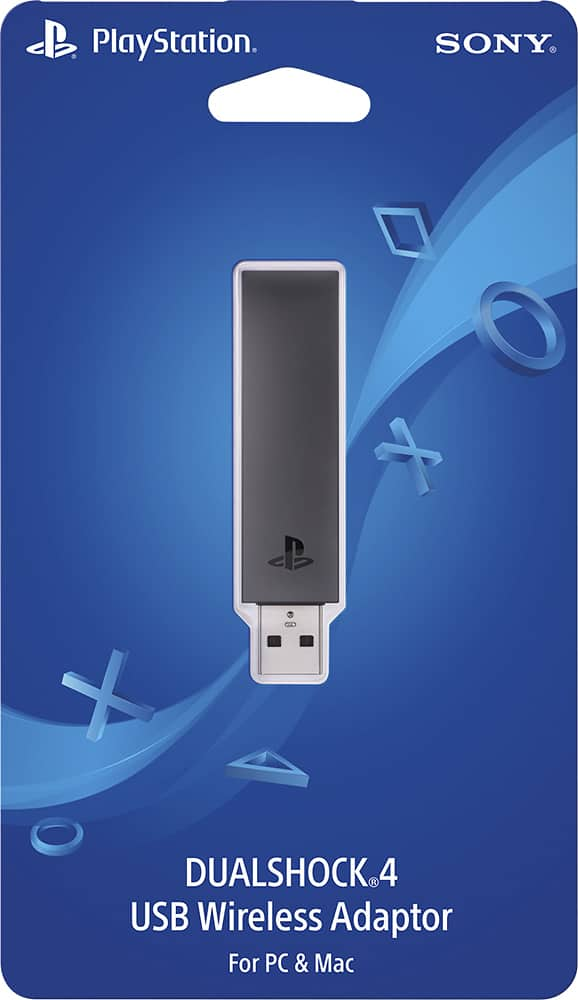
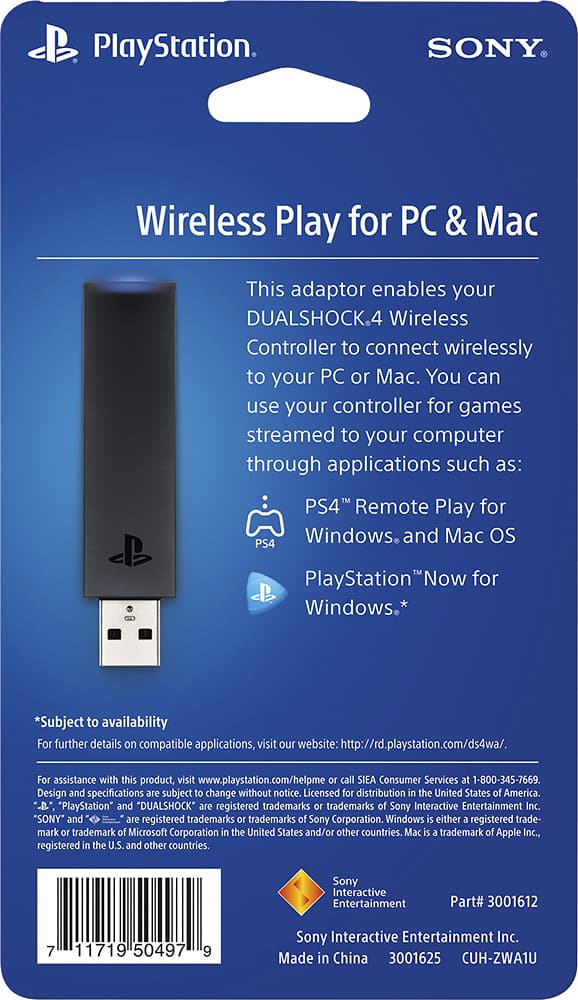
- Model:
- 3001625
- |
- SKU:
- 5589800
Customer reviews
Rating 4.5 out of 5 stars with 218 reviews
(218 customer reviews)to a friend
Customers are saying
Customers regard the DUALSHOCK®4 USB Wireless Adapter favorably for its ease of use and ability to enable remote play, with many praising its simple setup and reliable connection. However, some users experienced compatibility issues with certain games and platforms, and a few noted occasional lag. The adapter's USB connectivity was a significant positive for many users. While some found the price reasonable, others reported problems with headset functionality.
This summary was generated by AI based on customer reviews.
- Pros mentioned:UsbCons mentioned:Lag
Rated 4 out of 5 stars
Mostly Functional
||Posted .This reviewer received promo considerations or sweepstakes entry for writing a review.I'm currently a PC gamer but I play games that are console compatible like Portal (2), South Park, Skyrim, FFXIV, so I can enjoy playing these games with a PS4 controller. My gaming laptop has Bluetooth built-in and I use DS4W to emulate an Xbox controller (bkz I strongly dislike previous incarnations of Xbox's stupid sticks). [NMS's greatest strength was flexible controller input including PS4 controllers without filter drivers.] Recently DS4W had a hyper-active input issue, just before this product released -- so I got excited that this dongle would release me from needing DS4W. Alas, no luck, Skyrim won't recognize the controller + dongle without DS4W running, and still sees it as an Xbox controller. Oddly enuff tho, it fixed my problem. Controller + dongle + DS4W = no infinite scroll. And the way it fixed my problem is revealing... Controller + built-in Bluetooth + DS4W produces ~1ms delays with periodic 30ms spikes a few times a second. Controller + dongle + DS4W produces a constant 8~9ms delay without spikes. So it's a (specialized?) Bluetooth receive with controlled delay without proper driver support. The problem is, trying to game with an 8ms delay is uncomfortable for me -- 1ms is way better. (So I folded and tried an Xbox One controller, and it's much improved, like sticks are less stupid even. (Tho maybe controller + dongle works natively with the PSNow software?) Overall, I would recommend it to friends with PS4s and PCs that want a novel experience trying PSNow (bkz I'm curious Now), friends without built-in Bluetooth, and friends with a specific situation such as similar to my own oddball desires and requirements. +CF
I would recommend this to a friend - Cons mentioned:Compatibility
Rated 5 out of 5 stars
Great for using a DS4 with Windows!
||Posted .This reviewer received promo considerations or sweepstakes entry for writing a review.This device allows me to use my PS4 remote on my PC. Great price! However if your like me you might have to get another program to make it work with some of your games. This is by far not a negative. This allows you to setup custom profiles for your games or you can just emulate an Xbox 360 controller. I recommend input mapper for anyone that needs this!
I would recommend this to a friend Rated 4 out of 5 stars
Great option for that extra controller
||Posted .This reviewer received promo considerations or sweepstakes entry for writing a review.Overall its been a pretty successful experience. Was looking at getting a new controller for my PC, but having a few extra PS4 controllers layong around I thought I give this less expensive route a try. Had a bit of a time trying to get the controller to sync, but it worked great after it did. The only downsideI've found is it will only sync with one controller
I would recommend this to a friend- Pros mentioned:Remote play
Rated 5 out of 5 stars
This is great for remote play while in bed
||Posted .This reviewer received promo considerations or sweepstakes entry for writing a review.I got this because I wanted to play with my dual shock 4 controller wirelessly while using remote play. Without this you have to plug it in with the USB cord every time you want to do that. This takes care of that annoyance and I can play wirelessly while using remote play on my laptop. Recommended.
I would recommend this to a friend - Pros mentioned:UsbCons mentioned:Compatibility
Rated 4 out of 5 stars
Make sure you are running Windows 8 or 10 to use.
||Posted .This reviewer received promo considerations or sweepstakes entry for writing a review.This is very useful if you have a pc and you migrate to places outside of your normal gaming zone. Find this useful because I can have my PS4 in one room and I do not have to move it to play it in my living room which has my PC located there. This is a very tedious task because I tend to switch rooms in which i play my game in. Only major setback was I had Windows 7 when I purchased and Windows 8 or 10 required to use this. My advice just make sure you specifications are up to what are compatible with this item.
I would recommend this to a friend - Pros mentioned:Usb
Rated 5 out of 5 stars
Sometimes you just want to use a controller.
||Posted .This reviewer received promo considerations or sweepstakes entry for writing a review.Some games are better on a PC, but sometimes they are more fun to play using a controller..! This accessory allows you to do that, and I love it..! This one is for using your PlayStation 4 controllers with your PC, and it works like a charm.
I would recommend this to a friend - Pros mentioned:RangeCons mentioned:Compatibility
Rated 5 out of 5 stars
Does what it is supposed to.
||Posted .This reviewer received promo considerations or sweepstakes entry for writing a review.I plug it in to my steam link or my PC, push it in, hold it in for a second, it blinks, I hold share and power on my DS4 controller pairs instantly. Fully functional. On occasion I have controller issues but it's always the game compatibility with the ds4s input type not the controller or dongle. Range seems good it makes it the 20 feet from my couch to my tv. If your using this for your pc make sure you download 3rd party software like DSWindows or a program like it there are tons. Haven't used it for remote play or psnow yet if I do I'll update.
I would recommend this to a friend Rated 5 out of 5 stars
Nice wireless dongle
||Posted .This reviewer received promo considerations or sweepstakes entry for writing a review.Very happy with this purchase. My gaming pc was hooked up to my tv in the living room and I needed a wireless solution. Plugged it in, pc recognized it, synced up the PS4 controller, and the rest was gaming history lol.
I would recommend this to a friend- Cons mentioned:Compatibility
Rated 3 out of 5 stars
Great product, if you dont have a PS4 on standby
||Posted .This reviewer received promo considerations or sweepstakes entry for writing a review.The dual shock 4 is a great game controller. It has a nice weight. This USB adapter works great for using the DS4 in Steam, for example. However, if you use the same controller for your PS4, then it will sync with the console and cause it to turn on. This is very annoying. If you have multiple PS4 controllers but individually paired to different devices, then you won't have a problem.
I would recommend this to a friend Rated 5 out of 5 stars
What took so long?
||Posted .This reviewer received promo considerations or sweepstakes entry for writing a review.It seems like this this should have been out years ago. During the days of the PlayStation 3, where w where was the ability to be able to connect the wireless controllers to our individual computers. Better late than never Sony. If you have yet to run out to Best Buy and purchase one of these devices, go do so as quickly as you can. Works well with both PC and Mac.
I would recommend this to a friend- Cons mentioned:Compatibility
Rated 3 out of 5 stars
Simple, but that's it
||Posted .This reviewer received promo considerations or sweepstakes entry for writing a review.The good thing about having this is not dealing with the USB cable running from the computer to the controller. But other than that, there's almost no other use for this adapter. Setup was fairly easy but not intuitive. And the adapter makes for a very dangerous item to have connected on a laptop, which can snap off easily if you're not careful. The biggest drawback, which sadly outweighs the good, is not being able to use the DualShock 4 controller with anything else. Thus far, we're limited to using the controller on Remote Play and PS Now. There is no driver support and thus it is not recognized in other Windows software, even games. This is very limiting and very disappointing as this adapter could have done more than simply cut the USB cord for play. Sadly I cannot recommend this item even if you were to give it away for free. There's just no use for this.
No, I would not recommend this to a friend - Pros mentioned:Ease of use
Rated 5 out of 5 stars
Worked Perfectly
||Posted .This reviewer received promo considerations or sweepstakes entry for writing a review.Very simple to plug and play! Have had zero issues with controller connecting and running on my PC.
I would recommend this to a friend Rated 5 out of 5 stars
Great accessory
||Posted .This reviewer received promo considerations or sweepstakes entry for writing a review.Great way to play my steam games without having to buy a wireless steam controller!
I would recommend this to a friend- Pros mentioned:Usb
Rated 5 out of 5 stars
Great accessory
||Posted .This reviewer received promo considerations or sweepstakes entry for writing a review.I use this adapter on my computer to connect playstation 4 controllers to it.
I would recommend this to a friend - Pros mentioned:UsbCons mentioned:Lag
Rated 5 out of 5 stars
Perfect for PC play
||Posted .This reviewer received promo considerations or sweepstakes entry for writing a review.This is a great USB device for a single ps4 controller to use on steam accounts and games. Take note only 1 controller can be used per USB. Overall this is seamless with no lag and no interference when playing games on steam.
I would recommend this to a friend - Pros mentioned:Range
Rated 5 out of 5 stars
Good
||Posted .This reviewer received promo considerations or sweepstakes entry for writing a review.Good i had no problems, good range and does not slow down
I would recommend this to a friend - Pros mentioned:Ease of use
Rated 5 out of 5 stars
works well
||Posted .This reviewer received promo considerations or sweepstakes entry for writing a review.Did exactly what I needed without any fuss, no problems.
I would recommend this to a friend - Cons mentioned:Lag
Rated 5 out of 5 stars
Great with PS4 RemotePlay and a Mac
||Posted .This reviewer received promo considerations or sweepstakes entry for writing a review.The Sony Dualshock 4 USB wireless adapter is designed for one thing and one thing only: allowing you to wirelessly play PS4 games on your PC or Mac via PlayStation Now and/or PS4 RemotePlay. All you do is insert the adapter into a USB port and wait for the blue light to turn on. Next, gently push the adapter toward the PC/MAC until the blue light starts flashing. Finally, press the PlayStation button on your controller and wait for them to connect. Overall, the pairing process is easy once you get the hang of it. I use this adapter to play my PS4 games via RemotePlay on my Mac and it's worked out really well. I haven't noticed any lag or anything else that would inhibit my ability to play. Highly recommended if you want to experience RemotePlay without the wire.
I would recommend this to a friend - Pros mentioned:Remote play, Setup
Rated 5 out of 5 stars
great product
||Posted .This reviewer received promo considerations or sweepstakes entry for writing a review.adapter has turned my laptop into a triple a gaming performer once again. easy setup,. premium mobile gaming with ps4 remote play app and ps4.
I would recommend this to a friend Rated 5 out of 5 stars
Works great with PC
||Posted .This reviewer received promo considerations or sweepstakes entry for writing a review.I bought this to play fifa with DS4. Works great. No delay in response. Very well priced for its productivity.
I would recommend this to a friend