“With this, my pc wont read the the controller in use. any suggestions?”
Answer This Question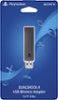
1-4 of 4 Answers
Hey Connor, 1. First things first make sure your PS4 Controller is turned off and make sure the USB device is turned on solid blue light. 2. The USB device has a press in feature (example when plugged in to the front of a pc you would push and hold butt of the USB Gently toward your USB port till you see the blue light radpily flash) you don't have to push hard at all just be gentle. 3. When USB is flashing on your PS4 Controller hold the PS home button and share button till you see rapid white flashing light from the front of the PS4 controler. Once this happens release all buton presses and gipve it a few and should sync. Basically you are Bluetooth syncing the controller to usb device. 4. To sync back to PS4 Console just simply plug PS4 USB Controller cable with PS4 Controller connected to it in to the PS4 console turn on and wait for the controller led to change to blue or when you can move cursor in your ps4 menu. Hope this helps.
Sorry, there was a problem. Please try again later.you only can use xbox controller for your gaming computer.
Sorry, there was a problem. Please try again later.Look for the driver for the wireless dongle, your operating system might not automatically recognize it
Sorry, there was a problem. Please try again later.I notice that it is not yet compatible with random PC games a USB cord is still required. But for PS4 remote play its a dream
Sorry, there was a problem. Please try again later.