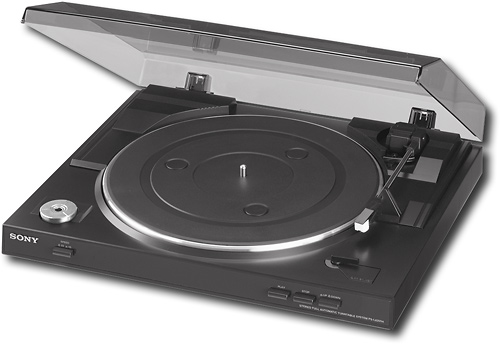
A:AnswerHello Joshua58! Yes, in order to connect this turntable into the Audio In port of the model CMTSBT100 it is required to have a Y cable and the input detected will be a stereo source. For more information, please visit the following link: https://docs.sony.com/release//PSLX300USB.pdf ~Jeannette
A:AnswerHello Joshua58! Yes, this unit will output a stereo source through the Phono option leaving the EQ feature off or the LINE output activating the EQ. ~Jeannette
A:AnswerYes, the needle is actually easy to change. Look at your owners manual. Flip the needle guard down, push doan and out to remove the worn needle. It is secured by a single prong.
A:AnswerThis turntable does not play 16 or 78 rpm records. The stylus is diamond and is not compatible with steel records. You would need to find a vintage turntable for that.
A:AnswerHi Grasscutter,
Please check the supported discs of this turntable in the links below.
https://docs.sony.com/release//specs/PSLX300USB_mksp.pdf
https://docs.sony.com/release//PSLX300USB.pdf
Thanks,
>Joffrey
A:AnswerHi Chuck, This turntable is not compatible with mac computers. You can check this link for the list of compatible OS (page 9): https://docs.sony.com/release//PSLX300USB.pdf
-Anthony
A:AnswerNo variable speed control. Can select 33 1/3 or 45 only. Have not measured the RPM's with any sort of instrument, but to my ear the two available speeds seem accurate.
A:AnswerYou have two options.
1) Connect it to the red/white inputs on your TV (Av1, Av2). Run a yellow video cable from any other video device (blue ray, VCR etc). Set tv input to Av1 or Av2.
Bose sound bar will play record from tv.
2) buy an rca to toslink converter. Run turntable red/white to toslink converter input. Run toslink output to sound bar
A:AnswerYou should check Youtube videos (use search terms like "Sony turntable unboxing") and you'll get to actually see people installing the platter and showing how the belt goes on. It's pretty simple but the videos are better than the manual that comes with it.
A:AnswerHi, if the sound is too low, the turntable is not connected to the PHONO IN inputs on the amplifier. please check the manual below on page 7 for more information.
https://docs.sony.com/release//PSLX300USB.pdf. I hope this helps, Dave
A:AnswerYes, it will work with Windows 10 but it's not the most effective. An app called Audacity (it's FREE www.audacityteam.org) works really well but it takes a little time to learn.