“If my TV isn't bluetooth accessible, and I want to purchase an extra long cord to use, what cord do I need to look for?”
Answer This Question
1-3 of 3 Answers
Those headphones have a very small "free area" around the jack port. Just make sure your jack is not too thick or it will not fit properly. Best if you could test it before paying.
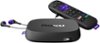
Sorry, there was a problem. Please try again later.I called the Sony customer service number, and asked them specifically about compatibility of these headphones with my television, but they did not mention any cord to purchase for connecting it to a T.V. port. They recommended I speak to my Television Manufacturer to ask them directly about ways to connect to Bluetooth headsets. I just haven't had the time to ask my manufacturer yet. These head phones do come with their own head phone cable or "cords" as you might call it, to connect to a standard 3.5mm audio port for hard wired listening. They also come with a Micro-USB cable for charging. You might be able to connect your headset to your remote. If your remote has a standard 3.5mm audio port, connect the headphone cable to it, and listen to your T.V. programs that way. Roku Remote controls have a 3.5mm audio port you can use for example. (This is a separate streaming service provider, and there is a one time fee to use and purchase their product. It works by using your internet to bring programs to your t.v. Your T.V. will need an HDMI port to connect the Roku device) Compatible Bluetooth Profiles for these Sony head phones are: (AVRCP) Audio Video Remote Control Profile, A2DP (Advanced Audio Distribution Profile), HFP (Hands Free Profile), HSP (Headset Profile)
I would recommend:
Sorry, there was a problem. Please try again later.Any aux cable with a 3.5mm jack will work with these headphones.
Sorry, there was a problem. Please try again later.