Questions & Answers
- Model:
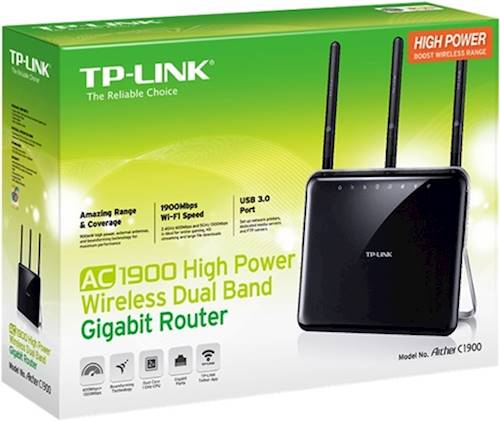
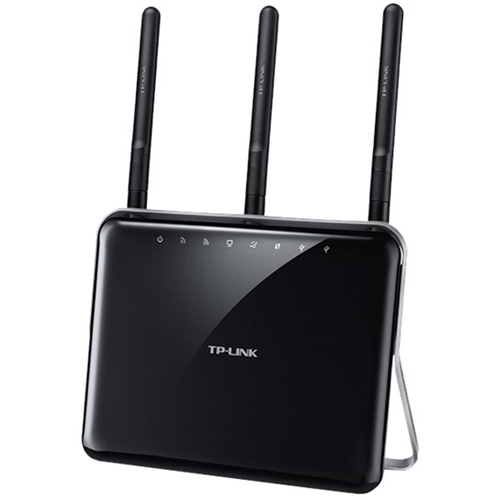
- ARCHER C1900
- |
- SKU:
- 5224700
Highly rated by customers for: Speed, Range, Setup
Page Showing 1-4 of 4 questions
Q: QuestionIs this router compatible with Att Uverse?
Asked by Msfly.
- A:Answer Yes; however it cannot be used to replace your modem. You can use the router in conjunction with your modem or Uverse gateway to provide robust, dual-band AC1900 WiFi throughout your home. Regards, TP-Link Support
Answered by TPLinkSupport

Q: QuestionCan this be used as a wireless bridge for a security camera system that has no built in WIFI?
Asked by Anonymous.
- A:Answer Yes, the Archer C1900 supports WDS Bridging via WiFi. To configure this feature, please log in to the router's web management page and navigate to Advanced -> System Tools -> System Parameters. From here you can configure 2.4GHz and/or 5GHz WDS Bridging. Regards, TP-Link Support
Answered by TPLinkSupport

Q: QuestionCan this router be used with Verizon FIOS?
Asked by Jerry.
- A:Answer Yes, this router is compatible with Verizon FIOS modems.
Answered by CommunityAnswer
Q: QuestionDoes the TP-Link archer AC1900 Dual Band Router allow for a main network and a guest network?
Asked by Susan.
- A:Answer Yes, on either - or both - bands.
Answered by OriginalOtherJoe
Page 1, Showing 1-4 of 4 questions
Top Rated
- $329.99$329.99The price was $469.99
- $139.99$139.99The price was $149.99
- $299.99$299.99The price was $349.99
- $279.99$279.99The price was $329.99
- $949.00$949.00The price was $1,099.00
- $1,099.99$1,099.99The price was $1,299.99
- $1,499.00$1,499.00The price was $2,799.00