Questions & Answers
- Model:
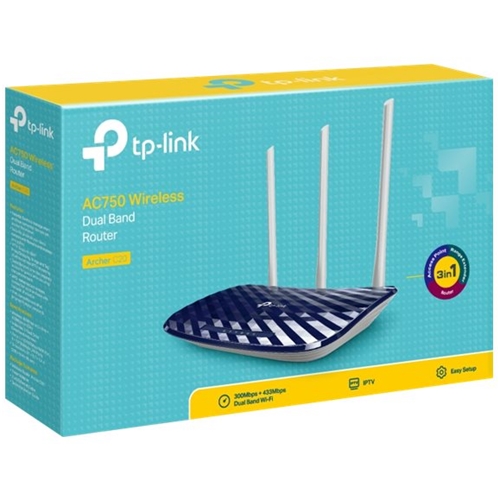
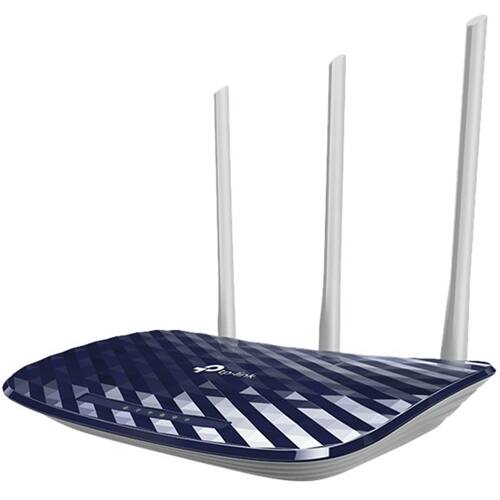
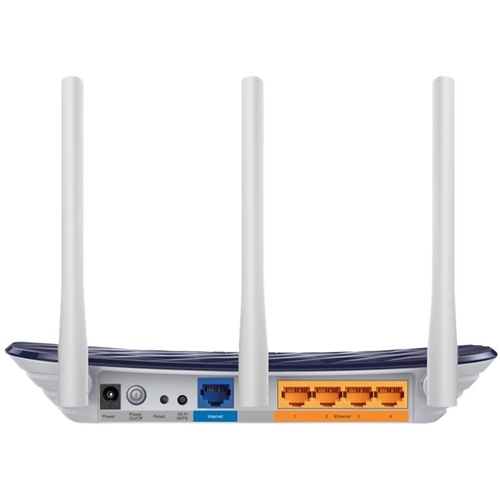
- ARCHER C20
- |
- SKU:
- 6324960
Highly rated by customers for: Ease of use, Performance, Range
Page Showing 1-16 of 16 questions
Q: Questioncan this be used as a wireless repeater
Asked by compgirl.
- A:Answer Yes I see an option in the management portal to use it as a wireless access point or a range extender.
Answered by Bbuyreview
Q: QuestionIs this router compatible with Verizon Fios?
Asked by Anonymous.
- A:Answer Yes, the Archer C20 can be used with any Ethernet-based Internet source. Please note that it cannot be used to replace an entire FiOS gateway (modem+router), however it can be used in conjunction with your FiOS gateway or ONT, if you have this connection type.
Answered by TPLinkSupport

Q: QuestionCan this be used for gaming too?
Asked by Ezekiel.
- A:Answer Yes, this can be used for gaming.
Answered by CommunityAnswer
Q: Questiondo I need a motem for this or can I just plug it up for wireless
Asked by andrea.
- A:Answer Yeah, you'll need a modem. This unit is a router wifi combo.
Answered by Fred
Q: QuestionIf i buy this router or. Type of router.. will it work for me to play my PS4 online & not lag ?? .. like just only my PS4 connected to it? Need help
Asked by Darell.
- A:Answer That depends on various factors, including your Internet speed plan, how you plan to connect your PS4 to the router (wired or wireless), whether your PS4 supports 5GHz (PS4 Pro), and if using WiFi, how far the PS4 is from the router, and how many obstacles are between them. Regards, TP-Link Support
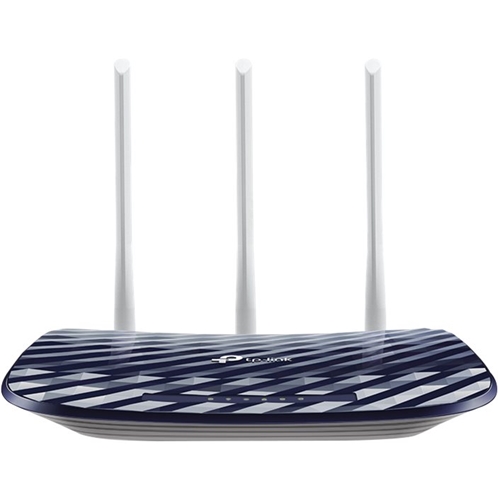
Answered by TPLinkSupport

Q: QuestionDoes this router works for service providers in India
Asked by IMRAN.
- A:Answer As long as the Internet service type is provided via Ethernet, it may work. ^RS
Answered by TPLinkSupport

Q: QuestionWill this router be able to put out 200mbps speeds for WiFi connections?
Asked by 1234.
- A:Answer Wireless-to-wireless under 100ft apart--yes. Upstream is limited to 100MBPs, so your wireless-to-outsideworld is capped at 100. Weird, right? I returned the unit back to BB once I found that out :-(
Answered by TomSawer
Q: QuestionI have a Arries modem, will this Router works with a security video system ( Ziso) ??
Asked by Anonymous.
- A:Answer Yes, as long as your security system supports industry standard networking protocols.
Answered by TPLinkSupport

Q: QuestionCan I use this router to run 2 computers at the same time.? I do not have wifi. I have a splitter. I have Cable hookup.
Asked by FishermanBob1.
- A:Answer If you mean connect 2 computers by run 2 computers, you can. Dual band means the router can be operated on two frequencies 2.4GHz(farther connectivity, less speed) and 5GHz(lower coverage, high speeds).
Answered by CNTRL
Q: QuestionIs this good for gaming like do you get very very low ping?
Asked by Amare.
- A:Answer Yes, we tend to get very low ping with two Xboxes connected.
Answered by addyboo
Q: QuestionIs it compatible with Xfinity?
Asked by Joe.
- A:Answer Yes, it is compatible with Xfinity! I just switched a few months ago to Xfinity and had this router and my own modem and there was no problem at all. Loving my higher net speed and not renting a modem anymore lol good luck!
Answered by addyboo
Q: QuestionWill this router support my computer/xbox ?
Asked by Devin.
- A:Answer I used this wireless router for accessing the internet from my laptop and connected other smart device like wireless wifi camera, Smart TV for Youtube, Amazon Prime etc..
Answered by Charlietrish
Q: QuestionCan I use this abroad in Japan?
Asked by Aiki.
- A:Answer Theoretically yes, the router supports multi-voltage (100 - 240V), however different countries and regions have varying regulations for WiFi connectivity, so there may be some limitations. We generally recommend purchasing the product from the region in which it is intended for use to ensure compliance with local standards. Regards, TP-Link Support
Answered by TPLinkSupport

Q: QuestionWhat is the range on this router
Asked by Sammy.
- A:Answer WiFi range will vary depending on your networking environment. To ensure the best possible signal, it is important to make sure placement is as optimal as possible. Reducing obstructions and placing the router in a central location will help ensure your signal reaches the areas you need.
Answered by TPLinkSupport

Q: Questionhow many devices can connect to this router?
Asked by Jeeper.
- A:Answer Can you use this router for a print server on a network?
Answered by Beanie0269
Page 1, Showing 1-16 of 16 questions
Most-viewed items
- $449.99$449.99The price was $899.99
- $329.99$329.99The price was $469.99
- $99.99$99.99The price was $129.99
- $449.99$449.99The price was $649.99
- $299.00$299.00The price was $349.00
- $1,149.00$1,149.00The price was $1,299.00
- $179.99$179.99The price was $329.99
- $33.33 per month$33.33/mo.for 36 months; 0% APR