1-2 of 2 Answers
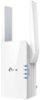
The RE505X can be set up easy and intuitively using one of the 3 available options: 1. WPS - if your router supports WPS, setup can be as easy as pressing a button on the extender, and a button on your router. 2. TP-Link Tether app - if you have a smartphone, you can install the TP-Link Tether app to conveniently set up and mange the extender. 3. Web browser - you can also use a web browser on your PC or smartphone to set up the extender. All three setup methods are designed to ensure ease of installation in minutes.
Sorry, there was a problem. Please try again later.Was very easy. Followed the directions that came with it and set up was flawless. Works fabulously.
Sorry, there was a problem. Please try again later.
