A:AnswerYes, you can connect it to your Actiontec gateway via Ethernet and use it as your primary router, or as a WiFi access point by using its WiFi Access Point Mode feature.
Regards,
TP-Link Support
A:AnswerNo, this is a standard router. When in doubt, check the connectors on the back- modems and modem/router combos would have a connector where you can screw on a coaxial cable.
A:AnswerHi! The Archer AX10 is designed to reliably support dozens of simultaneous Wi-Fi connected devices within your home network. For best results, we suggest making optimal use of both Wi-Fi bands, so as not to congest one too heavily. Your Internet plan's bandwidth can also play a role in how many devices can simultaneously receive high speed Internet connections.
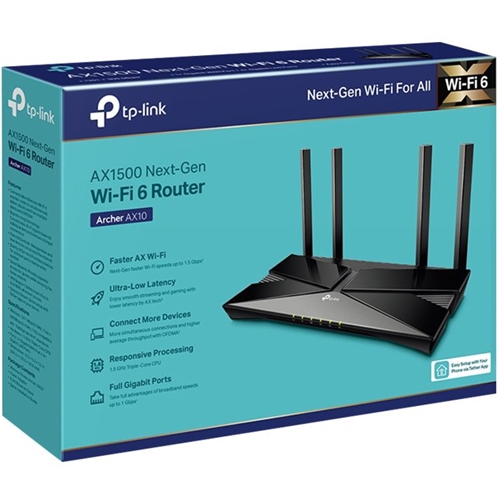
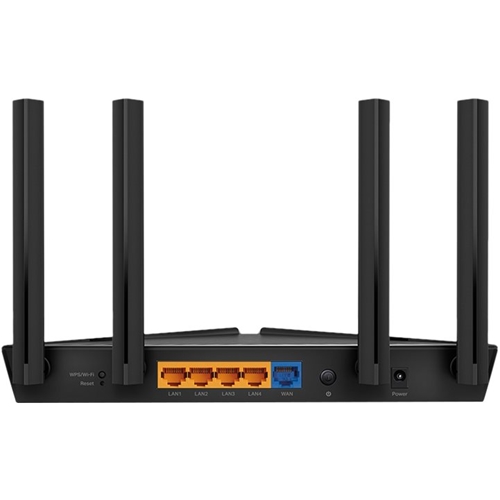
A:AnswerThis AX1500 dual-band WiFi 6 router requires its Internet source to be connected via Ethernet cable. If your Internet source supplies an Ethernet connection, it can work.
A:AnswerHi! Yes, as long as your Internet service plan provides enough speed and bandwidth to accommodate your online gaming needs, this router should work fine.
A:AnswerHi! The router can be used with virtually any Internet service provider - so long as your existing Internet source device (e.g., modem, ONT, gateway) is physically connected to the router's Internet port via Ethernet cable.
A:AnswerHi! Yes, it can work with your existing Internet service, as long as the router is connected to the Internet source (e.g., modem, ONT, gateway) via Ethernet cable. Whether you will need a modem will depend on your Internet service plan. We recommend reaching out to Verizon for clarification regarding the use of your own router with the service plan you currently subscribe to.
A:AnswerHi! The router does not include an Internet plan. For Internet service, you will need to contact your local Internet service provider to discuss subscription plans available for your residence. The router can then be used with an existing Internet connection to provide reliable AX1500 Wi-Fi for your home.