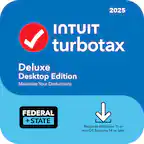
A:AnswerTurboTax Deluxe 2023 + Efile & State contains five federal e-files and one state preparation product. You can prepare, print, and mail unlimited federal returns. The State preparation tool included helps you complete your state tax documents. Upon completion, you can choose to e-file your state return for an additional cost (e-file up to three), or you can print and mail your state return (unlimited) to avoid this charge. Please be aware that for the state of New York, there is no fee for e-files.
A:AnswerYou will be able to get the New York state download to prepare your state taxes and e-file it with no additional cost, since state e-file fees do not apply to New York state returns.
A:AnswerYes, TurboTax Deluxe 2023 Federal + E-file & State [Digital] will transfer last year's tax data file (.tax2022 file) or PDF from the 2022 version of TurboTax Desktop or Online; including PDF's created in TaxACT.
For instruction on how to do so, please visit our community page and search, 'Can I transfer last year's PDF into TurboTax Desktop 2023?'.
A:AnswerDepending on the reason for receiving a Form T, it can be reported in two ways. If it falls under the farming exclusions, it can be reported on either Schedule C or F. However, if it is treated as investment income, it should be reported on Schedule D.
For more support, please visit our blog community or reach out to our support channels via Facebook and X (formerly known as X).
A:AnswerWhile TurboTax Deluxe 2023 would include what you would need to report your capital assets, we do suggest TurboTax Premier 2023 to get the guided interview questions to ensure information is being accurately entered. If you are comfortable manually entering your information, you can use Deluxe in Forms Mode. While using Forms Mode will not prevent you from e-filing, it does void the TurboTax Accuracy Guarantee. If you override any values that were calculated by TurboTax, this will void the Accuracy Guarantee and you will be unable to e-file. However, you would still be able to print and file your return.
A:AnswerI bought mine from Best Buy. I've chosen the download version so that I don't have to throw anything. It's for the environment, avoid unnecessary trash.
A:AnswerApple no longer supports computers running Catalina 10.15. This means that TurboTax Desktop requires macOS BigSur 11 or later. Older versions of TurboTax Desktop (tax years 2019, 2020, and 2021) are compatible with Catalina 10.15 and higher.