TurboTax - Home & Business Desktop Edition 2025 Federal & State Tax Return - Mac OS, Windows [Digital]
Customers are saying
Customers are positive about the Home & Business Desktop Edition 2025 Federal & State Tax Return. Users find the product easy to use. Many also feel that the overall performance of this product is excellent.
Features
TurboTax Desktop Edition is download software which you install on your computer for use.
Requires Windows 11 or macOS Sonoma or later (Windows 10 not supported).
Recommended if you are self-employed, an independent contractor, freelancer, small business owner, sole proprietor, or have a home office or home-based business.
Includes 5 Federal e-files and 1 State via download. State e-file sold separately. Get U.S.-based technical support (hours may vary).
Your downloaded software resides on your computer, so you can view and manage your tax data (Intuit Account required).
Boost your bottom line with industry-specific small business tax deductions.
Get a head start by importing your info from last year's TurboTax return or other tax software.
Create and e-file W-2s and 1099s for employees & contractors using Quick Employer Forms.
Up-to-date on the latest tax laws so you have the latest information.
Avoid mistakes by importing W-2s, investment & mortgage information from participating companies.
Guides you through start-up costs that new businesses can deduct.
Simplified asset depreciation and reporting.
Audit Risk Mete checks your return for audit triggers.
Runs thousands of checks before you file to help identify missing deductions or credits.
Specifications
- Operating System CompatibilityMac OS, WindowsSoftware FormatDigital
Reviews
Rating 4.7 out of 5 stars with 54 reviews
- Ease of Use (11)
- Overall Performance (7)
Customer Images
The vast majority of our reviews come from verified purchases. Reviews from customers may include My Best Buy members, employees, and Tech Insider Network members (as tagged). Select reviewers may receive discounted products, promotional considerations or entries into drawings for honest, helpful reviews.
Compare similar products
![TurboTax - Home & Business Desktop Edition 2025 Federal & State Tax Return - Mac OS, Windows [Digital]](https://pisces.bbystatic.com/image2/BestBuy_US/images/products/481df9e0-663a-4b52-b5f4-564184e60a1e.jpg;maxHeight=422;maxWidth=264?format=webp)
TurboTax® Home & Business. Get your personal and self-employed taxes done right.
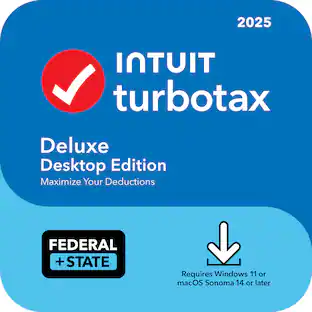
![TurboTax - Deluxe Desktop Edition 2025 Federal & State Tax Return - Mac OS, Windows [Digital]](https://pisces.bbystatic.com/image2/BestBuy_US/images/products/3cfb829d-41d9-4667-8495-8fc35b5bed5b.jpg;maxHeight=422;maxWidth=264?format=webp)
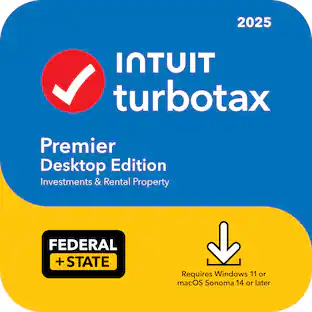
![TurboTax - Premier Desktop Edition 2025 Federal & State Tax Return - Mac OS, Windows [Digital]](https://pisces.bbystatic.com/image2/BestBuy_US/images/products/9d758a21-9be6-4ba1-a8a6-9588166d4a8f.jpg;maxHeight=422;maxWidth=264?format=webp)
![TurboTax - Business Desktop Edition 2025 Federal Tax Return - Windows [Digital]](https://pisces.bbystatic.com/image2/BestBuy_US/images/products/ab16919c-a329-4c1c-bcac-02d0a191c88f.jpg;maxHeight=422;maxWidth=264?format=webp)
| Pros for TurboTax - Home & Business Desktop Edition 2025 Federal & State Tax Return - Mac OS, Windows [Digital] | |||
|---|---|---|---|
| Ease of Use, Overall Performance | Overall Performance, Ease of Use, Accuracy, Data Import | Ease of Use, Overall Performance | There were no pros for this product— |
Specs
Customers often buy these together




More to consider


Explore tech essentials Sponsored
 $20.99The price was $114.99





Discover related products
 $249.00The price was $275.00
 Techtober Deal$10.99The price was $13.99