“I have an HP laptop without a CD driver. It has a touch pad for control. How do I install or use a mouse instead of touch pad?”
Answer This Question
1-10 of 11 Answers
Most mice (mouses?) don't require a cd to install if you are using Window 7 or later. Just plug the mouse in and let the windows software do its own thing. If you want a gaming mouse with a lot of extra buttons, you may need to obtain a portable CD drive which plugs into a USB outlet. I recommend a CD read/write so you can burn CDs as well. If your touchpad gives you problems with accidental touches, you can disable it in the device manager. go to My Computer then System Properties then Device Manager. enjoy
Sorry, there was a problem. Please try again later.As long as you have a USB port you shold be able to simply plug in this mouse and let the computer "find" it and it will take over for you.
Sorry, there was a problem. Please try again later.Is this a corded usb mouse or wireless? Your mouse should be plug & play. The latest operating systems usually come preloaded with the necessary drivers so you should be fine.
Sorry, there was a problem. Please try again later.If you have a USB port, most mice (wired or wireless) just plug and play. Some wireless mice are Bluetooth now too, if that helps.
Sorry, there was a problem. Please try again later.I guess all you need to use external mouse is hook up your external mouse and go to control panel and select external device/ mouse. If not available in windows restart your system it usually configure while restarting.
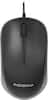
Sorry, there was a problem. Please try again later.Just plug a USB mouse such as : Insignia™ - USB Optical Mouse - Black/Gray Model: NS-PNM5013 from Best Buy @ $8' Computer will recognise it when you plug it in.
I would recommend:
Sorry, there was a problem. Please try again later.I had great help with Best Buy employee, he helped me set up mouse and also additional screen and keyboard making it easier for home use... and I can still take when traveling without additional items.
Sorry, there was a problem. Please try again later.No doubt that your laptop has a USB port. If your mouse has a USB cable on it or is wireless with a USB plug in, all you have to do is plug it in and you're ready to go!
Sorry, there was a problem. Please try again later.consider to use an external add-on "Mini-Mouse" with optical infra-red pick-up which SHOULD plug into your USB port - granted, this does occupy a USB outlet full-time, but it SHOULD work for you. Also consider that Mini-Mouse is also available in WIRED version which would likely also plug into one of your USB ports.
Sorry, there was a problem. Please try again later.Simply plug the mouse USB into the USB port, there is no need for an installation disk..
Sorry, there was a problem. Please try again later.