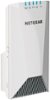
“Can I hook Netgear wifi extender ? Need coverage in bedroom. Thanks”
Answer This Question
1-2 of 2 Answers
You can definitely use a Netgear WiFi Extender. It depends on your internet source and your router (make and model) as to which WiFi extender would be the best fit for your personal scenario. If you're using a hotspot with a wireless company for your internet source, it would be easier to move the hotspot to a central location where the devices in each of the rooms can obtain the signal. If this isn't possible, then when you plug-in the WiFi extender, make sure that there is a "direct line of site" to the hotspot (or router for that matter) so the extender is able to receive maximum signal. Plug-in the extender as close as you can to the bedroom while having that "straight line" to the hotspot or router. You don't want any walls or a greater distance than will allow the extender to receive the full signal. Another trick is to name the WiFi extension THE SAME NAME as your router or hotspot has for the "network name" (the name of your router's or hotspot's wireless connection) so whichever signal is stronger and the faster signal (in the case of "dual-band" or "tri-band" routers), this is where choosing the make and model of the extender comes into play. I personally find it easier to match the make / manufacturer and even the model of your router (so you get the same "channels" you already have set-up with your router or hotspot and purchase the same brand of extender. Look at the specs of the extender as they will say which routers the extender "works best with" so if you have a "dual band" or tri-band (A/C Gigabit, or N Megabit) Netgear router, then the extender will need to support those same channels (usually two slower speed for older devices and two fast channels for newer devices in this example, this is a tri-band router) - name ALL of the "networks" / channels the same name "My Wireless Connection" for example - use a unique name so your neighbors will not have the same network name! - and use the same, good practices password for all of the channels AND for the extender (same WiFi name and password that you are already using to connect to your network with) and you will be all set and ready to connect to the WiFi in your bedroom! - Most importantly, check the extender which you are looking into purchasing and make sure that your router is listed as one of the compatible ones with the extender - The two recommendations I show here: one is a "tri-band" and the other is a dual band" - it is optimal to match, again, your routhr's band type with the extender model. - You CAN use a router and an extender from different manufacturers; however, this will mean that you will need to do more of the "set-up" manually. If you are not well versed in configuring the WiFi, routers and extenders, naming thee network and, most importantly, securing it - then definitely purchase the same make / manufacturer router and extender. They will have "Wizards" which will step you through the process. The extender will automatically find your network and set-up everything for youi when they both "match"! I hope this helps.
I would recommend:
Sorry, there was a problem. Please try again later.Yes, Works like any other WiFi router.
Sorry, there was a problem. Please try again later.