A:AnswerTo answer your question, I want to gather a bit more information. When you have a free moment, we are available through text message, chat, or over the phone. Just go to support.VIZIO.com and click on ‘Contact Us’.
A:AnswerVizio sound bars are able to work with all TVs as long as the TV has ports needed to connect audio cords on the back. When using a Vizio TV and sound bar together, the TV remote is able to control volume adjustments and mute. If connected with HDMI ARC and the TV's CEC setting is on, the sound bar will power off and on with the TV powering off and on as well. For individual settings and adjustments on the sound bar, you will need to use the sound bar remote or SmartCast Mobile app.
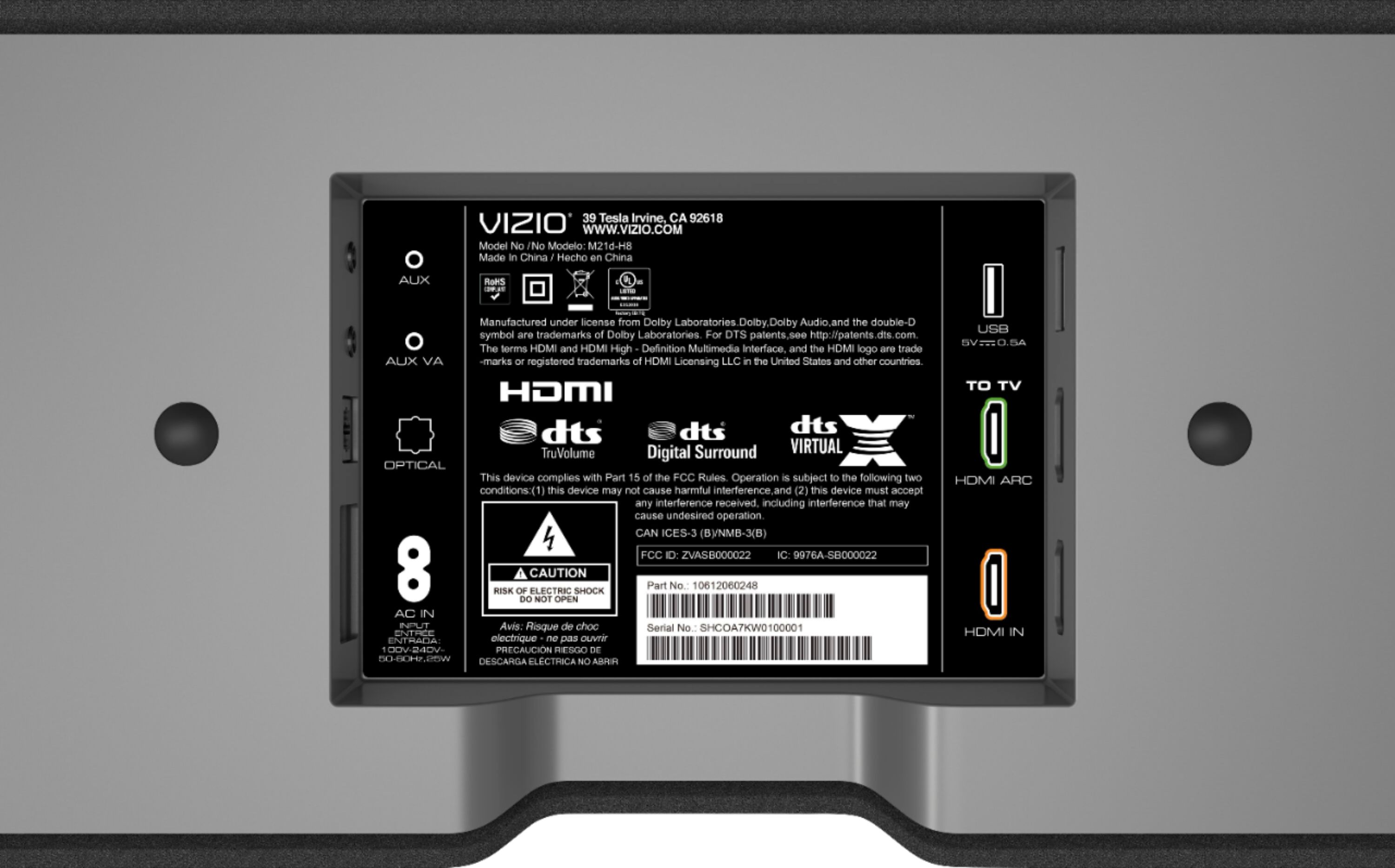
A:AnswerSimple answer, Yes! It mounts fairly simple too. It evens comes with a diagram of the sound bar to help you align and correctly measure the the position of the mounting brackets. Will need two drywall crews and and anchors though, which are not included with the sound bar.
A:AnswerWall mounts are included (a pair of simple round plastic "knobs" that fit into slots on back of the speaker unit. A paper template is provided that shows the spacing required for the wall mount knobs to match up with the speaker. They don't however include the screws needed to fasten the knobs to the wall. I used plastic wall anchors with 1.25" screws.
A:AnswerIf your subwoofer has some sort of pass through you could likely do it... but you will likely get a better result if you buy a packaged soundbar with subwoofer or just get an amplifier and speaker and do a more traditional setup.
You would need to get your manual for the subwoofer and this soundbar and see if you can pass through the audio to the soundbar from the subwoofer. That said, if the subwoofer doesn't have a pass through with a frequency cut off you might have frequency overlap and it will sound too bass heavy.
A:AnswerYes; however, do not recommend. The dialogue from the sound bar would not be in sync with the picture and would not be coming at the audience. The sound bar works best in front of the TV or mounted below TV.
A:AnswerLikely no.
Maybe yes if they are both Vizio, old sound bar and new sound bar.
Yes if you are replacing this same soundbar.
Over all, if the soundbar died and it is older, I would replace the whole setup as you will be mixing and matching something rather than buying something meant to work together.
Your sound will always sound better if you are using things that were designed to work together.
A:AnswerProbably the issue is with the TV.
Googling your TV and issue with the sound bar would be a better place to start.
On the sound bar you can adjust the setting for the lag. If that doesn't work you will need to play with the settings on the TV. Start by turning off all sound leveling, virtual surround. EQ ETC. If that helps or works, add in the settings one at a time afterwards and see if you can localize the issue.
Then take that setting and audio lag plus your TV/Sound bar model back to google and see if anyone has a solution.
The issues vary so much between manufactures it is difficult to say where the issue is. I had issues and both soundbar and TV are Vizio and brand new bought at the same time.
A:AnswerIn this case you should believe VIZIO.
There is no reason to believe that you should be able to connect wireless speakers from another soundbar, even if it is another Vizio product, to the M21d-H8R.
The M21d-H8R is designed to be a stand alone sound bar. It is not documented to support any additional wireless subwoofer or speakers or be expandable in that way.
See the manual http://cdn.vizio.com/misc/KBImages/models/m21dh8/manual.pdf